


Key takeaways:
Email automation lets small businesses set up an "if-this-then-that" system once and have it run on its own, freeing up hours without needing to hire more help.
Start with seven core automations that cover the full customer lifecycle: welcome sequence, lead nurture, abandoned cart, post-purchase, re-engagement/win-back, birthday or anniversary, and review/referral request.
The welcome sequence is the highest-value automation to set up first, because new subscribers are at peak interest and a 3-email flow (immediate delivery, day 3 useful tip, day 7 main offer) sets the tone of the entire relationship.
Abandoned cart emails have the fastest payback for e-commerce, with a 3-email rhythm (1-hour reminder, 24-hour social proof, 72-hour small incentive) recovering sales that would otherwise be lost.
Track only three metrics to keep things manageable: open rate (signals subject line and deliverability health), click-through rate (signals whether the email itself is doing its job), and unsubscribe rate (should stay under 0.5 percent per email).
Spend the first three months observing and building your own baseline, rather than chasing internet benchmarks. From month four, change one variable at a time and give it 30 days before judging the result.
The biggest levers for improvement are rewriting subject lines (for open rate), shortening emails, sharpening the call to action, and adjusting send timing and email spacing inside a sequence.
Running a small business often feels like a constant trade-off. Every hour you spend writing an email is an hour you're not spending on a customer call, a product fix, or actually moving the business forward. Budgets are thin, the team is small (or it's just you), and the to-do list never really shrinks. That's why automation has become one of the few real levers a small business can pull. It gives you back hours without forcing you to hire.
Email automation is one of the cleanest places to start. Done right, automated emails greet new subscribers, nudge hesitant buyers, and bring back people who've gone quiet, all while you're doing something else. In this guide, we'll walk through the email automations worth setting up first, the tools that fit a small business budget, and how to measure whether any of it is actually working.
What is email marketing automation, and how does it work?
Automation is when you set up a system once and let it run on its own from that point forward. You decide what should happen, you decide what should trigger it, and the system takes care of doing the work every time those conditions show up.
For example, a thermostat that switches the AC on at 6pm every evening is an automation. A bank rule that moves money into savings the day your salary lands is an automation. The common thread across all of them is that you do the setup work once, and the work keeps happening on its own after that.
Email marketing automation is one specific application of this idea. You write an email (or a series of emails) once, you decide what action or event should trigger it, and from that point on the platform sends those emails to the right people at the right time without you having to log in. The trigger could be a new signup, a purchase, a click on a specific link, a date on the calendar, or some combination of those. Whatever you set up, the platform handles it in the background while you focus on the rest of the business.
Every automation, is just an if-this-then-that rule:

If someone fills out your signup form → send the welcome email
If someone abandons their cart → send a reminder one hour later
If today is a subscriber's birthday → send a discount code
If someone hasn't opened an email in 90 days → send a re-engagement note
Note that automation and drip campaigns aren't quite the same thing, even though people use the terms interchangeably. A drip is a fixed schedule. For example, five emails over two weeks, sent to everyone the same way no matter what they do in between. Automation can be that, but it can also branch. If someone buys after the second email, a good automation will stop pitching them and move them into a post-purchase flow instead of sending a discount they no longer need. You don't need that kind of branching on day one, but it's worth knowing the option exists once you're ready to use it.
What type of automation should a small business set up?
There's no shortage of automations you could build, but start with a few important ones. The seven email automations will help you save a lot of time.Together, they handle new subscribers, lapsed ones, buyers, and the people sitting on the fence so you're not back at your keyboard every time someone signs up or hits checkout.

1. Welcome sequence
The welcome sequence is the first automation every small business should turn on, and the most valuable. It's the series of emails a new subscriber gets in the days right after they hand over their email address. It doesn't matter how they signed up. It can be through a signup form on your homepage, a lead magnet download, a free trial, or any other entry point.
The trigger is: someone joins your list.
It sets the tone of the relationship. You're talking to someone at the peak of their interest in you. They just signed up, they remember why, and they're curious about what's next. A good welcome sequence uses that window to deliver whatever you promised at signup, explain what they can expect from you going forward, and start moving them toward the next step (a purchase, a booking, a reply).
3-email welcome sequence template:
Email 1 (sent immediately): Deliver the lead magnet or confirm the signup. Two or three sentences introducing yourself or the business. No pitching.
Email 2 (day 3): Share one specific, useful thing they can apply right away — a tip, a customer story, a short how-to.
Email 3 (day 7): Make your main offer. One clear call to action, one piece of social proof.
2. Lead nurture sequence
If you sell something that isn't an impulse purchase and takes time to think about (coaching, consulting, software, services, anything where people don't buy on the first visit) a lead nurture sequence is the automation that does the patient follow-up for you. It kicks in when someone downloads a guide, attends a webinar, or signs up for a free resource without buying. Instead of letting them go cold, the sequence keeps showing up in their inbox over the next few weeks with content that builds trust and slowly moves them toward a decision.
This automation helps you stay useful long enough that when your lead is ready, you're the one they remember to buy from. Each email should answer a real question someone in your audience has, not just remind them you exist.
5-email nurture template spaced over 2–3 weeks:
Email 1 (day 1): Deliver the resource they signed up for, plus one related insight.
Email 2 (day 4): Address a common objection or misconception in your space.
Email 3 (day 8): A short customer story or case study with a real outcome.
Email 4 (day 14): A behind-the-scenes look at how you work or how your product is built.
Email 5 (day 18): A soft offer such as, a free consult, a demo, or a discount on the entry-level product.
3. Abandoned cart email
If you sell online, this is the automation with the fastest payback. Plenty of people who add an item to their cart never actually check out — they get distracted, second-guess the purchase, or simply walk away from the screen. An abandoned cart automation catches them before they forget the whole thing. It's triggered when a shopper adds something to their cart, enters their email somewhere on the site (usually at the start of checkout), and then leaves without buying.
The job of these emails isn't to coax people to buy. The first one is a reminder, the second one builds confidence (reviews, return policy, shipping info), and the third adds a small incentive. Done right, even a single email here recovers sales that would otherwise be lost.
3-email cart recovery template:
Email 1 (1 hour after abandonment): Friendly reminder, with the product image. No discount.
Email 2 (24 hours later): Customer reviews for the item, plus return and shipping reassurance.
Email 3 (72 hours later): A small incentive — free shipping or 10% off — with a clear deadline.
4. Post-purchase sequence
The sale isn't the end of the conversation. A post-purchase sequence kicks in after someone buys, and its job is to turn a one-time buyer into a repeat one.
The trigger is the purchase itself: order placed, sequence starts.
What goes inside depends on what you sell. For physical products, the early emails confirm the order, set delivery expectations, and (a few days after delivery) ask for a review. For digital products or services, the focus shifts to onboarding. You have to help the customer actually use what they bought so they get value from it. Either way, the sequence ends with a gentle nudge toward a referral.
It cuts down on "where's my order?" support emails, and it builds the kind of post-sale experience that earns repeat business.
4-email post-purchase templates
Email 1 (immediately): Order confirmation, thank-you, and what to expect next.
Email 2 (3 days after delivery or first use): A tip or short guide for getting the most out of the product.
Email 3 (7–10 days later): Review request. Make it one click if you can.
Email 4 (30 days later): Suggest a related product, or a referral incentive.
5. Re-engagement / win-back campaign
Whatever industry you might be in, the people who join your email list will not behave the same way throughout their journey with you. When they first join, they might open a lot of emails and click on a lot of links, but over time they might not engage with your emails. Maybe your email is buried in their inbox and they forgot to check it out, or they are simply not interested in your products anymore.
Keeping these people on your list can hurt your engagement rate, and that signals to inbox providers that your emails are not valuable to your audience. It hurts your email deliverability rates.
To fix this, you can run a re-engagement or win-back campaign. This automation can run every week and look at people who have not engaged with your emails (either by opening them or clicking any of the links) in the last 60 to 90 days. It sends them an email asking if they would like to remain on the list or not.
The trigger is inactivity: no opens or clicks over a defined window. The sequence gives them a few chances to come back, and if they don't, removes them from the active list. That sounds aggressive, but a smaller, engaged list almost always outperforms a larger, dusty one.
3-email win-back template
Email 1: "Are we still a fit?" Keep it direct, low-key, no pressure.
Email 2 (5 days later): A recap of your best content or biggest news from the last few months.
Email 3 (10 days later): "Last email from us." Send a final ask, with a one-click button to stay subscribed. Remove non-openers after.
6. Birthday or anniversary email
A birthday email, or a "1 year since you joined" anniversary email, is the kind of automation that feels personal even though it runs on a calendar trigger. For e-commerce, attach a discount or a free gift. For service businesses, a short personal note can work just as well.
The trigger is date-based. It can be either the subscriber's birthday (if you collected it at signup) or the anniversary of the day they joined your list or made their first purchase. The setup is a one-time job, and open rates tend to be high because the email arrives with a friendly reason attached.
It also reinforces a habit you want your subscribers to have: opening your emails. Every positive moment in the inbox makes the next one more likely to land where you want it.
Birthday or Anniversary Email Template
Subject: "A small something for your birthday, [First Name]"
Body: Short and warm. One or two sentences, a clear gift (discount code, free item, free month), a deadline (usually 7–14 days), and a single button.
7. Review and referral request
Once a customer has actually used your product or service for a bit, an automated email asking for a review or a referral is one of the easiest wins available. The trigger is a delay after purchase. It should bel long enough that they've had time to experience what they bought, short enough that the experience is still fresh.
Reviews build social proof for everyone else looking at your site. Referrals bring in new customers at roughly the cost of an email. Both compound over time. The trick is to ask at the right moment and make the action one click.
For service businesses, the same automation can ask for a testimonial or a short case study interview. For e-commerce, it's a product review on your store or on a third-party platform.
Review or Referral email template
Send 7–14 days after purchase or first use.
Subject: "Quick favor, [First Name]?"
Body: Two sentences. Thank them, ask for the review or referral, link directly to where they can do it. If it's a referral, mention what's in it for them (discount, credit, free product).
What metrics should you track to measure if your automation is performing or not?
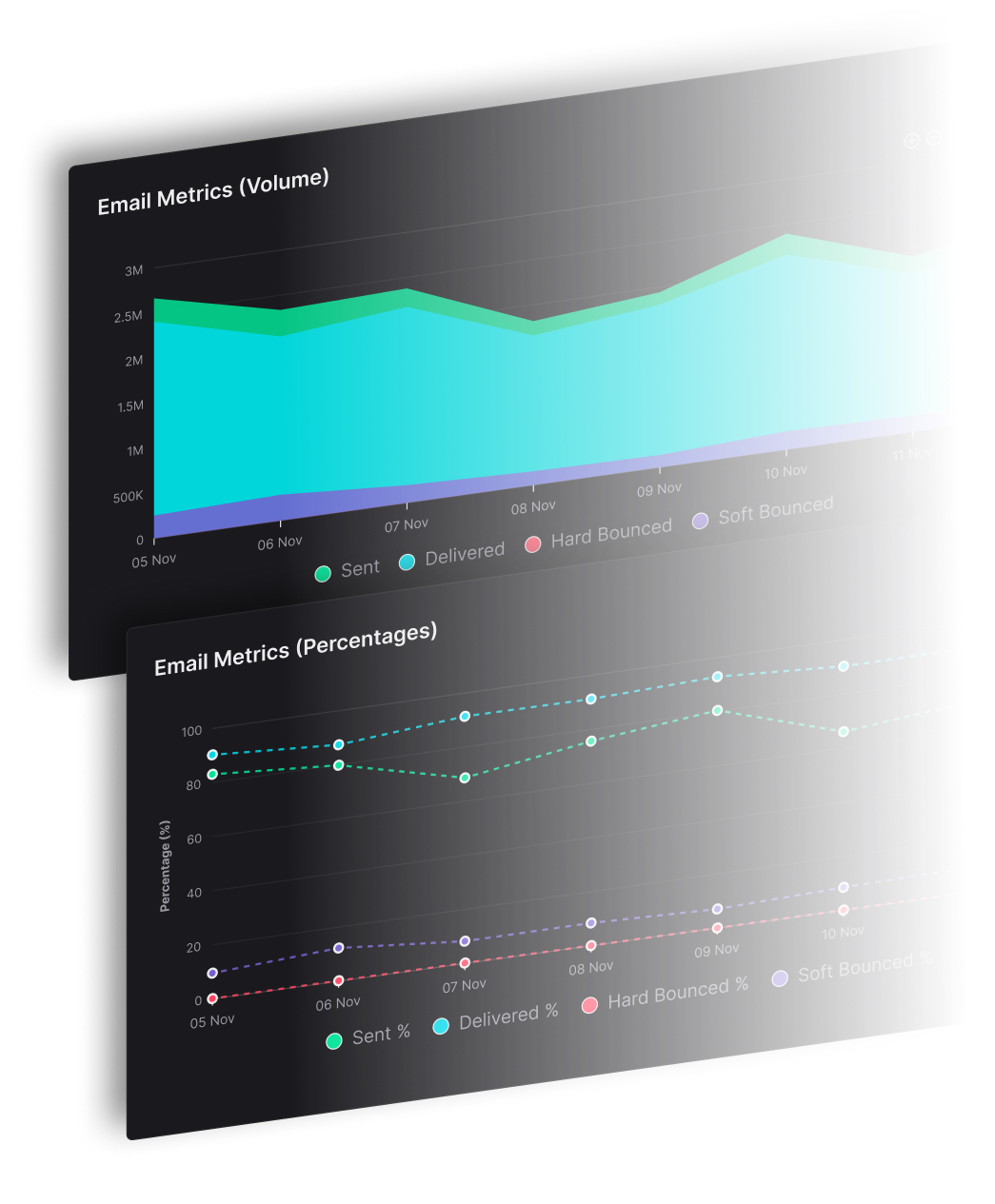
The point of tracking metrics is not to drown yourself in data, it is to give yourself a small number of clear signals that you can actually do something with. For a small business, three numbers cover almost everything you need to know. Those are open rate, click-through rate, and unsubscribe rate.

1. Open rate
Open rate is the percentage of people who opened an email out of everyone who received it. It is the first signal of whether your emails are getting through and whether your subject lines are worth opening. If your open rate is low, the problem is almost never the body of the email, because subscribers have not seen the body yet. It is the subject line, the sender name, or in some cases the inbox placement (the email is landing in spam or in the promotions tab instead of the main inbox).
For a welcome email, an open rate in the 40 to 60 percent range is healthy because the subscriber just signed up and is at peak interest. For an email further into a sequence, 20 to 30 percent is reasonable. Numbers shift depending on industry, list quality, and how engaged your subscribers were when they joined.
2. Click-through rate
Click-through rate, often shortened to CTR, is the percentage of people who clicked a link inside the email out of everyone who received it. This is the metric that tells you whether the email itself is doing its job. People opened it, they read at least part of it, and enough of them found a reason to click.
A click-through rate of 2 to 3 percent across most automated emails is solid for a small business. Welcome sequences and abandoned cart emails often sit higher because the intent is stronger. If your open rate is healthy but your click-through rate is weak, the problem is usually inside the email. Either the message is not landing, the call to action is buried or unclear, or you are asking for too much too soon in the relationship.
3. Unsubscribe rate
Unsubscribe rate is the percentage of people who hit the unsubscribe link after receiving an email. A small amount of unsubscribing is normal and even useful, because the people leaving were not going to buy from you anyway, and keeping them on the list hurts your sender reputation. Anything under 0.5 percent per email is fine. If you see a sudden spike, something is off. The email might be too pushy, the cadence might be too aggressive, or the email might be going to the wrong segment.
Watch this number more carefully on the first email of a welcome sequence and on the first email after a long gap in communication. Those are the moments when people are most likely to clean up their inbox.
How to know if you are actually getting better
Numbers in isolation do not tell you much. A 22 percent open rate is fine, but is it better or worse than what you had three months ago? The only way to answer that is to start collecting your own data.
For the first three months after you turn an automation on, the goal is not optimization, it is observation. Let the sequence run, let it gather enough data to be meaningful, and at the end of those three months, write down your average open rate, click-through rate, and unsubscribe rate for each email in the sequence. That is your baseline. From this point on, every comparison is against your own numbers, not against a benchmark you read somewhere on the internet.
From month four onward, the goal shifts to small, deliberate improvements. Pick one thing to change at a time, give it 30 days, and then compare. If you rewrite a subject line for the first email of your welcome sequence, do not also change the send time and the body of the email in the same month, otherwise you will not know which change moved the number. Change one variable, measure, then move on to the next.
A few small changes tend to move the numbers for most small businesses.
Rewriting subject lines is the single biggest lever for open rate.
Adjusting the send time of an email, especially the first one in a sequence, can shift noticeably..
Shortening an email almost always helps welcome and post-purchase sequences.
Making the call to action more specific, with fewer asks and clearer language, tends to lift click-through rate.
Tweaking the spacing between emails in a sequence often helps when later emails underperform earlier ones.
A two or three percentage point lift in open rate over six months, or a click-through rate that moves from 1.8 percent to 2.4 percent, compounds into a real difference over the course of a year. Small, steady improvements beat dramatic rewrites every time.
Which email automation tools should you consider for your small business?
The right tool depends on your list size, the kinds of automations you want to run, and how much you can spend each month. The 5 platforms below cover the range that most small businesses end up choosing between. Some are built for simplicity, some for advanced automation, and some sit in the middle. Pricing changes often, so use the numbers below as a starting point and confirm the current rates on each platform's pricing page before you commit.
1. SendX
SendX is an email marketing platform built for E-commerce businesses, SaaS businesses, and senders who have an opted-in list. It is designed to be simple enough to set up in an afternoon and powerful enough to run every automation covered earlier in this guide.
You get a visual workflow builder, behavior-based triggers like form signups, link clicks, tag additions, and purchase events, and date-based triggers for birthdays and anniversaries.

Segmentation is handled through tags, so you can branch your sequences based on what subscribers actually do rather than just who they are.
A/B testing is included on every plan, and so is deliverability support, which is one of the more underrated parts of choosing a platform.
Pricing starts at $7.49 per month for up to 1,000 subscribers, with unlimited email sends across every plan.
2. Mailchimp
Mailchimp is the platform most people have already heard of. It has a polished interface, a generous free tier to experiment with, and a long list of integrations with other tools small businesses tend to use.

Mailchimp has a Customer Journey builder with behavior-based triggers, pre-built templates for common flows like welcome and cart recovery, and segmentation based on tags and activity.
The more advanced features such as multi-step branching, certain triggers, and predicted send time are locked behind the higher tiers, which is worth knowing if you plan to grow your list quickly.
Pricing begins with a free plan that allows up to 500 contacts and around 1,000 sends per month. Paid plans start around $13 per month for the Essentials tier, and the cost scales as your list grows, often more steeply than the alternatives on this list.
3. MailerLite
MailerLite is a lean, affordable platform that has become a favourite among solo founders, bloggers, and very small teams. The interface is clean, the learning curve is short, and the feature set is solid for what you pay.

MailerLite includes a drag-and-drop builder, multi-trigger workflows, behavioral triggers based on signups and link clicks, and decent segmentation.
It does not go as deep on conditional logic as the more expensive platforms, but for the kinds of automations a typical small business actually needs, it covers the ground well.
Pricing starts with a free plan that supports up to 1,000 subscribers and 12,000 emails per month. Paid plans begin around $10 per month and scale based on subscriber count.
4. ActiveCampaign
ActiveCampaign sits at the more advanced end of the spectrum. It is built for businesses that want deep automation, conditional logic, and a built-in CRM, and it tends to be the choice of small businesses with longer sales cycles, such as consultants, agencies, and B2B services.
The automation feature set is the deepest of any tool on this list. You get conditional branching, site tracking so you can trigger emails based on the pages someone visited, lead scoring, sales pipeline integration, and a wide library of pre-built recipes.

The trade-off is that all of this takes longer to learn, and most small businesses do not need it in their first year of email marketing.
Pricing starts around $15 per month for the smallest plan with limited features, though most small businesses end up on the Plus plan at around $49 per month. The cost scales fairly steeply with list size.
5. Brevo (formerly Sendinblue)
Brevo is a multi-channel platform that combines email marketing, SMS, transactional email, and a basic CRM in one tool. For small businesses that want to handle more than just email from a single dashboard, this is one of the main draws.
For automation, Brevo offers a visual workflow builder, behavioral and event-based triggers, list segmentation, and the option to mix email and SMS inside the same automation, which is useful for time-sensitive triggers like cart abandonment. The free plan is generous on contacts but limited on daily sends.
Pricing is based on emails sent rather than the size of your contact list, which can work in your favour if you have a large list but send infrequently. The free plan allows 300 emails per day with unlimited contacts. Paid plans start around $9 per month for 5,000 emails and scale up from there.
Choose SendX to build your automation
Sendex is an all-in-one email marketing tool, and the core of the platform is the visual workflow builder. You drag and drop steps onto a canvas, connect them with arrows, and build out whatever sequence you need. Every automation covered earlier in this guide can be built here. Welcome sequences, abandoned cart flows, post-purchase nudges, win-back campaigns, birthday emails, and review requests are all set up the same way. Pick the trigger, drop in the emails, set the delays between them, and turn it on. For the trigger, timing, and KPI behind each one, see our guide to the 9 email automation workflows every business should set up.
Triggers in SendX are flexible.

You can start a workflow when someone subscribes to a list, fills out a form, clicks a specific link, gets a tag added, abandons a cart, or hits a date on the calendar. From there, you can branch the workflow based on what subscribers do next, so the people who click an email get one experience and the people who do not get a different one. That branching is what separates a real automation from a basic drip.
Segmentation runs on tags and more than 25 other parameters covering subscriber behavior, demographics, and location. You can build a segment once and feed it into any workflow you create. Combined with email personalization fields, you can write one email that adapts itself to every subscriber on your list, so you are not writing five versions of the same thing for five different audiences.

A few things small businesses tend to find useful once they start building inside SendX.
Unlimited email sends on every paid plan. Pricing is based on the number of subscribers you have, not the number of emails you send, so your costs do not balloon the moment your automations start firing at scale.
A/B testing built in across all plans, so you can test subject lines and email variants without paying for an upgrade.
A managed deliverability service that handles IP reputation, domain authentication, and inbox testing for you, which is usually the most painful part of running email at scale.
An AI editor inside the email builder, useful if writing emails from scratch is the part of the process that slows you down the most.
Native integrations with WordPress, Stripe, and PayPal, plus a Zapier connection to over 3,000 other apps, so you can wire SendX into whatever tools you already run your business on. For teams already using AI-enabled platforms and tools to cut down manual work, SendX fits in easily as the email layer of a no-code automation stack.
Plans start at $7.49 per month for up to 1,000 subscribers, which keeps SendX well within reach for a small business just starting to layer automation into its marketing.
If you want to see how it feels in practice, the fastest way is to set up a free account, build a 3-email welcome sequence in the workflow builder, and connect it to a signup form on your site. The whole thing can be up and running in an afternoon.
Try it free, orbook a demo if you want a walkthrough first.
