

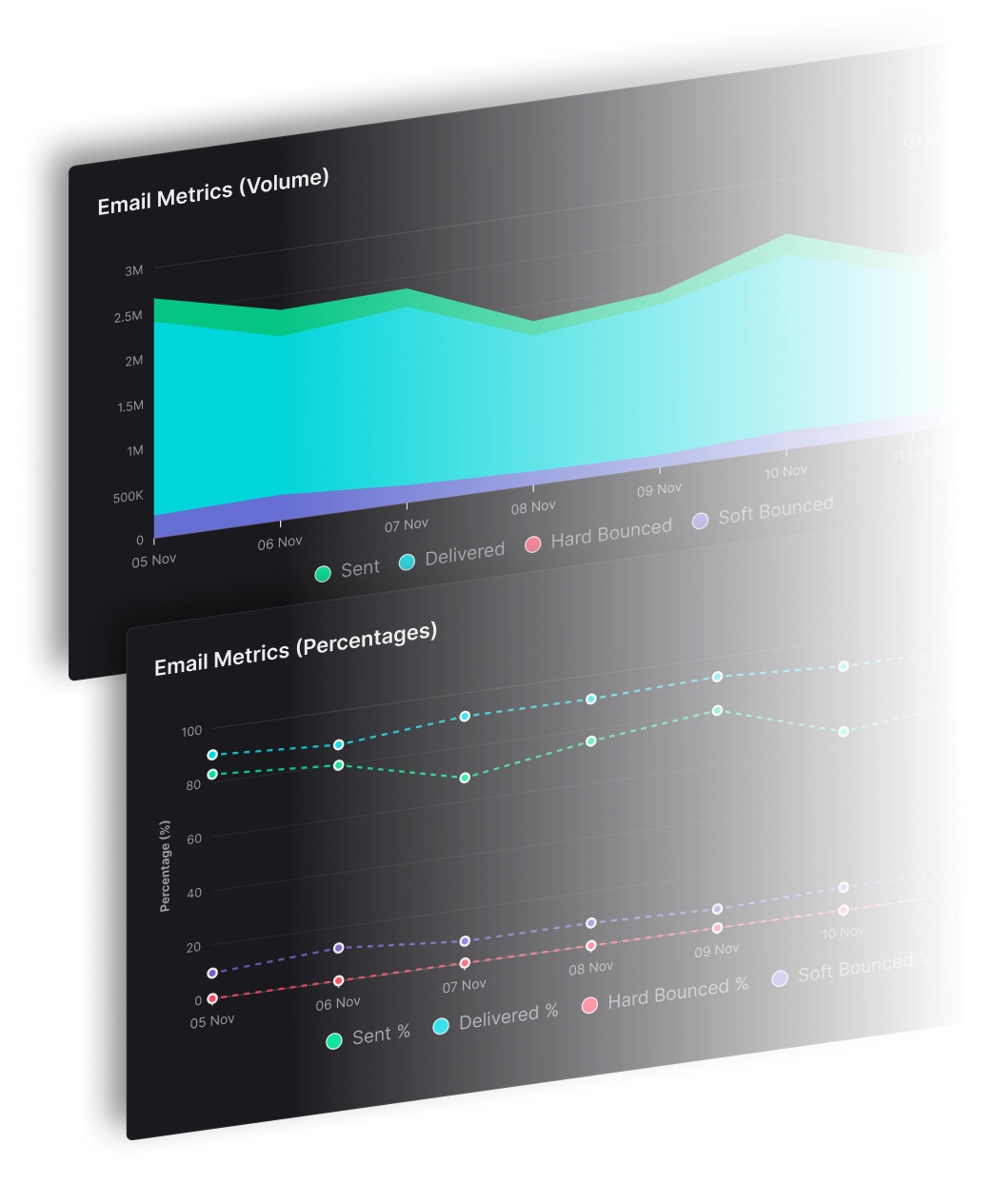


Different emails include marketing messages that promote offers, newsletters that share recurring updates, drip sequences that guide contacts, transactional messages that confirm actions, relationship notices that maintain accounts, and personal correspondence between people. Treating them all as the same sending stream ignores their different purposes, recipient expectations, and delivery needs.
For publishers, agencies and software businesses sending at volume, that distinction affects more than content organization. SendX Infrastructure addresses the delivery problem behind multiple sending identities. The practical starting point is separating message purpose, personal account features and the infrastructure responsible for delivery.
What Are the Types of Email and How Do They Differ?
Email types differ primarily by purpose, not by their design, length or sending software. A plain-text sale announcement is marketing email, while a branded purchase receipt can be transactional.
An email type is also different from an email account. A personal mailbox receives and sends correspondence. A business sending stream groups messages with a shared purpose and operational treatment.
Which email types belong in a business sending inventory?
| Email type | Main purpose | Example | What triggers it |
|---|---|---|---|
| Marketing (promotional) | Promotes an offer, product or event | Sale announcement or product launch | Scheduled by the sender for a list |
| Newsletter | Keeps subscribers updated on a schedule | Weekly digest or monthly update | Fixed calendar, with an edition sent to subscribers |
| Lifecycle or drip | Moves a contact through a sequence | Welcome series | Signup or a contact action |
| Transactional | Completes or confirms an action | Order receipt or password reset | The recipient's action |
| Relationship | Updates an ongoing account or product | Subscription renewal or safety recall | An account or product event |
| Personal | Connects individual people | Message from a colleague | Written and sent by a person |
These categories overlap operationally. A newsletter can contain marketing, while a lifecycle sequence can contain both educational and promotional messages. The category describes the job, not a permanent exemption from sending requirements.
The Radicati Group's older market forecast estimated more than 319.6 billion emails daily worldwide in 2021, combining business and consumer messages. That scope matters because business broadcasts and individual correspondence operate within the same receiving ecosystem.
How should an existing message be classified?
A sending team can use this classification check before assigning a message to a stream.
- Identify the trigger. Establish whether a recipient action, account event or publishing calendar starts the send.
- Name the expected outcome. Determine whether the recipient needs to confirm an action, learn something, manage an account or consider an offer.
- Inspect the main content. Check whether the dominant block sells something or completes an existing obligation.
A collection of business email examples can help teams name messages consistently. At volume, that inventory becomes the basis for different authentication, suppression and monitoring treatment.
How Do Newsletter, Marketing and Drip Emails Differ?
Newsletters follow a publishing calendar, marketing campaigns promote an offer, and drip emails follow an individual contact's progress. Scheduling alone doesn't distinguish them, because software can schedule all these messages.
Like a magazine edition and a guided course, a newsletter and a drip sequence organize information differently. The newsletter groups readers around an edition; the sequence groups messages around a recipient's starting point.
What makes a newsletter different?
A newsletter is a recurring edition for subscribers. A publisher might send industry reporting, company updates, product education or a digest of recent articles.
Each edition is a separate send, even when its layout repeats. Segmentation can change which articles appear without changing the underlying publishing model.
The practical setup starts with an editorial promise and a schedule. The sending software distributes each edition to the selected audience after the publisher approves it. This guide to creating an email newsletter connects that editorial process to campaign production.
When is a message a marketing campaign?
A marketing campaign centers on an offer, product launch or event. Its intended next action might be registering, purchasing or reviewing an upgrade.
A recurring promotional campaign can resemble a newsletter operationally. The useful distinction is the subscription promise, not whether the campaign repeats.
| Sending decision | Newsletter | Marketing campaign | Drip or lifecycle |
|---|---|---|---|
| What organizes the content? | An edition | An offer or event | A recipient's progress |
| Who determines the timing? | The publisher | The campaign owner | The automation rules |
| What should the recipient expect? | Recurring information | A promotional invitation | The next relevant step |
How does a drip sequence work?
The software places a contact into a sequence after a qualifying event. The team defines the entry condition, delays, messages and exit rules; the software then evaluates each contact separately.
The mistake is treating entry into an educational sequence as permission for unrelated promotions. A sponsor offer doesn't stop an edition being a newsletter, but editorial labels don't override its actual marketing purpose.
What Makes an Email Transactional?
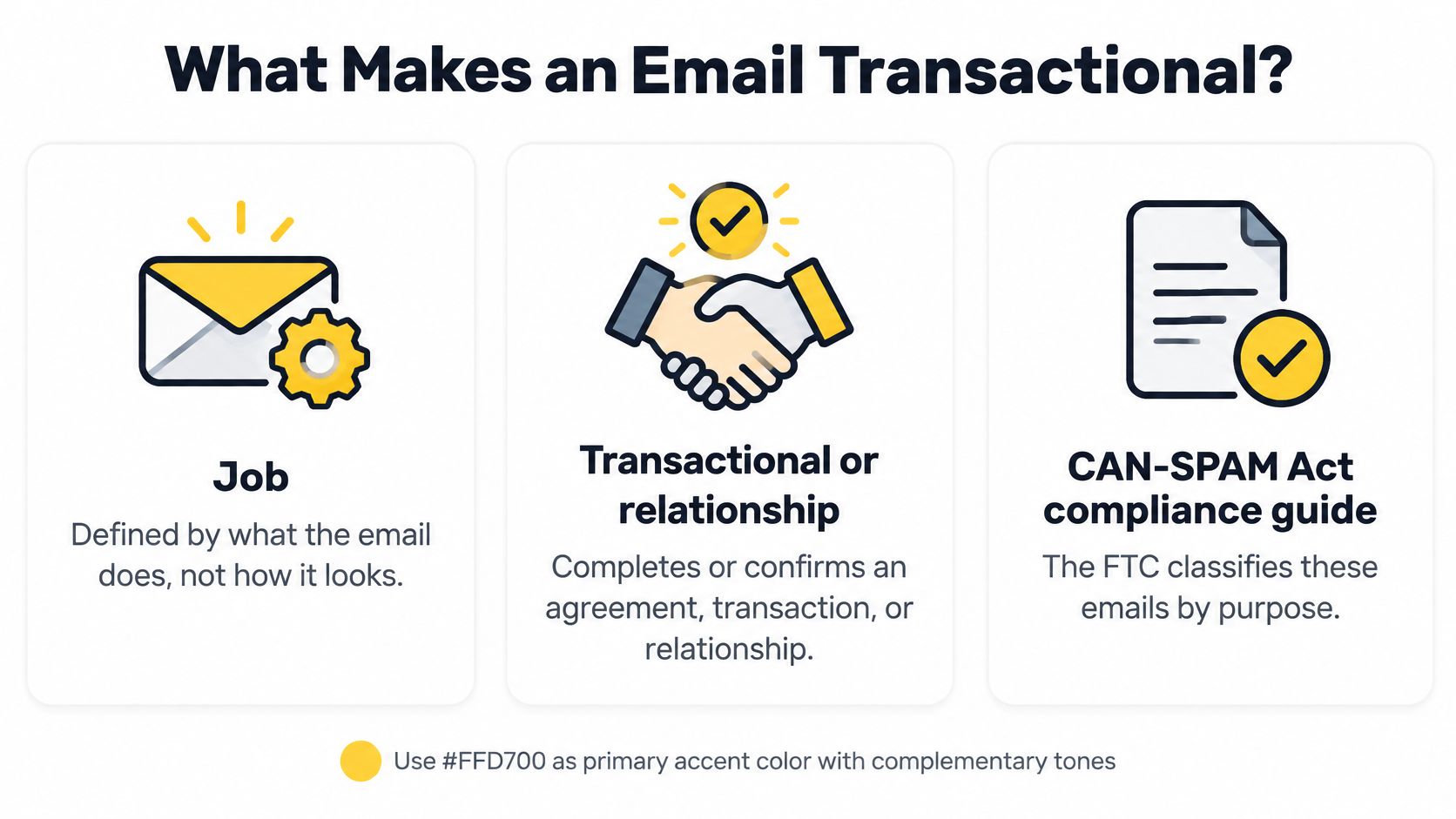
A transactional email completes, confirms or supports an existing transaction or relationship. Its purpose determines its classification, not its template or the department that sends it.
A receipt is like a record of an agreement, rather than an invitation to make another purchase. Under the FTC's CAN-SPAM Act compliance guide, transactional or relationship messages include transaction confirmations, product safety information and updates about an ongoing account.
The distinction is easier to follow when purpose, relationship and compliance appear together.
Which messages qualify?
Typical examples include an order confirmation, shipping notice, password reset, account-status change, subscription renewal notice and product safety recall.
A message containing only transactional or relationship content is generally exempt from most CAN-SPAM Act requirements. It still can't contain false or misleading routing information, including misleading sender information.
That exemption concerns message purpose. It doesn't remove authentication responsibilities or guarantee inbox placement.
What happens when a receipt contains a promotion?
The mistaken belief is that a receipt remains transactional regardless of what appears around it. Adding a transaction reference doesn't make a predominantly promotional message transactional.
A receipt with purchase details first and a small promotional banner at the bottom can retain a transactional primary purpose. A message dominated by a sale announcement may instead be marketing email, even when purchase details appear farther down.
| Message arrangement | Practical assessment |
|---|---|
| Purchase confirmation followed by a minor offer | Can retain a transactional primary purpose |
| Sale headline and product promotions before receipt details | Can establish a marketing primary purpose |
| Security instructions without promotional blocks | Keeps the security purpose clear |
The subject line and placement of content matter alongside the message body. A banner isn't an automatic exemption, and a transaction reference isn't a safe label.
Where should onboarding content go?
An account confirmation and a product-learning sequence serve different jobs. The confirmation establishes account status; the sequence teaches the recipient how to use the service.
For example, an onboarding message might contain an activation link, setup instructions and an upgrade offer. Keep the required activation information in the account message, move optional setup education into a lifecycle send, and keep the upgrade promotion separate.
These transactional email examples help teams review that boundary without relying on template names.
Free Email Accounts Compared by Storage and File Sharing
Free accounts belong here because a search for different emails often means different personal mailboxes rather than business message types. Storage and file sharing affect that choice, but a mailbox quota isn't a bulk-sending capability.
The useful comparison is where files live and how oversized attachments reach recipients. Account limits change, so current allowances need confirmation within each account's storage settings before a team relies on them.
| Free account | Free storage | Larger files sent as |
|---|---|---|
| Gmail | Shared across mail, cloud files and photos; check the current account quota | Google Drive links |
| Outlook.com | Mailbox and cloud-storage allowances require separate checks | OneDrive links |
| Yahoo Mail | Check the current allowance for the account and region | Cloud-storage links added to the message |
| iCloud Mail | Shared with other iCloud content; check available account storage | Mail Drop links |
Why does shared storage matter?
Think of shared storage as a cupboard used by several departments. Mail, photos, backups and documents can compete for capacity even though the user sees them in different software.
A file attachment also creates a different problem from a shared link. The attachment travels with the message; a link points to a file stored elsewhere.
That difference changes access control. A link can require permission, expire or stop working after a file moves. Sending a link successfully doesn't prove that a recipient can open the document.
What should a team check before choosing an account?
- Inspect storage ownership. Establish whether photos, backups or shared documents consume the same allowance.
- Test recipient access. Open a shared file from an account outside the organization before using that workflow.
- Review sensitive files. Grant access to intended recipients rather than making documents public for convenience.
- Check retention. Confirm that important documents won't disappear when a temporary download link expires.
The practical choice is usually the account connected to the team's existing files and permissions. Creating another mailbox to send large documents can create another storage and access-management problem.
Productivity Features and Platform Support in Free Email Accounts
Productivity features belong in the account decision because they determine how staff sort, find and answer messages. They don't determine whether a business sending identity authenticates correctly.
The distinction resembles a desk and a postal service. An organized desk helps someone handle correspondence; it doesn't establish the sender's credentials.
| Free account | Productivity features | Calendar and task integration | Platform support |
|---|---|---|---|
| Gmail | Filters, scheduled send, undo send and templates | Google Calendar and Google Tasks | Web, Android, iOS and compatible mail clients |
| Outlook.com | Focused Inbox, rules and scheduling options | Outlook Calendar and Microsoft To Do | Web, mobile and compatible desktop clients |
| Yahoo Mail | Filters, search and custom folders | Yahoo Calendar | Web, mobile and compatible mail clients |
| iCloud Mail | Mail rules and search; Smart Mailboxes in compatible desktop software | Apple Calendar and Reminders within the Apple ecosystem | Apple devices, web and compatible IMAP clients |
Availability can differ between webmail, mobile software and desktop clients. A feature present in desktop software shouldn't be assumed to exist in the free web account.
Which productivity features deserve testing?
Filters and rules sort incoming messages automatically. The team defines a condition, for example, a sender address or subject phrase, and the software moves or labels matching messages.
Scheduled send queues a message for later. Undo send typically provides a cancellation window, rather than retrieving a message already accepted by another mailbox provider.
Templates reduce repeated typing, while search operators help locate messages by sender, date or attachment. Follow-up reminders deserve a separate check because reminders may belong to the mail client rather than the account itself.
How should compatibility be evaluated?
Test the actual workflow, not just the supported device list. A team should create a calendar invitation, accept it externally, share a document and check whether task reminders appear where staff work.
IMAP, the Internet Message Access Protocol, lets compatible clients synchronize mailbox content. POP, the Post Office Protocol, retrieves messages and requires care when configuring server retention.
An ecosystem match can reduce extra synchronization work. However, personal productivity features don't provide domain ownership, per-brand reputation controls or operational separation for business broadcasts.
Why Mailbox Providers Judge Each Email Type Separately
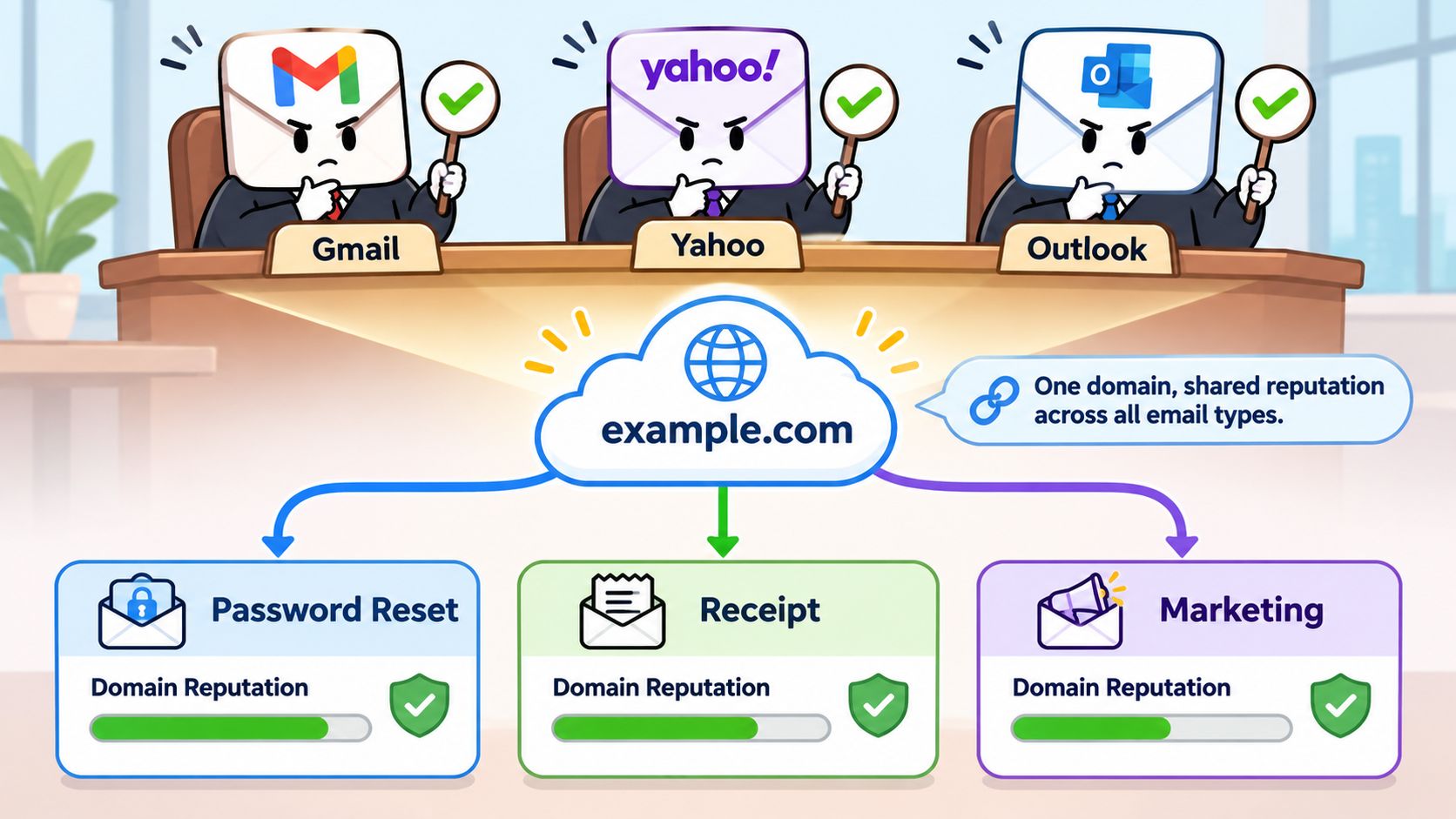
A shared sending domain isn't a neutral container for every message type. Mailbox providers evaluate authenticated identities and recipient behavior, not the internal labels assigned by a sending team.
They don't necessarily judge each email type independently. When newsletters and password resets share identifiers, those streams can share reputation exposure.
The illustration shows why a business should distinguish content categories from authenticated sending identities.
Which signals identify the sender?
Authentication works like a signed authorization attached to a letter. SPF checks whether infrastructure is authorized to send for an envelope domain; DKIM provides a cryptographic signature; DMARC checks alignment with the visible From domain.
The DKIM standard distinguishes the visible author from the signing organization. Changing only a display name or Reply-To address doesn't create an independently authenticated identity.
Google's sender guidelines apply additional requirements to bulk senders sending 5,000 or more messages daily to personal Gmail accounts. These include SPF and DKIM, DMARC, valid forward and reverse DNS, encrypted transport, compliant message formatting and one-click unsubscribe for marketing and subscribed messages.
The same guidelines recommend keeping user-reported spam below 0.1% and avoiding 0.3% or higher. These are Gmail-specific operating signals, not universal complaint allowances.
What should separate streams actually separate?
- Authenticated identity. Use independently configured sending identities for different operational purposes.
- Return path. Attribute delivery failures to the correct stream rather than mixing them into shared processing.
- Suppression ownership. Preserve marketing opt-outs without confusing them with essential account-message eligibility.
- Monitoring. Review bounces, temporary delivery delays, complaints and authentication results by stream.
For a publisher group, title-level domains help distinguish publications, but domains alone don't isolate shared IP pools or tracking infrastructure. Separation reduces shared exposure; it doesn't make a publication immune to its own sending behavior.
A practical review should compare individual streams rather than relying on a blended acceptance rate. LoriBeth Blair is SendX's deliverability consultant; that stream-level distinction is the relevant question for a deliverability review with LB.
The accompanying video provides additional context for evaluating sending behavior.

Delivered means accepted by the mailbox provider. In the inbox describes placement. A transactional email deliverability review should distinguish those outcomes rather than treating acceptance as proof of inbox placement.
Separate Your Email Types Before You Scale
Separating streams by hand becomes difficult when receipts, campaigns and newsletters share credentials, suppression handling and reporting. A blended result can conceal which identity needs attention.
The fix is to treat every stream as its own sending unit, with its own identity, rules and owner, before volume makes the tangle harder to undo. Five steps get you there.
1. Inventory every active sending stream
Record each message's purpose, trigger, sending owner and daily volume. Include receipts, password resets, newsletters and campaigns, plus messages sent by separate business systems such as billing or support tooling.
Add the current sending domain and recipient-permission source to the inventory. The goal is an operational map that an engineer and an audience team can both use.
2. Assign authenticated identities
Give each operational stream an appropriate sending subdomain and configure authentication before traffic starts. Align the visible From domain with the DKIM signing identity under the chosen DMARC policy.
In SendX, subaccounts give each brand, client or tenant its own API key, domains and IP pool. That keeps ownership attached to an identifiable sending unit rather than an informal naming convention.
A dedicated IP decision should follow the volume, consistency and isolation requirements of the stream. An independently assigned IP still needs responsible sending.
3. Separate failure handling and recipient choices
Configure a return path and suppression ownership for each stream. Record why an address was suppressed so a marketing unsubscribe isn't confused with an undeliverable address.
Permanent delivery failures and recipient preferences need different handling. Document which events stop all sends and which affect only a particular subscription.
4. Configure actionable monitoring
Set delivery, bounce and deferral alerts for each sending identity, and review complaint signals independently. Assign an owner who can pause the affected stream and inspect the failure reason.
Reporting should reach down to the bounce code for each brand, mailbox provider and IP. Then the team can investigate the affected identity instead of interpreting an account-wide average.
5. Prove the routing before expanding it
Test a stream with an appropriate recipient segment and verify authentication, event handling and suppression behavior. Route one brand first, with the current provider still running underneath, and switch back if the new arrangement doesn't earn its place.
Where receiving domains respond differently, set throttles and warmup per mailbox provider so each brand keeps its own domain, IPs, pool and sending pace. That reduces shared infrastructure exposure.
For software-generated receipts, API or SMTP sending connects application events to delivery, while webhooks return outcomes for processing. Give each webhook endpoint its own secret so signed events can be verified.
The result is an attributable record of which stream and brand caused a delivery change, with controls available at the affected sending identity.
Review sending-stream separation with SendX Infrastructure.
FAQs
How much promotional content makes an email marketing?
There's no universal content-percentage threshold in the CAN-SPAM Act's primary-purpose approach. Subject lines, content placement and the message's overall presentation matter, so counting promotional words isn't a reliable compliance method.
A minor banner doesn't automatically change the classification. Neither does placing a receipt beneath a predominantly promotional message preserve transactional status.
Does a transactional email need an unsubscribe link?
The CAN-SPAM Act generally exempts transactional and relationship messages from its opt-out requirement. That doesn't mean optional product education or promotional messages should be bundled into essential notices.
A preference link can help recipients manage optional communication. Essential security and account messages need a separately documented eligibility policy.
Can a free Gmail account send a newsletter to a business list?
A personal mailbox isn't a substitute for controlled business sending infrastructure. A business newsletter needs subscription handling, authenticated sender ownership and operational reporting appropriate to its audience and volume.
The relevant decision isn't whether a mailbox can send a message. It's whether the organization can manage permissions, delivery failures and reputation consistently for the publication.
Build a sending map that separates receipts, newsletters and campaigns before adding more volume. Visit SendX to discuss managed sending infrastructure with per-brand identities, delivery controls and results that identify the stream requiring attention.
