

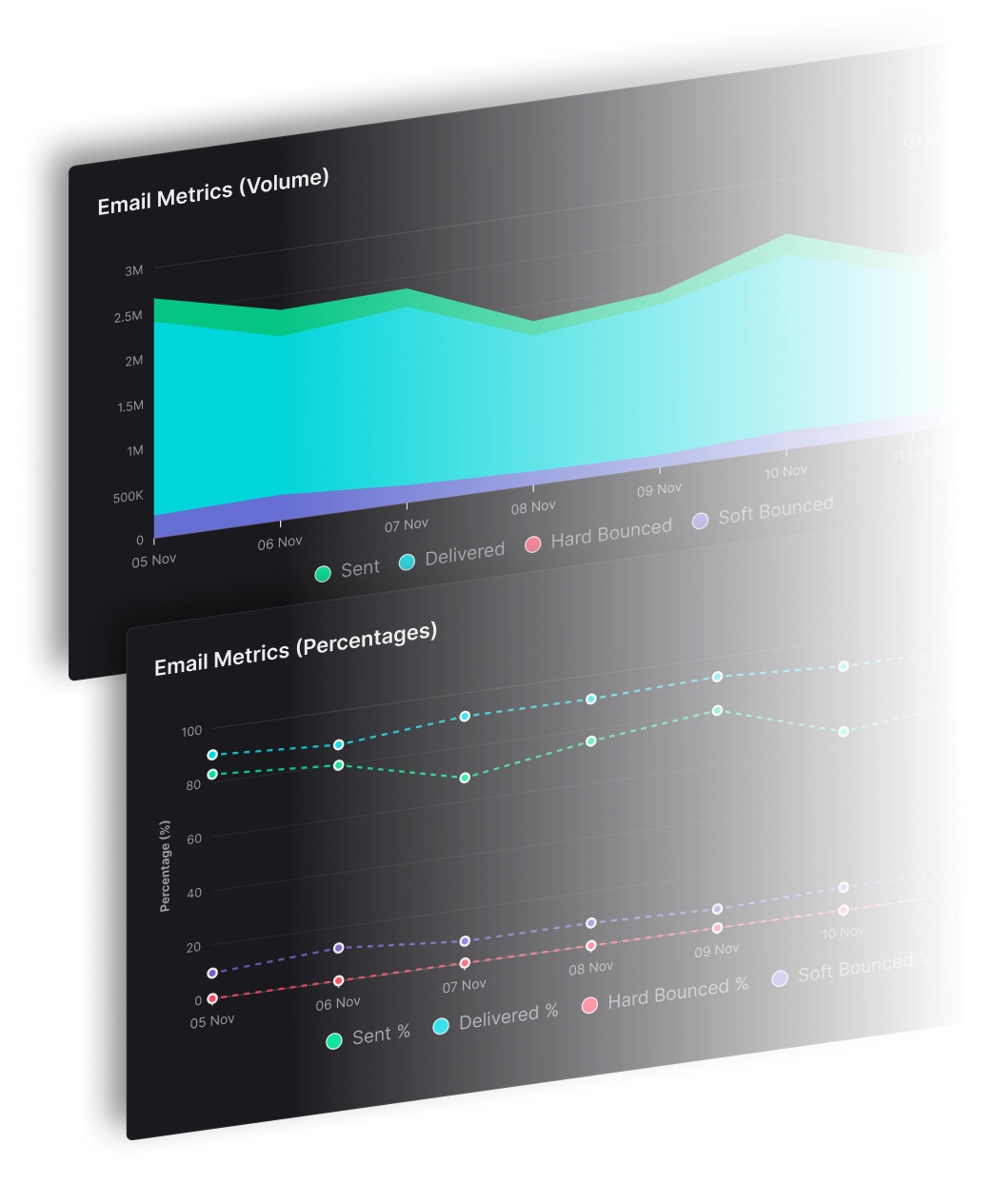


A business email example is a short message from a named person at your company's domain, with a subject line that names its purpose, one clear request in the body, and a sign-off that identifies the sender and their role. The rest of the message exists to support those 5 things.
Getting 1 email right is easy. When a dozen brands or client accounts run on one shared setup, a template with a vague subject line and a mismatched From domain spreads to every sender on the account. SendX Infrastructure is built for that case, with each brand on its own domain and IP pool so a mistake stays with the brand that made it.
What follows is the anatomy of a business email example, the address formats behind it, templates by use case, and the authentication checks that decide whether the message reaches an inbox at all.
What Parts Does a Business Email Example Need?
You can point to 9 parts in any business email example, and each one has a job. Skip one and the email still sends, which is why so many arrive with a subject line that says nothing and a signature that doesn't name a role.
Underneath the visible layout sits a header block, a blank line, then the body, the structure the Internet Message Format in RFC 5322 specifies. Mail systems read those headers to work out who sent the message, where a reply should go and which thread it belongs to. The parts below are what a person sees.
| Element | What it does | Example |
|---|---|---|
| From name | Tells the recipient who is writing | Dana Lee, Account Manager |
| From address | Shows the domain mailbox providers check | dana.lee@yourcompany.com |
| Subject line | Names the purpose before the email is opened | Renewal date for your March 14 contract |
| Greeting | Opens the conversation at the right level | Hi Priya, |
| Opening line | States the reason in the first sentence | I'm writing about the renewal date. |
| Body | Gives the one request or update in short paragraphs | Two items are open: the API key request and the June invoice dates. |
| Call to action | Asks for one specific next step | Can you confirm by Friday? |
| Sign-off and signature | Identifies the sender and role | Best, Dana Lee, Account Manager |
| Unsubscribe line | Required for marketing email only | Unsubscribe from future marketing emails here. |
The From name and greeting set the relationship level before a word of body copy is read. A From name that reads "Support" and a greeting that reads "Dear Valued Customer" tell the recipient nobody in particular is writing, so the message competes with bulk mail for attention. A person's name plus a role, opened with "Hi Priya," signals a real correspondent. The sign-off is the part readers use to confirm they're dealing with someone with authority, so a business email signature example is worth settling once for the whole company rather than letting every sender improvise.
How Do You Write a Subject Line That Names the Purpose?
Write 4 to 7 words that state what the email is about, then stop. Renewal date for your March 14 contract gives the recipient a reason to open. Update gives them a reason to skip. Save the internal shorthand for the ticket, because Q3 deck v2 FINAL means nothing outside your team.
Skip all caps and exclamation points. Both read as pressure, and pressure is what a recipient filters first. A workable test is whether someone could reply correctly having read only the subject line.
What Belongs in the Body?
Put the purpose in the first sentence. The reader is scanning on a phone between meetings, and a paragraph of context before the ask reads as work they have to do. Keep paragraphs to 1 to 3 sentences.
Make 1 ask. A message carrying 5 questions gets answers to 2 of them, so split it. Name the item, the owner and the date, for example, Can you confirm the June invoice dates with Finance by Friday?
Two-minute test: read the email aloud with the images hidden. If the ask is still clear, the structure is doing the work.
Which Accessibility Checks Do Most Templates Skip?
Email is HTML, so the rules that make a web page usable apply to it. The W3C Web Content Accessibility Guidelines cover the parts that matter most for a business email.
- Empty alt text on decorative logos. A logo repeated in every signature doesn't need a description read aloud on every message.
- A short description on informational images. If a chart carries the numbers, the numbers also belong in text.
- Real headings instead of bold lines. Screen readers move by heading, and a bold paragraph is just a bold paragraph.
- No meaning carried by color alone. A status shown only in red disappears for a reader who can't distinguish it, so add the word.
- The document language set. Without it, a screen reader may apply the wrong pronunciation rules to the whole message.
Which Business Email Address Should You Use?
You have 5 address formats to pick from, and the right one depends on whether a person or a team owns the reply.
What Does an Email Address Example Look Like?
An address has 2 parts split by the @ sign. In dana.lee@yourcompany.com, the local part, dana.lee, names the mailbox, and yourcompany.com names the domain that mailbox providers check before they accept the message. The RFC 5322 address syntax defines that local-part@domain structure, along with the header fields every message carries, including the date, the originator and a unique message identifier.
That's why the visible To and From aren't the whole email. Delivery systems also parse structured headers, so an address that looks fine on screen can still fail when a machine reads it.
For 1-to-1 email, put a person's name on your own domain. For a shared inbox, use a role address with a named owner behind it.
| Format | Example | Best for | Watch out for |
|---|---|---|---|
| First and last name | dana.lee@yourcompany.com | Staff who own client or vendor threads | Duplicate names need a middle initial |
| First initial and last name | dlee@yourcompany.com | Teams with many similar names | Recipients may not recognize the sender |
| Role address | sales@yourcompany.com | Shared inboxes and inbound requests | Name an owner, or replies sit unread |
| Department address | billing@yourcompany.com | Invoices, support and renewals | Route it to a named team member |
| Brand domain | dana.lee@yourbrand.com | Each brand in a multi-brand business | Each domain needs its own authentication records |
| Free webmail address | dana.lee@gmail.com | None for business email | Signals the sender has no company identity |
What Email Should I Use for My Business?
A first and last name at your company domain for anything a person writes, and a role address for anything a team answers. Never a free webmail address in a business thread, because the From line is the first identity check a recipient makes without thinking about it.
How Do You Source and Verify Business Email Addresses?
Collect addresses only from people who opted in, through a signup form, a customer account or an event registration, and keep a record of that opt-in beside the address. Check the syntax first, because a missing @ or a stray space fails before the send. Confirm the domain accepts mail, correct the common typos such as gmial.com to gmail.com, and remove any address that hard bounces, a permanent rejection from the mailbox provider, rather than mailing it again.
Buying or scraping a list breaks this at the first step. Those recipients never consented, and their bounces land on your sending reputation.
Consent also depends on who the recipient is. Under the UK Privacy and Electronic Communications Regulations, marketing email to corporate subscribers such as limited companies needs no consent, while individuals, including sole traders, generally do, and the sender still has to identify itself and offer a working opt-out. Record which kind of recipient each address is, then set 1 format for the whole company.
Introduction and Follow-Up Email Examples
Introductions and follow-ups share a pattern. The subject names the purpose, and the first sentence gives the recipient a reason to keep reading instead of archiving.
Introduction Email Example
Subject: Introducing Priya Shah and Dana Lee
Hi Priya,
Dana runs client onboarding at yourcompany.com and wants to compare notes on your Q3 launch. I'm copying you both so you can pick a time.
Best, Sam Okafor, Partnerships
Three parts make it work. It names the mutual contact, states 1 shared reason to talk, and says who writes next. The recipient doesn't have to work out why they're copied, which is the usual reason an introduction sits unanswered.
Follow-Up After a Meeting
Subject: Next steps from Tuesday's call
Hi Marco,
Thanks for your time on Tuesday. Two items are open: the API key request with your engineering team, and the June invoice dates.
Can you confirm both by Friday?
Best, Dana Lee, Account Manager
The open items are already listed, so the reply is one line and the deadline is unambiguous. A follow-up that summarizes the call in prose makes the recipient reconstruct the decisions before they can answer.
Follow-Up When There's No Reply
Subject: Quick check on the March renewal
Hi Marco,
I'm following up on my May 4 note about the March renewal. Is it still on your list? A yes or no works.
Send 1 follow-up a week, stop after 3, and add something new each time: a date, a document, a decision the recipient now has to make. Repeating the same message reads as pressure without information, and it trains the recipient to filter you. The follow-up strategies that keep a thread alive go further on timing.
Request, Meeting and Thank-You Email Examples
For these 3, the ask or the thanks belongs in the first sentence. Everything after it is support.
Request Email Example
Subject: Approval needed on the May price sheet by Thursday.
Hi Sam, could you approve the May price sheet by Thursday, May 8? The printer needs the file by Friday to hold our slot. The only change is the tier 2 price.
The deadline and the reason sit in the same sentence, so the reader knows what happens if they wait. Attach 1 file. A request that points at 3 attachments makes the approver hunt for the one that matters.
Meeting Request Email Example
Subject: 30-minute review of the onboarding draft.
Hi Jordan, could we meet for 30 minutes next week to review the onboarding draft? I can do Tuesday at 10:00 or Wednesday at 14:00 Eastern. Which works better?
3 details carry this one: the length, 2 specific times with a time zone, and the purpose. Offering a window instead of two slots turns into a week of calendar messages. When the meeting goes to a group rather than 1 person, an event invitation email needs the same 3 details plus who else is attending.
Thank-You Email Example
Subject: Thanks for the rate review.
Hi Lee, thank you for walking us through the rate review on Monday. The 15 percent cap on the tier 2 lines is what we needed. I'll send the signed order by Wednesday.
A generic thanks closes a thread and leaves nothing behind. This one names the specific outcome and the next step, so the recipient knows their work landed and what happens next.
Adapting Each Template for Clients, Teammates and Vendors
The same scenario needs different context depending on who reads it. A vendor needs a purchase order number, a client needs the reason in their language, and a teammate needs the file name.
| Scenario | Internal teammate | Client | Vendor |
|---|---|---|---|
| Introduction | Name the project and skip the background | Name the mutual contact and the shared goal | Name the service need and who approves the budget |
| Follow-up | Link the shared doc in one line | Restate the agreed date and owner | Restate the quote number and its expiry date |
| Request | Give the exact file and deadline | Give the reason in one sentence and the time it takes them | Give the purchase order number and payment term |
| Meeting request | Offer a slot in your time zone | Offer two slots in their time zone | Offer a call length and two or three agenda points |
| Thank-you | Thank them in one line and name the action | Name the outcome for their team | Name the order or invoice confirmed |
Four things stay fixed for every audience: the subject names the purpose, the email makes 1 ask, the sender identity matches the From address, and the sign-off names the role. Change those and you've changed who the message claims to be from. The email etiquette tips that hold up across audiences cover the rest of the conventions.
Shorten the body for phone readers. The first line is what most recipients see in a notification preview, and a long preamble gets truncated before the ask appears.
Authentication and Compliance for Business Email
Polish doesn't protect a sender. An email that looks right in the editor still fails if the domain in the From line isn't authenticated for the system that sent it, and Gmail makes that judgement before the recipient sees anything.
Per Gmail's bulk sender requirements, a sender reaching about 5,000 or more messages to personal Gmail accounts within 24 hours counts as a bulk sender, and bulk senders should keep the user-reported spam rate below 0.1% without letting it reach 0.3%. The same rules require the domain visible in the From line to align with the domain authenticated by SPF or DKIM: both records have to be configured, though only 1 needs to align.
DMARC is the policy record that tells a mailbox provider what to do with mail that fails those checks. Without it, a failed signature is a judgement call on the receiving side rather than your decision.
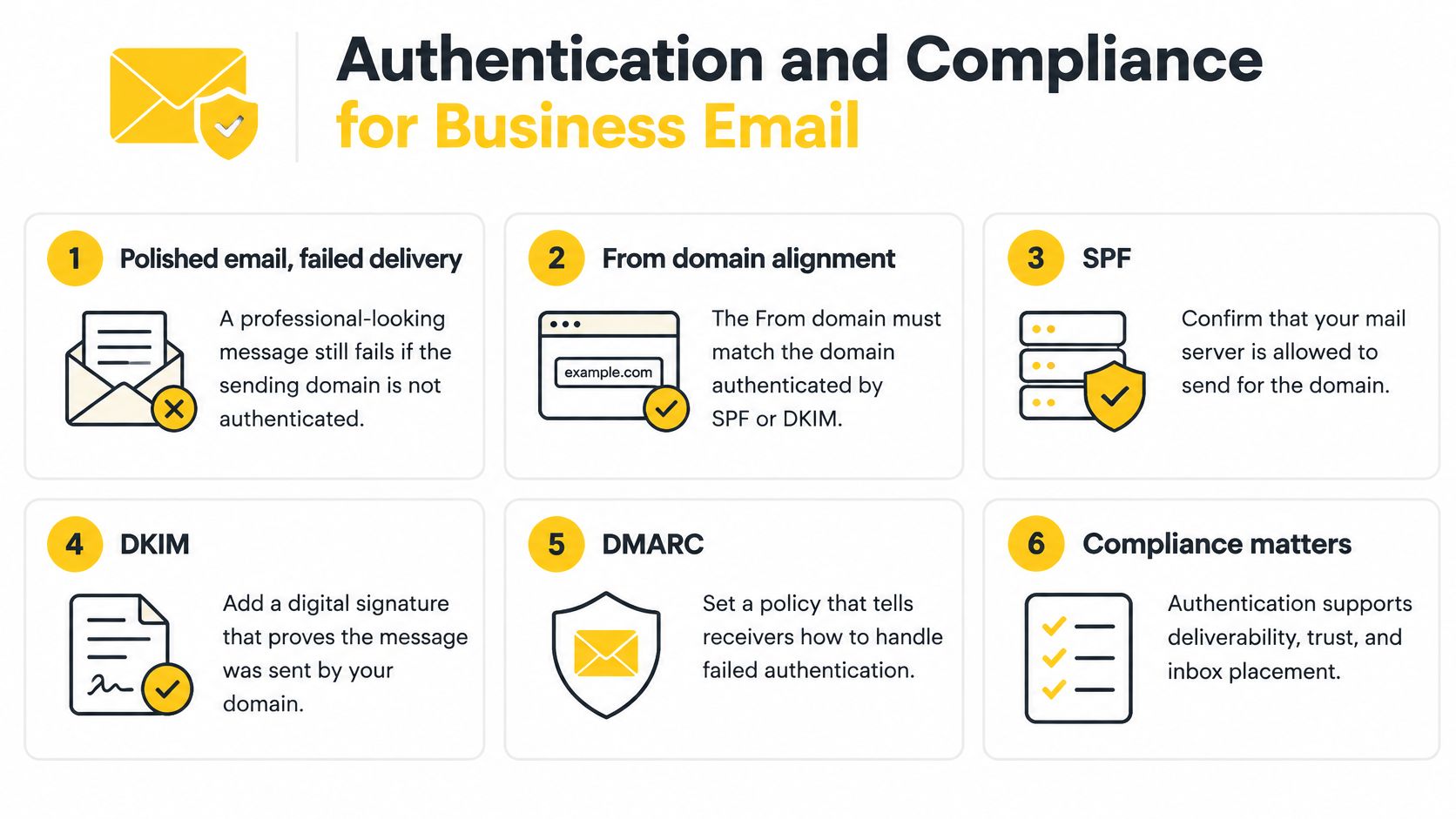
Marketing email carries a second obligation. The FTC's CAN-SPAM compliance guide requires a clear opt-out that keeps working for at least 30 days after the send, honored within 10 business days, with no fee and no request for anything beyond the email address. Order confirmations and password resets don't need that line. Promotional mail does.
Authentication also protects the domain itself, since the same control stops a fake invoice arriving under your name, which is why measures that protect business email from invoice scams begin with the domain rather than the inbox.
In practice the rule stays narrow: the address in the From line has to sit on the domain you authenticate, because that pairing is what the mailbox provider checks first. A mismatch there fails delivery before the subject line or body copy is ever read.
Run this checklist before the first send:
- The From domain matches the authenticated domain. A newsletter on one domain and a login receipt on another each need their own records.
- SPF and DKIM both publish. 1 aligned record satisfies Gmail, both configured is the requirement.
- DMARC is published and watched. Start with monitoring, then move to quarantine once the reports look clean.
- The opt-out lands on a working page. A dead link counts as no opt-out.
- Marketing and transactional streams are separate. A complaint about a promotion shouldn't touch the reputation behind a receipt.
The walkthrough on email authentication protocols covers how the records fit together. If the records are new to your team, watch the setup end to end before touching a live domain.

Decide How Many Sender Identities Your Business Needs
One brand on one domain can run on one sender identity. The moment you send for several brands, clients or titles, shared IPs become the weak point: a complaint spike or blocklisting on one stream lands on every other stream using the same pool.
Building that separation by hand means a record set per domain, warmup for every new IP, and constant watching so no brand's sending history drags the rest down.
Running it on infrastructure built for multi-identity sending looks different, and the setup is a sequence. Put each brand in its own subaccount with its own sending domain, API key and IP pool, so a complaint stays with the stream that earned it. Set warmup pace and throttle limits per mailbox provider rather than one rule for all mail, because a new sender ramps at a speed each provider accepts. Then read results per brand, per provider and per IP, so a rough week points at a specific fix instead of a shared guess.
Switching does not have to be a single move. Route one brand through the new engine while the current provider keeps running underneath, and switch back if delivery does not earn it. A publisher with a dozen titles can move one newsletter first and let the placement numbers decide the rest.
SendX Infrastructure runs this pattern for publishers, CRMs and agencies that send under several identities and answer to each one separately.
FAQs
Does the CAN-SPAM Act Apply to Email Sent to Other Businesses?
Yes. It covers marketing email to any recipient, including a company mailbox, so the opt-out line and the deadline for honoring it still apply. A business recipient is still a recipient, and a company address that reports spam affects your sending reputation the same way a consumer address does.
What Should You Do When a Business Email Bounces?
Read the code in the bounce notice before doing anything else. A permanent failure means the address is gone, so remove it and stop sending to it. A temporary failure means the mailbox was unavailable, so retry later. Resending the same message unchanged only adds to your bounce rate.
Should a Business Email Use an Image-Only Signature?
No. Screen readers can't read a name or a phone number that exists only as a picture, and many recipients have images blocked by default. Keep the contact details as live text, and give the logo empty alt text so it doesn't get announced on every message.
SendX runs the sending software and the delivery engine underneath it for organizations that send under several brands, clients or publications, with each identity on its own domain, IP pool and warmup plan. If your templates are ready and the authentication records behind them aren't, that's the gap SendX closes, per brand and per mailbox provider. Visit SendX to see how the sending side is put together.
