Give every campaign its own reply‑to address and make sure answers land in the right inbox—every time.
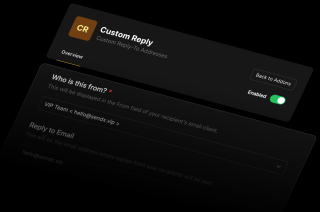
Custom Reply keeps conversations organized by sending replies straight to the people who can act on them.
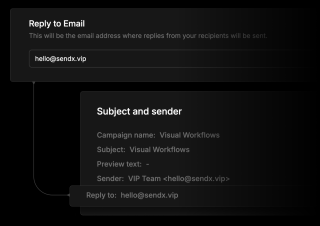
Pick a unique reply address for each send—sales, support, or a single teammate.
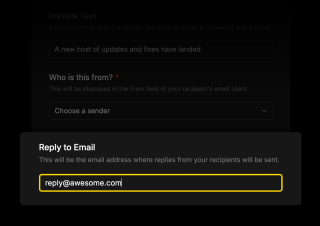
Keep threads clean and focused by routing messages where they belong.
Automate reply distribution as your campaigns—and departments—grow.
Everything you need to know about SendX and our services. Last updated June 2026.
Yes—add and verify the address in SendX once, then assign it to any campaign.
No. The feature only changes the reply‑to header; the from‑address and authentication stay the same.
A sent campaign is locked. Duplicate it, adjust the reply‑to, and resend if needed.
None. Just verify the address inside SendX and you’re good to go.
You can store as many verified addresses as you like and pick the right one per campaign.
Still have questions? We're here to help.
Get a full look at more of SendX's features and addons that will help make you a better emailer.
A/B Split Test is one of five campaign types in SendX. Write two or more subject lines, send them to a slice of your list, and the winner goes out to everyone else automatically. Included on every plan, not held back for a higher tier.
Automatically ramp sending volume to earn a rock‑solid sender reputation—no spreadsheets required.
Write, publish, and track articles without leaving SendX—turn readers into subscribers in minutes.
Filter out security‑scanner noise and see the clicks that actually matter.
Auto‑expire unsent emails so your audience only sees timely, relevant messages.
Never let your emails fall into the void. Get real-time insights on your domain's reputation and boost your deliverability like never before.
Join 3,000+ businesses that have sent over 4.4 billion emails through SendX — with 95–98% inbox placement, unlimited sends, and 24/7 live support on every plan.