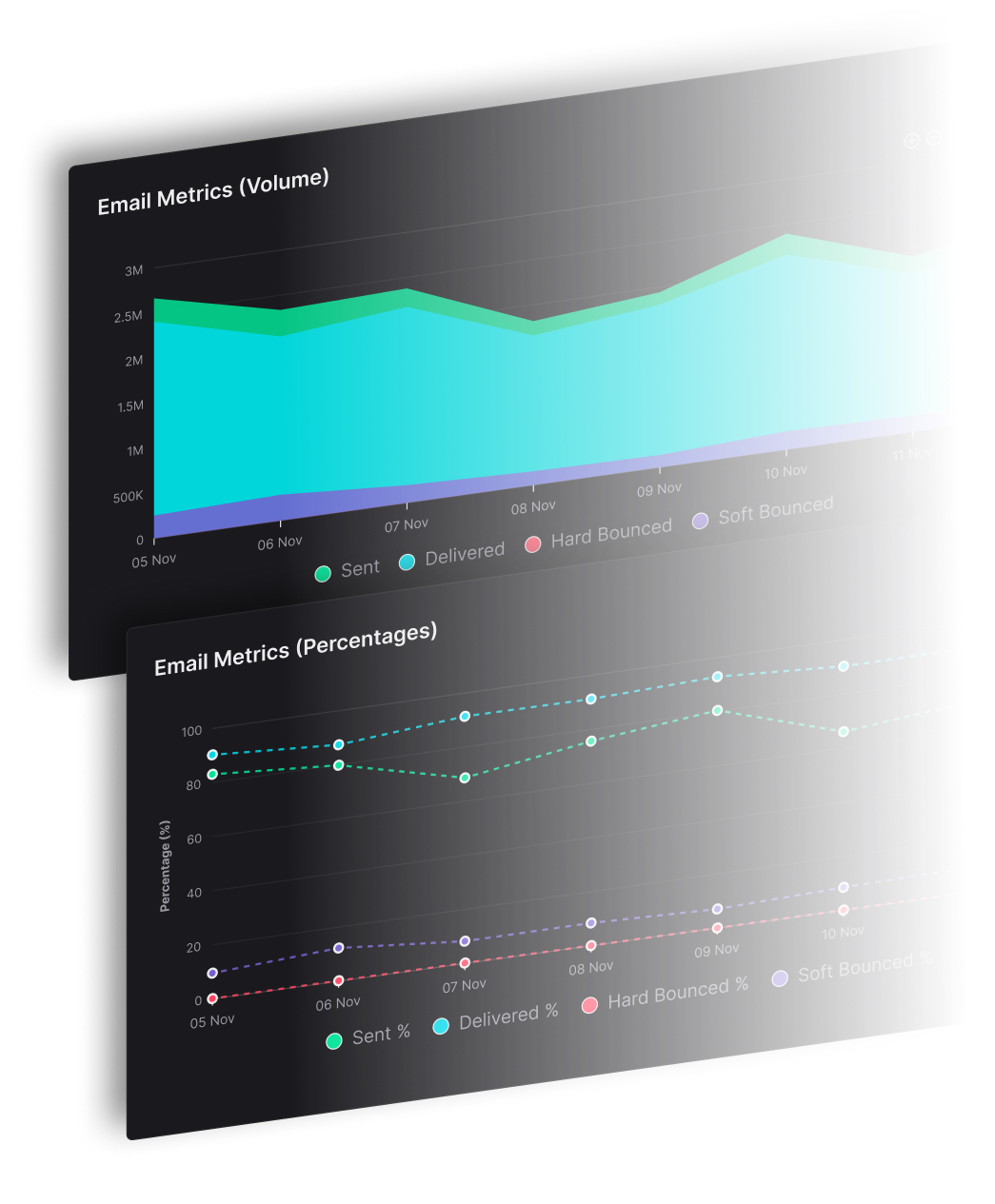
Write the series once, set the gaps between emails, and let it send. A SendX drip runs from 2 to 200+ steps, waits minutes, hours or days between them, and holds off at weekends if you would rather not land on a Saturday.
Any tool can send five emails in a row. The difference shows in what happens to the people who convert on email two, and what you can see about the step that loses everyone.
Set the delay between each step in minutes, hours or days, so a three-email onboarding burst and a six-month nurture run in the same builder. Skip weekends when the sequence is business-facing, and let timezone-aware delivery land the email at a sensible local hour rather than whenever the timer happens to fire.
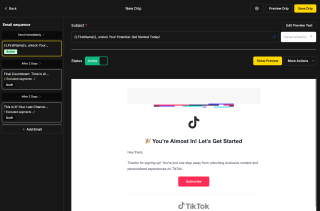
Per-step exclusion takes contacts out of the remaining steps once they have converted, so nobody gets chased for a trial they already started or a purchase they already made. It is the setting that separates a sequence people tolerate from one they unsubscribe to, and it works step by step rather than as a single blunt rule at the end.
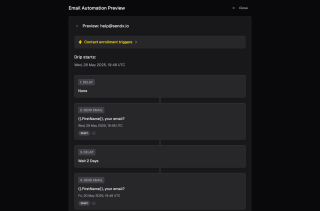
Open and click rates are reported for each email in the sequence rather than averaged across it. That is what tells you step four is where attention drops, which is a fixable problem, as opposed to knowing only that the sequence overall does 22%. If you would rather not draft from scratch, the free Sequence Generator add-on writes a first version you can edit.
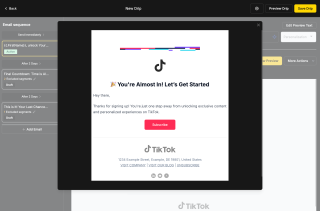
A drip does not enrol anyone by itself. Something has to put them in, which is what keeps the sequence reusable.
Add your steps, give each one its own template, and set the delay before it goes. Start from a blank sequence, or let the free Sequence Generator add-on draft the series so you are editing rather than staring at an empty screen. Turn on skip weekends if the audience is business-facing.
Enrolment comes from a workflow, a simple automation or the API, so the same sequence can serve several entry points without being rebuilt. A welcome drip might take people from a signup form and from a Shopify first order, both landing in the same series. Set per-step exclusions here so anyone who converts stops receiving the rest.
Per-step analytics show open and click rates for each email and how engagement moves across the sequence. Rewrite the step that drops, or quarantine it to hold it back while you work. The sequence can be paused without losing it and archived when it has run its course.
Add your steps, give each one its own template, and set the delay before it goes. Start from a blank sequence, or let the free Sequence Generator add-on draft the series so you are editing rather than staring at an empty screen. Turn on skip weekends if the audience is business-facing.
Enrolment comes from a workflow, a simple automation or the API, so the same sequence can serve several entry points without being rebuilt. A welcome drip might take people from a signup form and from a Shopify first order, both landing in the same series. Set per-step exclusions here so anyone who converts stops receiving the rest.
Per-step analytics show open and click rates for each email and how engagement moves across the sequence. Rewrite the step that drops, or quarantine it to hold it back while you work. The sequence can be paused without losing it and archived when it has run its course.
Everything you need to know about SendX and our services. Last updated June 2026.
A drip campaign is a series of emails sent automatically on a set schedule after someone enters it. Everyone who enrols receives the same sequence in the same order, with a delay you control between each step. It suits onboarding, lead nurture and education — anything where the message is the same for everyone and only the timing needs handling.
From 2 to 200+ steps in one sequence. Each step carries its own template and its own delay, set in minutes, hours or days, so a short onboarding burst and a sequence running over months are built the same way. Long sequences are where per-step exclusion matters most, since the chance of someone converting halfway through rises with every extra step.
Not if you set per-step exclusion. It removes contacts from the remaining steps once they have converted, so someone who buys on email two is not chased by emails three through six. This is applied per step rather than as one rule for the whole sequence, which is what lets a long nurture sequence stay tolerable.
A drip sends a fixed series in a fixed order — same emails, same sequence, for everyone who enrols. A workflow decides as it goes, branching on behaviour and contact data, and can do things other than send email. They work together: a workflow often handles the logic and enrols someone into a drip for the stretch where everyone should receive the same thing.
No. Drip delays are relative — so many minutes, hours or days after the previous step — which means a drip is timed from when each contact enrolled, not from a date on the calendar. For a sequence that has to land before a fixed event such as a webinar or a launch, build it as a workflow instead, where a step can wait until a specific date and time.
Yes. Open and click rates are reported per step rather than blended across the sequence, alongside step-over-step engagement trends. That is usually enough to point at the one email losing people, which is a far more actionable finding than an overall sequence average.
Still have questions? We're here to help.
A/B Split Test is one of five campaign types in SendX. Write two or more subject lines, send them to a slice of your list, and the winner goes out to everyone else automatically. Included on every plan, not held back for a higher tier.
Automatically ramp sending volume to earn a rock‑solid sender reputation—no spreadsheets required.
Write, publish, and track articles without leaving SendX—turn readers into subscribers in minutes.
Filter out security‑scanner noise and see the clicks that actually matter.
Auto‑expire unsent emails so your audience only sees timely, relevant messages.
Give every campaign its own reply‑to address and make sure answers land in the right inbox—every time.
Build the series, set the gaps, and let it run for every contact who enrols. Free trial, no credit card required.