

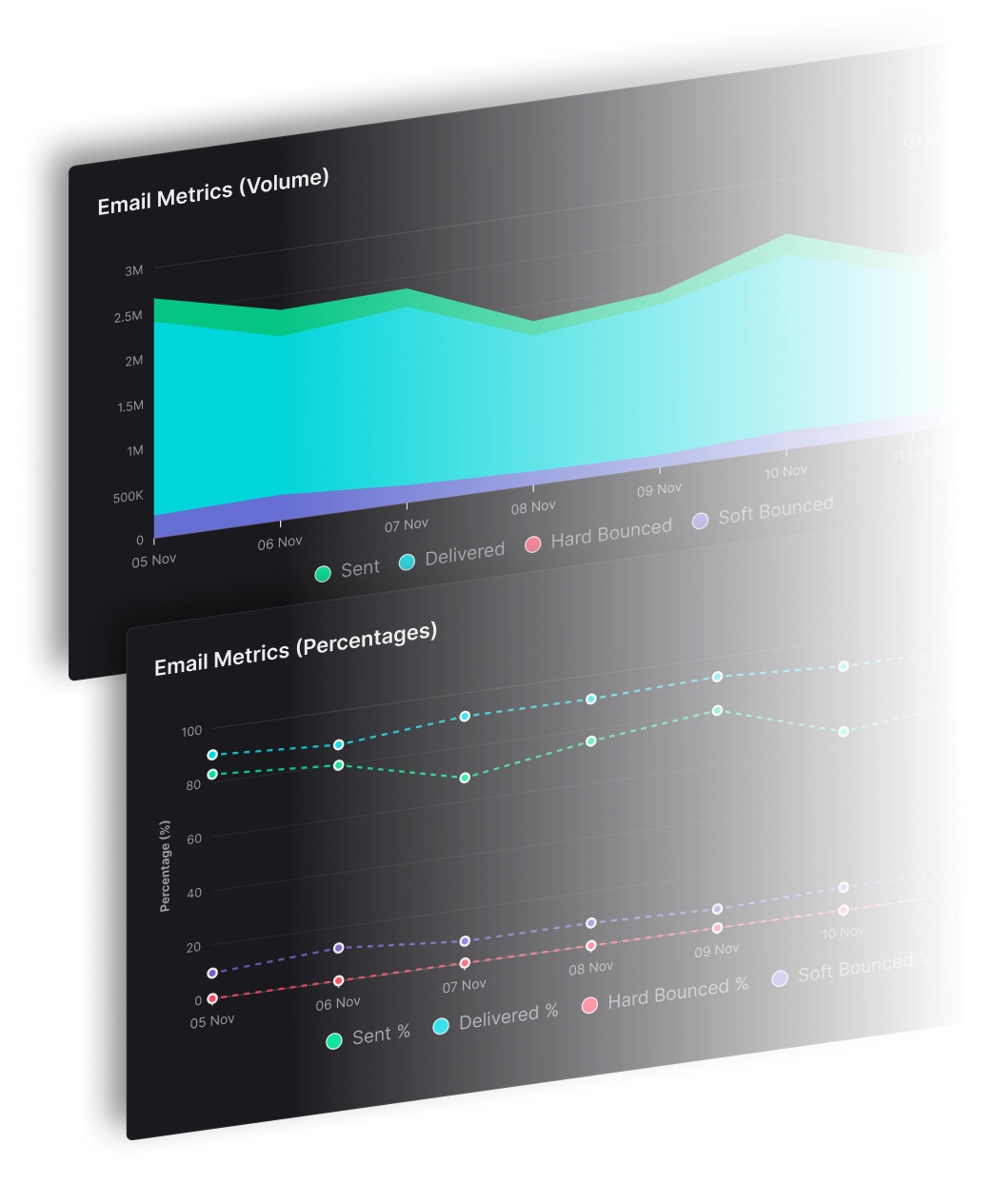


The popular advice that high-volume senders should automatically buy a dedicated IP misses the operational cost. A dedicated IP for email marketing makes sense when a newsletter business can sustain predictable traffic, warm the address deliberately, and manage each publication's sending behavior. It provides accountability and separation, not an automatic inbox-placement improvement.
For publishers and agencies sending millions of messages across several identities, the difficulty is keeping each brand's mistakes from affecting the others. SendX Infrastructure addresses that problem through managed sending infrastructure for multi-identity senders. The practical decisions are how much traffic supports an IP, which brands belong together, and what must happen before volume increases.
How Many Messages Justify a Dedicated IP
Marketing senders need steady volume, not just a large contact list, before a dedicated IP becomes useful. The sending infrastructure benchmark places the general floor at approximately 40,000 messages per week, or about 5,700 per day, for bulk or marketing traffic.
Below that level, mailbox providers may not receive enough activity to establish a stable assessment of the address. These are operating benchmarks, not acceptance rules. List quality, recipient engagement, and predictable sending can matter more than crossing a numerical threshold.
Volume and traffic pattern guide for a dedicated IP
| Sending profile | Volume guide | Dedicated IP fit |
|---|---|---|
| Marketing traffic under 40,000 messages a week | Under about 5,700 a day | Usually a shared pool |
| Marketing traffic above 40,000 messages a week with steady cadence | About 5,700 a day or more | Dedicated IP fits |
| Transactional traffic | About 1,000 a day or more | Dedicated IP for transactional mail fits |
| Irregular or seasonal sending | Gaps of days or weeks | Shared pool, since the IP lacks steady history |
| Several brands with different complaint rates | Any volume | Separate IP pools per brand or group, subject to each pool's sustainable volume |
Sources: The sending infrastructure benchmark linked above supplies the marketing and transactional volume guides. Pool recommendations reflect operating decisions, not mailbox-provider requirements.
Check the traffic that each IP would actually carry
An organization's total volume can conceal underused brand-level IPs. A publisher group may send continuously while an individual title sends only when a sponsor books a campaign.
The useful calculation is therefore volume per proposed pool, broken down by mailbox provider. A bulk email service should support that operating pattern rather than merely accommodate the organization's total monthly sends.
Run a cadence and separation check
A practical review should cover recent sending history, including ordinary campaigns rather than only peak periods.
- Check average daily volume. Compare each proposed pool's traffic with the marketing benchmark.
- Check cadence. Look for predictable sending days, long pauses, and campaign-driven spikes.
- Check brand differences. Identify publications whose complaint rates consistently exceed those of neighboring brands.
Steady volume and a clear isolation need support a dedicated-IP decision. Missing cadence or insufficient traffic favors a shared or grouped pool. A higher complaint rate identifies a separation problem, but it doesn't make an underused dedicated IP viable.
Why a Dedicated IP Makes Your Reputation Your Job
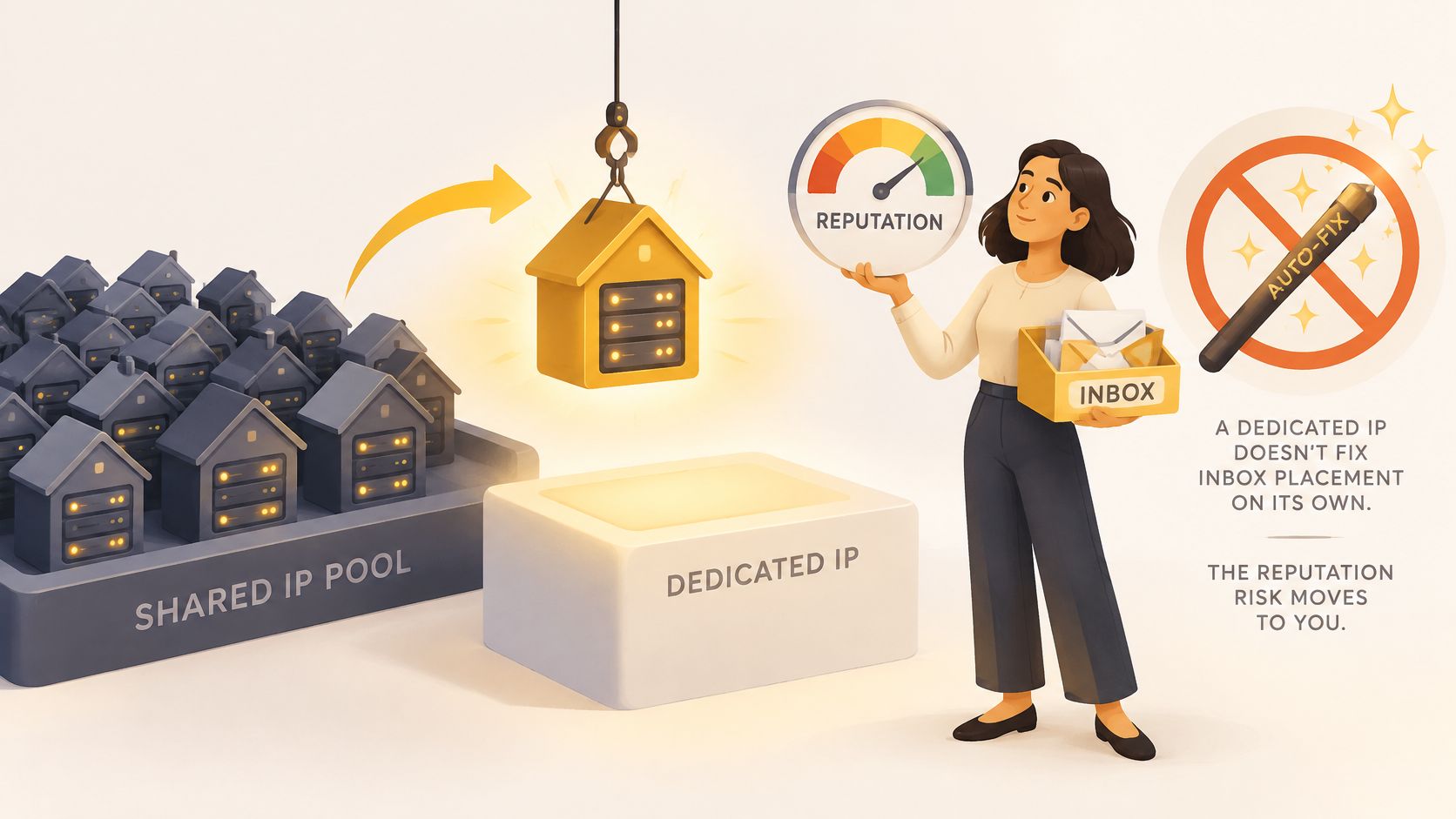
Every message leaving a dedicated IP carries one sender's history: the organization that owns the address. Complaints, bounces, and engagement all map back to a single source, so the address becomes a running record of how that organization treats its recipients.
IP reputation is the sending history mailbox providers associate with an address. Spamhaus's sender guidelines identify history, including when an IP or domain first appeared, when it was last used, and how it was used, as a reputation factor.
Assigning the address changes accountability alone: complaint rates, list quality, and volume consistency stay with the organization, now visible to every filter scoring the IP.
Read sending behavior from the mailbox provider's side
A sudden increase in traffic gives Gmail or Outlook a different pattern to evaluate. Invalid recipients suggest poor address collection or outdated lists. Complaints indicate that recipients didn't want the messages.
On a shared pool, a team can blame a noisy neighbor for an IP-level problem. On a dedicated address, attribution runs straight back to the sender, and the argument that somebody else caused the problem ends. Diagnosis gets easier at the same moment excuses do.
The shared versus dedicated IP comparison covers the infrastructure choice. The operating requirement afterward is maintaining an identifiable, consistent record of wanted mail.
A dedicated IP makes the sender easier to evaluate. The mail itself still has to be wanted.
Assign ownership before sending begins
An IP needs an operational owner with named duties and a review schedule. Four jobs recur.
- Volume pacing. Approve campaign increases against recent provider-level results.
- List hygiene. Suppress invalid addresses and stop repeatedly contacting recipients who no longer want the publication.
- Complaint control. Investigate acquisition sources, audience expectations, and campaign changes when complaints rise.
- Monitoring. Review each IP's provider responses after campaigns and before increasing traffic.
A broader email sender reputation review should also distinguish address-level problems from domain-level problems. Otherwise, a team can replace an IP while carrying the actual cause into the next sending environment.
Attribution improves the moment the IP is assigned. Placement improves only when the sending does.
How to Split Brands Across IP Pools
Brand separation belongs in the dedicated-IP plan because the address alone doesn't identify every source of risk. The first decision is which signal needs isolation: the IP, the sending domain, the tracking domain, or the tenant account.
A publisher group running three newsletters, sponsored campaigns, and transactional receipts through one infrastructure shows why. Before any second IP is provisioned, the identity map records each stream's visible sender, authenticated domain, link-tracking domain, IP pool, suppression policy, and mailbox-provider limits, plus a recognizable name and an accountable owner.
Pool options for a multi-brand sender
| Pool option | Best for | Risk to watch | Reputation effect |
|---|---|---|---|
| One shared pool | Low-risk brands with low or irregular volume | One brand's complaints affect the pool | Shared history |
| One dedicated IP per brand | Brands with steady volume and distinct complaint patterns | Each IP needs its own warmup and steady volume | IP history isolated per brand |
| One grouped pool | Brands with similar audiences and cadence | A poorly managed brand affects the group | History shared within the group |
| Overflow pool | Sends exceeding the main pool's planned capacity | Traffic must route correctly to an established pool | Keeps excess traffic off the main pool, without erasing domain-level risk |
Separate identities before adding addresses
In the publisher example, the streams diverge before the IP question even comes up. Newsletters, sponsored campaigns, and receipts can require different authentication, suppression rules, and sending limits on the same infrastructure.
A tracking domain is the domain used in tracked email links. Sharing it across otherwise separate brands leaves a common identity signal, so the identity map should include it rather than treating separation as an IP-only task.
For agencies offering white-label email marketing, the same mapping should follow the client identity. An account boundary is useful only when routing and reporting follow it.
Test each proposed brand pool
Each additional IP carries its own warmup schedule and a traffic stream that must stay consistent, so approve one only when a distinct risk justifies it.
- Compare cadence. A daily publication and a brand with unpredictable promotional surges belong on separate pools when the surges create operational risk.
- Compare complaints. Investigate persistent differences instead of averaging them away.
- Compare provider mix. A Gmail-heavy title needs different queue planning from a publication concentrated elsewhere.
- Check sustainable traffic. Group compatible low-volume brands rather than leaving multiple addresses underused.
Brands that match on cadence, complaints, provider mix, and volume share a pool safely. A brand that breaks one of those comparisons gets its own address.
In SendX, each sub-account has its own domains and handler, or IP pool assignment, so a brand's assigned pool stays separate from the rest.
What a Dedicated IP Cannot Fix
A clean IP with a broken From identity still produces suspicious mail.
Moving a campaign to its own address changes who owns the reputation. It leaves authentication gaps, domain misalignment, weak permission, and sloppy opt-out handling attached to the message.
Where alignment fails first
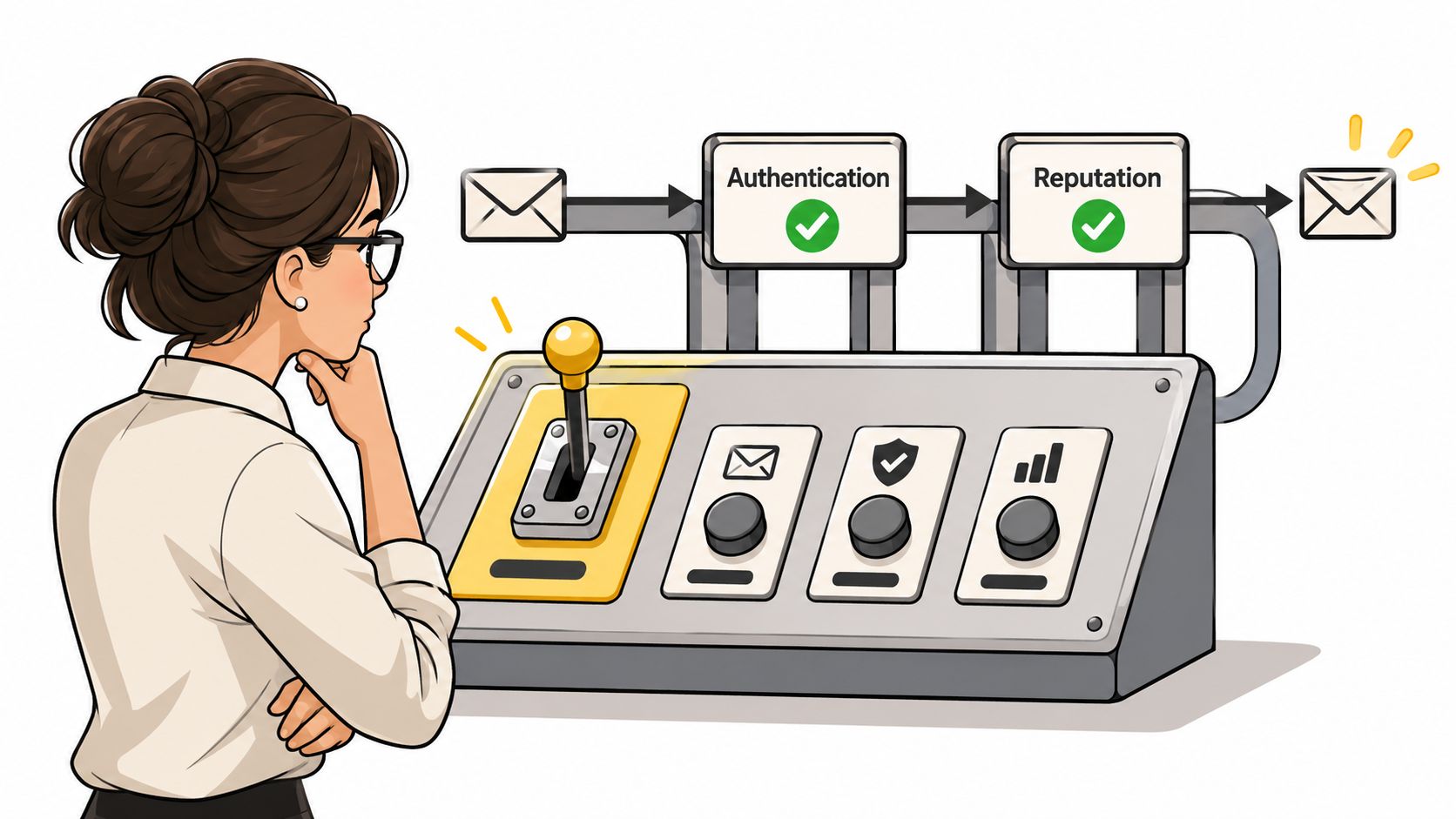
The Google sender-guidelines summary sets the bulk-sender bar at more than 5,000 messages daily: SPF and DKIM, a published DMARC record, a visible From domain aligned with either the SPF or DKIM domain, and one-click unsubscribe for marketing mail.
SPF authorizes the infrastructure allowed to send for the return-path domain. DKIM adds a domain signature through the d= value. DMARC asks the stricter question: does an authenticated identity match the domain the recipient sees in the From field?
A DKIM pass from an unrelated domain can still leave DMARC unaligned when SPF also fails alignment. A publication signed only by an unrelated domain presents a different identity relationship from one signed by its own domain, and mailbox providers read that difference before they give the new IP much credit.
Review the message before the pool
The CAN-SPAM Act compliance guide still applies on every pool: accurate headers, a valid physical postal address, and a clear explanation of how recipients can opt out of future marketing email.
Run the review on live messages before reassignment.
- Send proof messages. Inspect received SPF, DKIM, DMARC, and reverse DNS, not just published records.
- Trace the visible From. Confirm it aligns with an authenticated domain.
- Exercise unsubscribe. Follow the recipient opt-out path to confirmation.
- Audit permission. Fix complaint-prone acquisition and unwanted cadence before that traffic reaches the new address.
If DMARC alignment fails, the IP can be spotless while the From identity remains unverified; providers enforcing policy can demote the campaign to spam or reject it outright.
How to Warm a New Dedicated IP for Marketing Sends
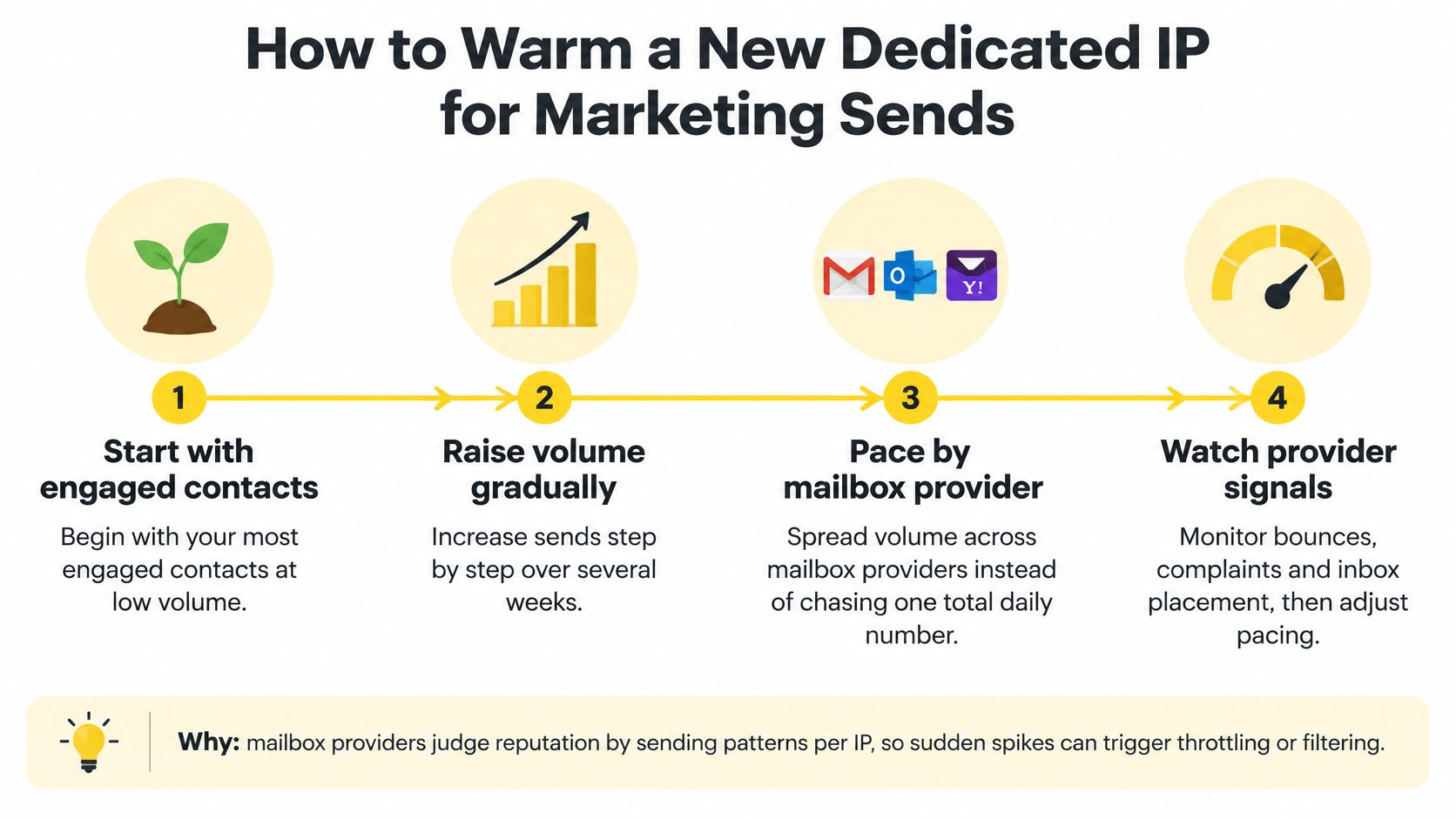
Warm a new dedicated IP by increasing traffic gradually over several weeks and pacing each mailbox provider separately. IP warmup is the controlled introduction of sending volume so mailbox providers can observe the address's behavior before it carries its planned workload.
The ramp should follow evidence, not a calendar that advances regardless of results. The IP warmup explanation provides additional context for that gradual introduction.
The sequence below shows the operating pattern.
Follow a provider-paced routine
Confirm authentication before sending.Test SPF, DKIM, DMARC, and reverse DNS. The sending software applies the configured identity; the technical owner checks the resulting message and corrects failures before recipients receive campaign traffic.
Start with engaged recipients.Choose subscribers with recent, credible engagement, such as clicks or replies. An open alone is a weaker selection signal when automated activity may be involved.
Cap each provider separately.The queue holds messages above each provider's limit. The operator sets those limits and keeps campaign timing predictable, rather than allowing a large campaign to consume every provider's capacity immediately.
Increase only after reviewing results.Compare the previous sending period's complaints, invalid recipients, and temporary failures. A higher aggregate delivery rate doesn't justify an increase if a particular provider is deferring more traffic.
Step back when signals deteriorate.Hold or reduce the affected queue. Investigate the audience segment and campaign before restoring the previous pace.
Continue until planned volume is stable.Completion means the IP carries its intended workload with consistent provider-level results. It doesn't mean the final date on a spreadsheet has arrived.
Use published schedules as examples, not instructions
The published warmup example from DCHost places days 5 to 7 at roughly 1,500 to 3,000 messages daily overall, including about 800 to 1,200 daily to a large provider such as Gmail or Outlook. It also calls for adjustment when bounce or complaint rates rise.
That example concerns transactional warmup, so its numbers aren't a marketing schedule. Its useful lesson is the shape of the ramp, with separate provider limits and permission to pause.
A finished ramp has stable volume per provider and no unexplained increase in temporary failures. A completed calendar isn't enough.
The accompanying video provides another explanation of warmup.

In SendX, warmup pacing and queue controls are set per mailbox provider for 27 providers, so Gmail and a smaller provider don't have to share the same cap.
Which Signals to Watch on Each IP
Start with Gmail's spam complaint rate, then inspect provider responses and placement separately. A complaint ceiling is a limit to stay below, not a target to approach.
Healthy ranges and actions for each IP signal
| Signal | Healthy range | Act when | Why it matters |
|---|---|---|---|
| Spam complaint rate at Gmail | Below 0.10% | From 0.10% to 0.30%, begin corrective action | Google requires a rate below 0.30% |
| Hard bounce rate | Below 2% as an operating benchmark | At or above 2%, investigate collection and suppress invalid addresses | Invalid addresses indicate poor list care |
| Deferrals and rejections, per provider | Steady and low | A provider's rate rises, slow its queue and inspect responses | Can reveal rate limits or policy failures |
| Blocklist status, per IP, domain, and tracking domain | Clear | A listing appears, identify its cause and affected traffic | Some receiving systems may filter affected streams |
| Inbox placement, per provider | Stable against the publication's baseline | A sudden decline appears, investigate that provider | Acceptance can conceal spam-folder placement |
Sources: The Gmail and Yahoo deliverability guidance describes Gmail's below 0.10% healthier target and below 0.30% requirement. Spamhaus's sender guidelines, linked earlier, supply the below 2% hard-bounce operating benchmark.
Distinguish acceptance from placement
Delivered means the mailbox provider accepted the email. In the inbox describes where the message landed afterward. Those outcomes aren't interchangeable.
A publication can maintain a healthy acceptance rate while more accepted messages land in spam at a particular provider. Aggregate reporting conceals that difference, especially when other providers account for most traffic.
Sender Score's reputation report explains that mailbox providers may limit how much mail an IP can submit. Deferrals are temporary failures that leave messages waiting for retry, rather than permanently rejecting them.
Make monitoring a recurring operating job
In Martech's account of the 2025 Sinch Mailgun survey, 53% of surveyed senders said they weren't actively monitoring blocklists for their domains or sending IPs. Monitoring needs an owner and a response procedure, not just an enabled alert.
- Review each IP weekly. Compare results by brand and mailbox provider.
- Review before increases. Check recent failures before approving more traffic.
- Inspect response codes. Distinguish invalid recipients, rate limits, and policy rejections.
- Use reputation checks diagnostically. IP reputation checkers help locate signals, but a clear result doesn't prove inbox placement.
In SendX, blocklist monitoring and alerts check the IP, domain, and tracking domain, reducing dependence on discovering a listing through deteriorating campaign results.
How SendX Runs Pools, Warmup and Monitoring for Each Brand
Managing brand separation by hand means maintaining domain assignments, pool routing, warmup plans, and provider limits across the same publishing schedule. When placement drops, the team must also connect campaign activity with the affected provider and its response codes.
SendX operates as managed sending infrastructure for multi-identity senders: publishers, CRMs, marketing software businesses, and agencies sending under several brands or client names. Pool decisions start with each brand's volume and risk, then assign sending capacity the brand can sustain on its own.
Keep the operating boundary around the brand
A newsletter with a complaint spike sends through its own domains and IP pool, so its IP history stays separate from every other title on the account. Domain-level and recipient-level signals still follow the brand, which is why the boundary contains IP exposure without absorbing a list-quality problem.
The Professional plan includes 1 dedicated IP, with additional IPs at $30 per IP per month. Provisioning depends on sending-volume qualification reviewed during onboarding, so a brand that cannot yet sustain its own reputation stays on shared or grouped capacity until it can. On Enterprise, a dedicated deliverability expert reviews the arrangement instead of leaving pool design to the sending team alone.
Provider-specific controls let the team adjust the affected queue without applying identical limits everywhere. Results are available per brand, mailbox provider, and IP, down to the bounce code, so an operator can distinguish a routing problem from a recipient or policy failure.
Warm the pool before trusting it
New dedicated IPs go through a managed warmup schedule that raises volume gradually over 30 to 45 days, building a clean sender reputation across the major mailbox providers before full campaign traffic moves over. A team can prove the arrangement on one brand first, with the current provider still running underneath, and switch back if it falls short. That keeps an existing sending route intact while the operating model is evaluated.
Review SendX Infrastructure against the publication's sending numbers
FAQs
Does each dedicated IP need its own reverse DNS record?
Each sending IP needs valid reverse DNS, also called a PTR record. Like a return-address lookup, it connects the numerical sending address to a hostname that a receiving system can check.
The hostname should resolve back to the sending IP. A hostname under the sending domain is a sensible arrangement, although exact naming should follow the sending infrastructure's configuration rather than an assumed universal rule.
The infrastructure operator normally controls PTR publication. The responsible technical owner should confirm forward and reverse resolution before warmup begins, instead of assuming that domain authentication also covers reverse DNS.
What happens when a dedicated IP no longer fits the brand's volume?
Move the brand into a suitable shared or grouped pool, confirm the new routing, and stop increasing traffic on the retiring address. A dedicated IP shouldn't remain active merely because the organization already pays for it.
Before retirement, check scheduled campaigns, automated messages, retries, and fallback routes. Otherwise, unexpected traffic can continue using an address the team believes is inactive.
Continue reviewing its signals until queues are drained and no sends remain. Complaints and listings can outlast a volume reduction, so preserve the investigation history and resolve outstanding causes rather than treating retirement as remediation.
Build a brand-by-brand sending plan with separate identities, sustainable pools, and provider-paced warmup. Visit SendX to evaluate managed sending infrastructure against the publication's actual volume, cadence, and isolation needs.
