

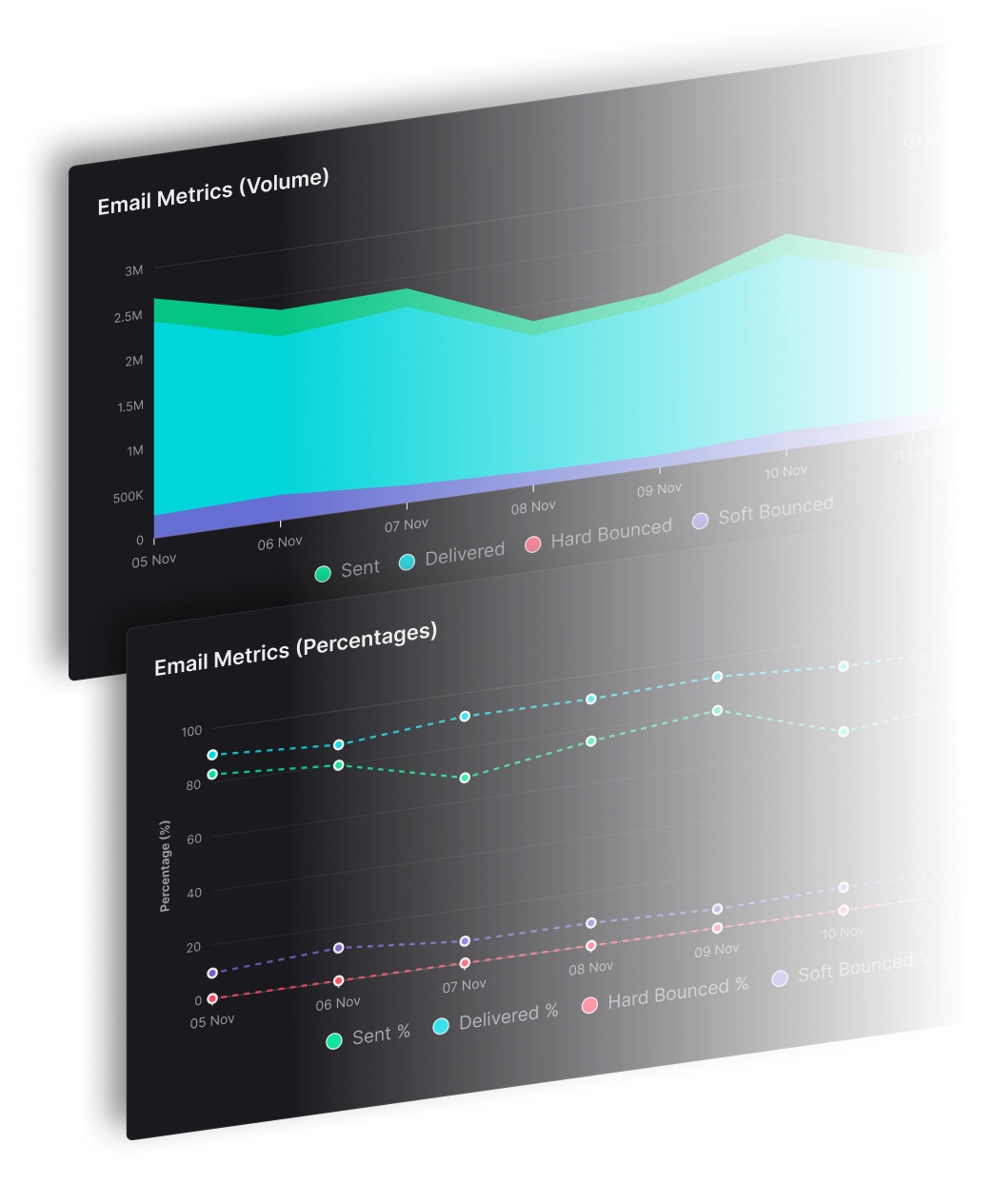


What separates a newsletter that reaches the inbox from one that stalls in the spam folder? Learning how to create an email newsletter starts with permission, readable content, and a measurable reader action, because Gmail, Yahoo and Outlook judge every send by the behavior behind it.
For publishers managing 20K contacts or more, every issue puts subscriber trust and publishing revenue behind the same send. SendX Marketing gives newsletter teams the software to run that recurring process. Score each issue by the action it was built to drive, since open rates count automated loads that say nothing about real engagement.
Newsletter Steps at a Glance
Create the newsletter in launch order, rather than starting with its appearance. The first 3 steps determine whether the rest work: an appealing issue can't repair an unclear promise, unsuitable software, or missing permission.
The 7 steps to launch an email newsletter are:
| Step | What the team decides or produces | Done when |
|---|---|---|
| 1. Define purpose and audience | Newsletter promise, reader, cadence, primary action | The promise fits in 1 sentence |
| 2. Choose software | Sending, editor, forms, analytics, suppression | A trial issue sends and reports correctly |
| 3. Set up signup and consent | Signup form, confirmation, unsubscribe link | A test signup receives the welcome email and unsubscribe works |
| 4. Design the template | Header, colors, layout, footer, alt text rules | The template reads well on a phone and in dark mode |
| 5. Write the first issue | Subject line, preheader, body, primary call to action | The issue matches the original promise |
| 6. Test and send | Control and variant, render checks, authentication | Links and renders are verified and the send is logged |
| 7. Review performance | Delivered, complaints, unsubscribes, clicks, outcomes | Results are logged and inform the next issue |
Consent comes before sending. Testing comes before the audience sees anything. Reporting needs a defined outcome before launch, otherwise the team ends up choosing whichever dashboard number looks best.
How do you start a newsletter?
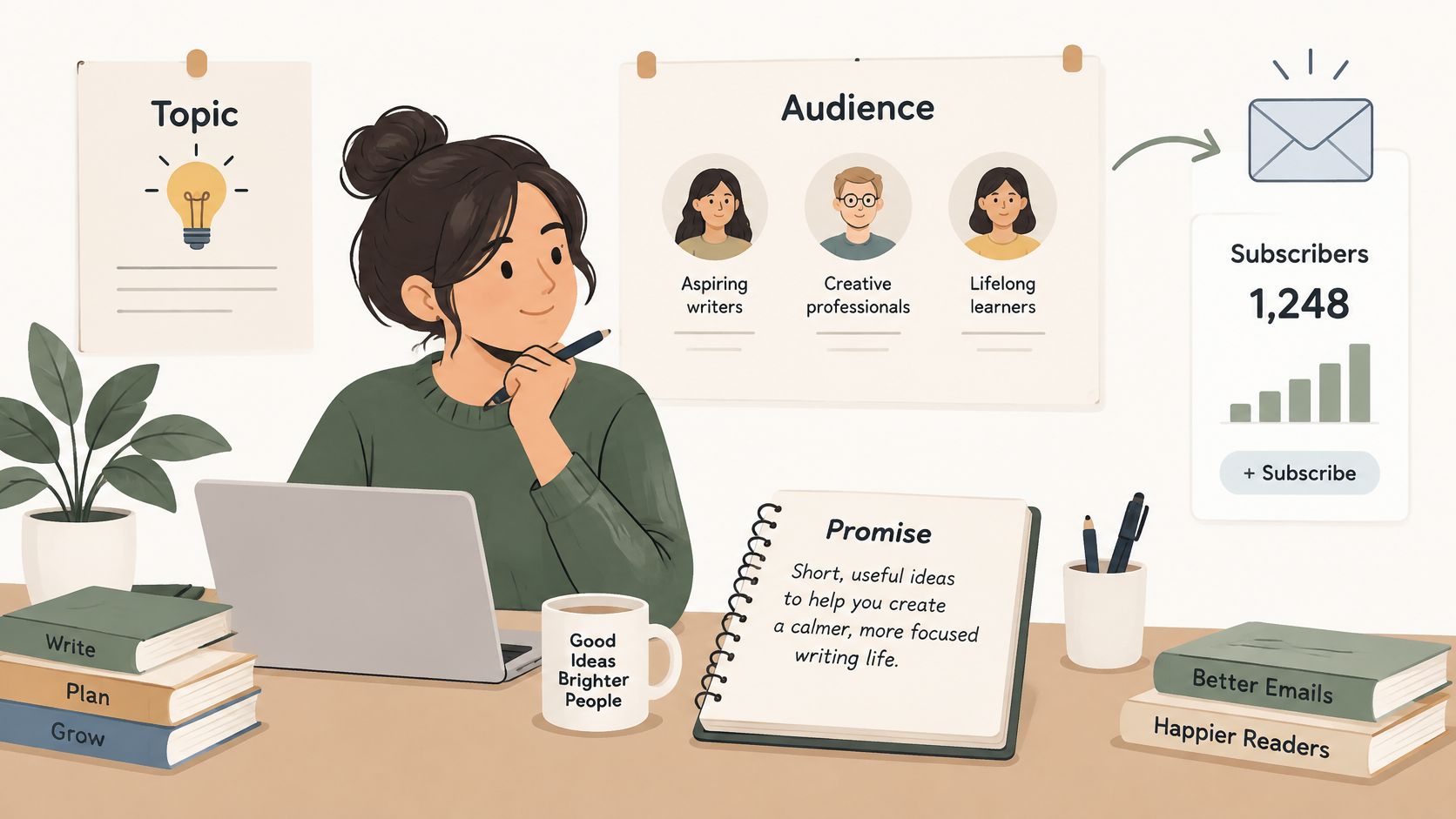
Start with a written promise, not a logo or template. For example, a payment-industry publication might promise a weekly briefing that helps finance leads decide which regulatory changes need action.
The editor's task today is to write that promise in 1 sentence, then check whether it gives the intended reader a concrete reason to subscribe.
How to Define Your Newsletter Purpose and Audience
A topic and a list aren't enough. A newsletter needs a promise a reader can repeat back: who it's for, what it delivers, and why receiving it is worth the inbox space.
Take a regional trades newsletter. It could cover permit changes, supplier pricing, licensing renewals, or seasonal demand. A weekly briefing for plumbing contractors deciding which jobs to schedule next gives the editor a usable selection rule. Interesting material outside that job stays out.
Define the reader by the decision being made
Job titles help identify an audience, but decisions determine useful content. A plumbing contractor estimating bids needs different coverage from the same contractor hiring an apprentice.
Use the email target audience guide to turn a broad contact category into an editorial audience. Record the reader's recurring task, existing knowledge, and next likely action. That record also tells you what "a good issue" looks like before any dashboard does, which matters because open rates make an unreliable scorecard: the signals Gmail, Yahoo and Outlook weight are complaints, deletes and replies.
Choose a cadence the editorial team can sustain
Set frequency by the reader's need and the team's production capacity.
| Publishing pattern | Suitable editorial job | Trade-off |
|---|---|---|
| Daily | Time-sensitive news and immediate decisions | Requires dependable reporting and production coverage |
| Weekly | Analysis, interpretation, and curated briefings | Requires selection rather than a running news feed |
| Monthly | A considered digest for an audience familiar with the brand | Leaves longer gaps between reader interactions |
Sending more often than the team can produce useful material leads to thin issues. Thin issues get ignored, and ignored mail is the behavior mailbox providers read as declining interest. A weekly the team always delivers beats a daily it can't.
Keep the sender name recognizable and use a repeatable subject-line pattern. A familiar publication name followed by the issue's main point is easier to identify than a different sender identity every issue.
Four editorial decisions before the first draft
Make four editorial decisions before building the campaign:
- Promise. State the recurring benefit in one sentence.
- Reader. Identify the decision-maker and the task they bring to each issue.
- Cadence. Set a schedule the team can maintain through busy weeks.
- Primary action. Choose what a useful issue should help the reader do.
These decisions become the acceptance criteria for every draft. An issue that fails one of them doesn't send, because to the mailbox provider, each unwanted message looks the same whether it was "on strategy" or not.
How to Choose Newsletter Software
Choose newsletter software by completing a trial workflow, not by counting features. The software should handle production and subscriber status while the team verifies what recipients receive.
Run the trial through the complete publishing cycle
- Check receipt and placement. Send to test addresses at Gmail, Yahoo, and Outlook. Inspect the messages themselves, not just the sending report.
- Build and reuse an issue. Preview it on a phone, save the template, and create another draft from it.
- Import a test CSV. Use permissioned contacts and check how duplicates, invalid records, and import errors appear.
- Test suppression. Unsubscribe a test address, then confirm that the next campaign excludes it.
Delivered means the mailbox provider accepted the email. In the inbox describes where it landed. A successful send status doesn't establish inbox placement.
For an established publication, prioritize segmentation, automation, and per-issue reporting over decorative template variety. Compare the actual publishing workflow using the email marketing software comparison guide, then check pricing against the contact count.
Keep publication reporting separate at volume
A publisher running several titles needs title-specific lists, subscription status, and reports. Otherwise, an unsubscribe surge from a newly acquired title can disappear inside an aggregate account rate.
List separation isn't the same as delivery isolation. Separate editorial reporting answers which publication needs attention; separate sending identities and delivery controls address how brands affect sending operations.
How to Collect Signups and Stay Compliant
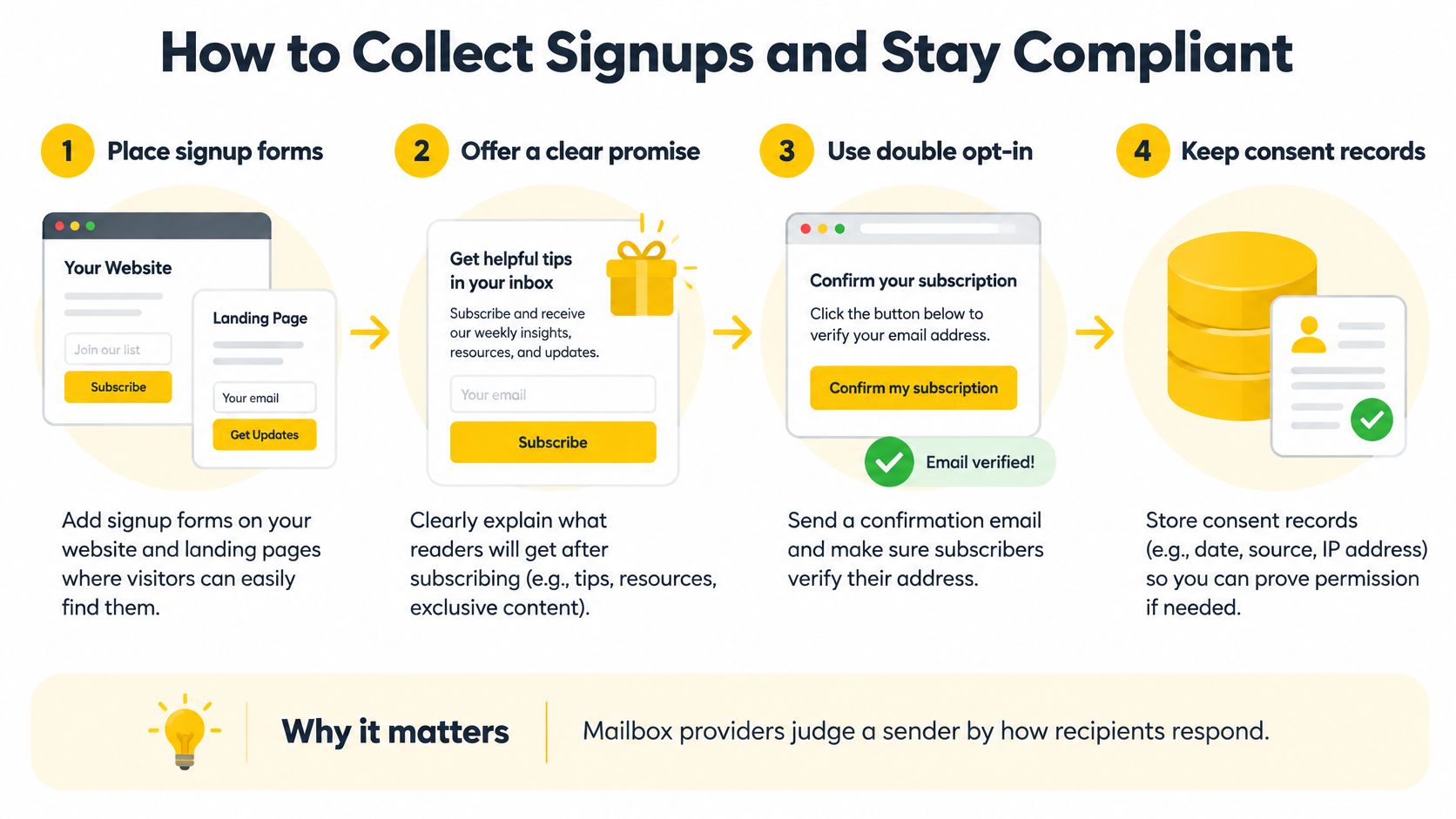
List size matters less than how each address got there. Mailbox providers read signup quality through subscriber behavior: an address collected with clear permission opens, clicks, and rarely complains, while an unexplained address in an imported file produces deletes without reading, spam reports, and occasional spam-trap hits that damage the sending domain's standing at Gmail and Outlook.
Gmail's sender requirements emphasize authentication, wanted messages, and easy unsubscribing, with additional requirements for senders reaching 5,000 or more messages daily to Gmail accounts.
Build the subscriber list with a verifiable permission path
Describe the subscription on the form. Name the publication, its content, and expected frequency before requesting an address. A subscriber who knew what they agreed to has no reason to reach for the spam button later.
In SendX, signup forms and popups add each subscriber to the list selected by the team, so consent is captured at the source instead of in a spreadsheet. For an embedded form, build it in SendX, paste the JavaScript snippet into the site, and measure its performance. Keep the signup wording and permission record alongside the contact source.
Place forms beside related content. Add a form to articles covering the newsletter's subject and another on the homepage. A reader finishing relevant analysis has context for the subscription offer.
Import only permissioned contacts. Skip lists whose consent can't be demonstrated. An upload can check file formatting and reject invalid records, but an import process doesn't establish permission. Purchased or scraped addresses are where spam-trap hits and complaint spikes come from.
Confirm the address. Use double opt-in, meaning the subscriber completes the signup through a confirmation email. An unconfirmed signup admits typos, bots, and addresses submitted by someone else, and each of those reaches the inbox as unwanted mail. Confirmation filters them out before the first issue sends.
Provide visible and technical unsubscribe options. Include a readable link in every issue and implement the mailbox provider's one-click mechanism. A footer link and an unsubscribe header do different jobs: the link serves readers scrolling for an exit, and the header lets Gmail and Yahoo offer the unsubscribe action before a frustrated recipient reports the message as spam.
Verify suppression before the next send. A suppression record prevents an ineligible address from receiving future marketing email. Confirm that scheduled campaigns and automated follow-ups read from it rather than only from the signup list.
Apply the rules for the recipient's jurisdiction
Provider signals explain why these rules exist. Complaint rates and ignored mail tell Gmail, Yahoo, and Outlook how wanted a publication is, while privacy law defines what valid consent and honest sender identification look like on paper.
Under the CAN-SPAM Act, the opt-out mechanism must work for at least 30 days, and requests must be honored within 10 business days, according to the Federal Trade Commission's compliance guide. The process can't charge a fee, demand information beyond an email address, or require steps beyond an email reply or visiting a single web page.
Don't require a login to unsubscribe. Keep the link usable on a phone, and identify the sender accurately.
For UK individual subscribers, consent is generally required unless the existing-customer soft opt-in applies, as explained in the Information Commissioner's Office guidance. That exception requires details collected during a sale or negotiation, marketing of similar products or services, and an opt-out at collection and in later messages. Corporate subscribers have different electronic-mail consent rules, although data-protection duties can still apply.
Use the email compliance practices guide as an operational checklist. Finish with an actual signup, confirmation, welcome email, and unsubscribe test.
How to Design and Write Each Issue
Design determines whether subscribers recognize the publication, understand its reading order, and can act without pinching, zooming, or loading images. It also shapes the signals Gmail, Yahoo, and Outlook collect: an issue that renders cleanly and gets scrolled, answered, or clicked reads as mail people wanted, while one that breaks on a phone gets closed within seconds.
Build the reusable layout before writing the issue. Once the frame is fixed, only the editorial content changes from send to send.
Design the newsletter template
- Establish the recurring frame. Use a fixed newsletter header, restrained brand colors, a readable body font, and a single-column layout. Keep the unsubscribe footer inside the saved template so it ships with every issue.
- Design for blocked images. Keep the information a reader must see in live text: the headline, the offer, and every link. Write meaningful alternative text for informative images instead of repeating a filename.
- Preserve reading order. Use headings and semantic HTML, which marks content according to its purpose instead of appearance alone. Set the document language and write descriptive link labels, because screen readers and several inboxes surface links out of context.
- Check different viewing conditions. Test enlarged text, dark mode, image blocking, and screen-reader reading order before the template is saved.
The Validity deliverability benchmark identifies alternative text, sufficient contrast, semantic HTML, readable typography, and dark-mode compatibility as accessibility improvements. Run these as production checks on every template revision, and re-run them when the frame changes.
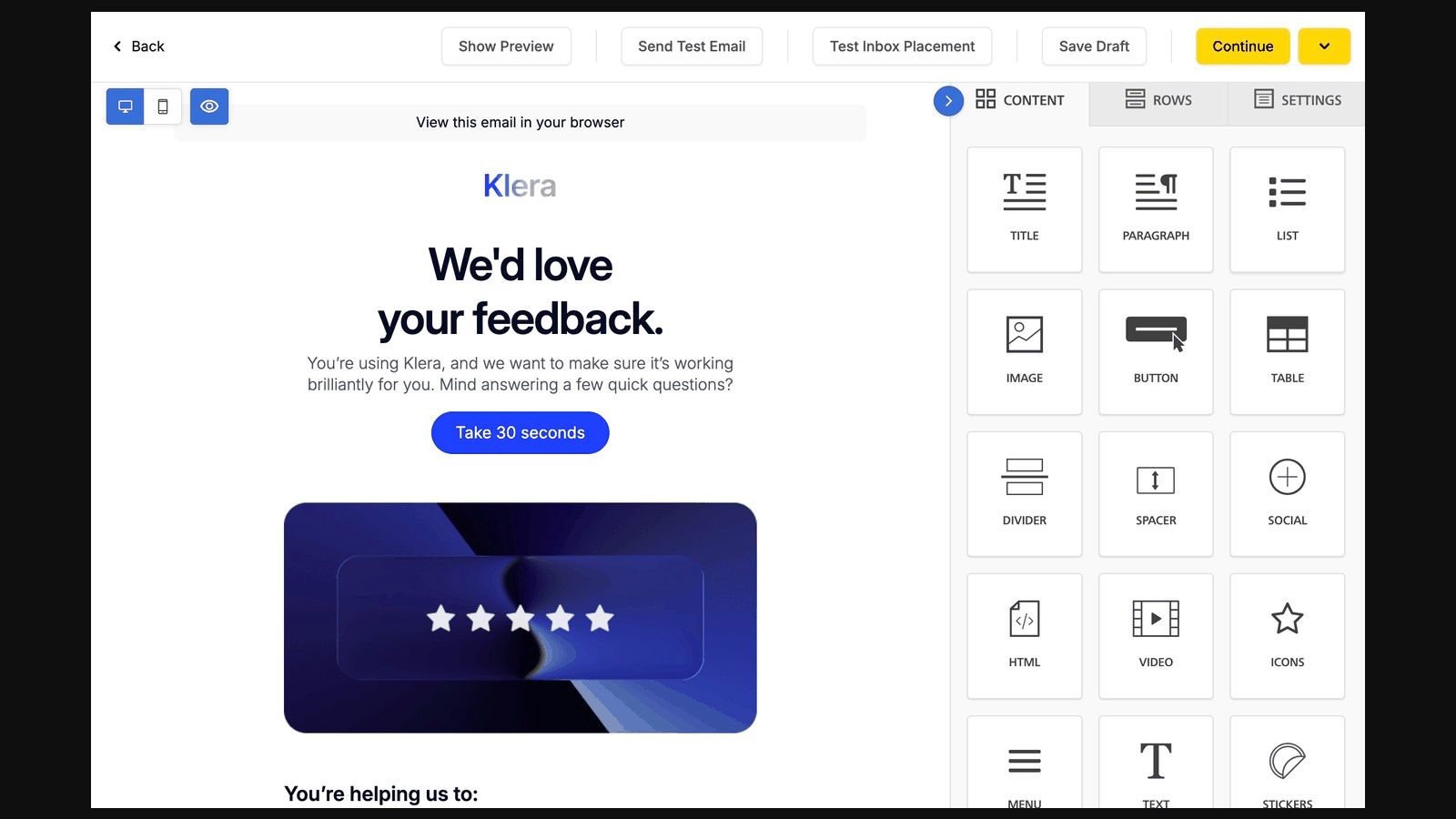
A drag-and-drop email editor with saved templates lets teams reuse headers, footers, and sponsor blocks instead of rebuilding the layout for every issue.
Run a test send and an inbox placement check before every issue; both sit in the editor's top toolbar.
Write the issue around its main point
The subject line should state the issue's useful point early enough to survive a shortened phone preview. Match urgency to the content, because a subject that over-promises trains readers to ignore later issues, and that is exactly the behavior mailbox providers measure.
The preheader, the preview text displayed beside or beneath the subject, should add information. If the subject announces a regulatory change, the preheader can explain which decision the briefing supports.
For a retail publication examining purchase reminders, the Comredix comparison of cart email subjects offers context for discussing subject-line approaches. Cart reminders can push urgency because a real event triggered them; a weekly issue that manufactures the same pressure erodes its editorial promise.
Put the primary link near the top when the issue's job is to send readers to a resource. Give each body section a clear purpose, and keep secondary links visually subordinate to the main call to action.
Include a plain-text version and review it separately. It should retain understandable headings, destination links, and the unsubscribe path without depending on visual formatting.
Keep the issue looking professional
Professional appearance comes from consistent structure and readable content. A stable header, predictable sections, descriptive links, and a restrained sponsor treatment make each issue easier to recognize. Recognition drives the engagement pattern providers see: subscribers who open on purpose, scroll, and click send a cleaner signal than readers who delete a cluttered issue unopened.
Apply the email design best practices to the finished draft. A layout can look balanced in the empty template and break once an editor inserts a long headline, an oversized image, or a sponsor paragraph, so check the frame again after real content goes in.
How to Test, Send and Measure Each Issue
A test is more than a campaign with different subject lines. It requires a defined outcome, comparable audiences, and a decision rule that doesn't reward misleading engagement.
Testing belongs in newsletter creation because a reusable publishing process needs a way to learn. Without a record of what changed, the team can't distinguish an editorial improvement from a different audience mix.
Run a controlled campaign test
- Define the conversion event. Choose the action being tested, such as a click on the main analysis or an event registration.
- Create a control and a variant. Like comparing recipes while changing only the flour, change only the subject, opening, send time, or call to action. An A/B test compares versions with a controlled difference.
- Render and inspect both versions. Check Gmail, Outlook, a phone, the plain-text version, every destination, and tracking parameters.
- Randomly assign comparable groups. Exclude suppressed contacts and recent bounce or complaint events. Choose a sample capable of supporting the planned decision.
- Wait through the normal response window. Don't select a winner immediately after delivery.
- Apply the winner conditionally. Prefer an improvement in the chosen outcome only when complaints and unsubscribes don't undermine it.
Retain assignment records and event timestamps. Otherwise, later list changes can make the original comparison impossible to reproduce.
Verify authentication and unsubscribe headers
Authentication works like a signed identity check. SPF authorizes sending sources, DKIM adds a verifiable message signature, and DMARC specifies how receiving systems should assess aligned authentication. Confirm all of them before production sending.
The RFC 8058 standard specifies a List-Unsubscribe header containing an HTTPS URI and a List-Unsubscribe-Post header containing List-Unsubscribe=One-Click. A valid DKIM signature must cover both headers, and the endpoint must identify the recipient and list for automatic removal.
Track performance beyond open rate
In SendX, campaign reports put sends, opens, and clicks side by side, so editors can compare issues without assembling separate reports.
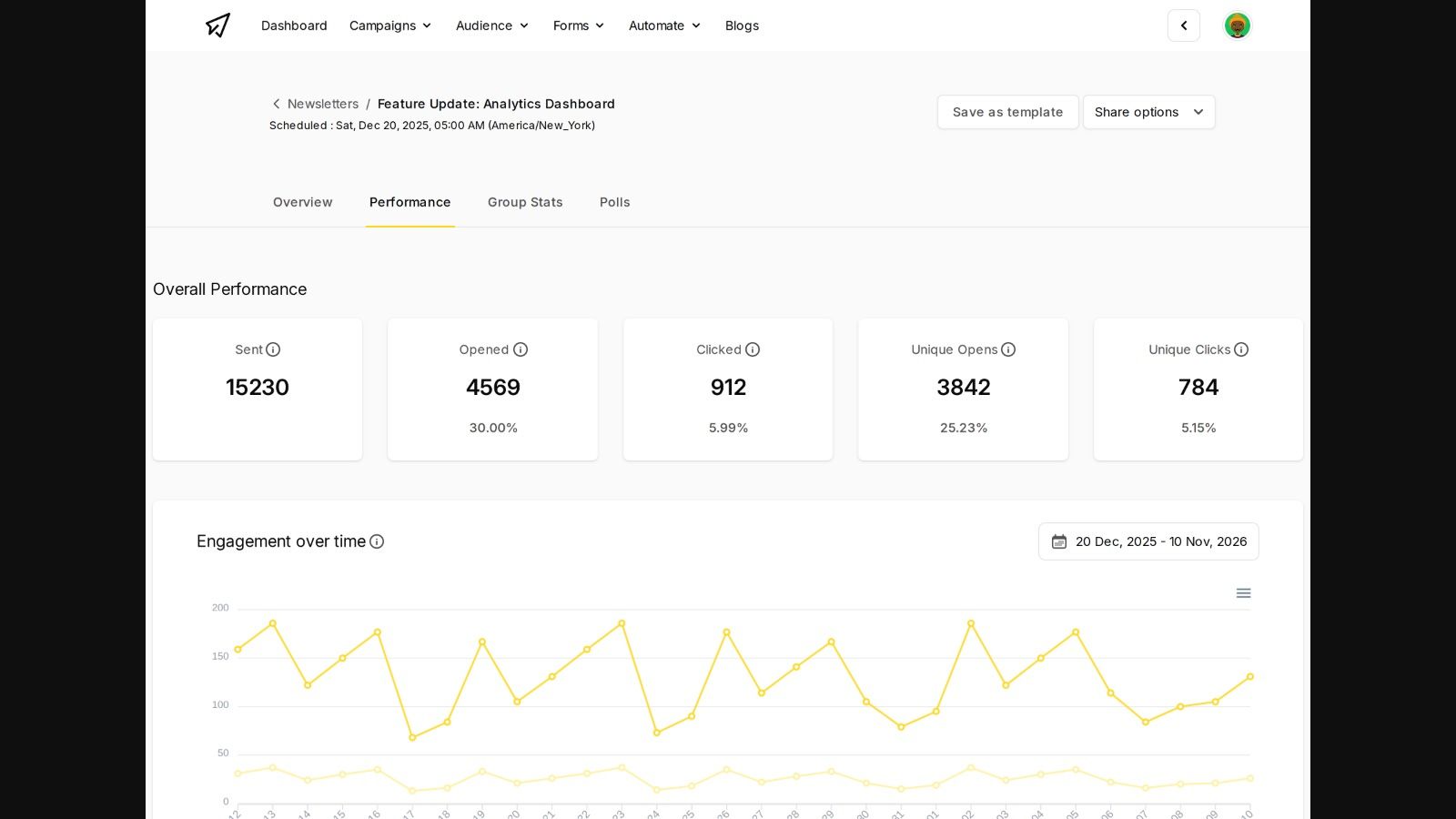
The campaign report puts sends, opens and clicks side by side.
Treat open rate as a weak signal. Privacy systems can generate opens automatically, so an apparent open doesn't establish that a person read the issue.
| Measure | What it shows | Look closer when |
|---|---|---|
| Delivered and hard bounce rate | List health | Hard bounces rise after an import |
| Complaint rate | Audience fit | Complaints spike after a new signup source |
| Unsubscribe rate | Whether topic and frequency fit | Unsubscribes jump after a topic change |
| Click rate and click-to-open rate | Content action | Clicks fall while opens hold steady |
| Replies, signups, or sales | Business value | Clicks rise but the outcome doesn't |
| Cohort retention | Long-term newsletter health | Engagement decays during the initial subscription period |
Click-to-open rate inherits the weaknesses of its open-rate denominator. A cohort is a group that subscribed during the same period or through the same source.
High opens with low clicks don't prove a successful subject line. Inspect automated activity, the subject's promise, link placement, and whether the issue needed a click at all.
Use the actionable email marketing metrics guide to structure the review. Log the audience, change tested, outcome, complaints, and next decision, broken down by publication and mailbox provider where available.
Pick Software That Runs Every Issue
Copying lists between tools creates reconciliation work. Missed unsubscribes and reports that don't match the send log make a scheduled publication harder to operate safely.
SendX is managed sending infrastructure for multi-identity senders. SendX Marketing is its sending software, built around campaigns, forms, automation, and analytics. The decision for a newsletter team is whether an editor can publish, measure, and maintain subscriber eligibility through a connected workflow.
Judge the software by the next publishing task
A subscriber who opts out should stay opted out across every publication on the account. The suppression center gives the team a place to manage eligibility instead of relying on a manually edited export, and the operational check is whether the next scheduled campaign respects that status.
Segmentation turns click behavior into a follow-up audience. Readers who click a sponsor link can receive a relevant follow-up within the subscription's permission, one that answers a demonstrated interest and stays inside what they signed up for.
Production is the third test. The drag-and-drop builder and responsive templates preserve the publication's layout when the editor builds the next issue. Personalization, smart sending times, and spam testing support campaign preparation while editorial review stays with the editor.
Choose controls that match the publication's scale
For high-volume operations, keep 3 requirements explicit:
- See it. Per-issue reporting breaks results down by publication and mailbox provider, so a complaint spike at Gmail or Yahoo shows up on the send that caused it.
- Suppress it. An unsubscribe from any issue updates eligibility before the next send, and every promotional email carries its own opt-out link.
- Segment it. Subscriber groups for sponsor-clickers, new signups, and lapsed readers keep each issue aimed at an audience that fits it.
Teams sending under several brands also need delivery separation underneath the sending software: distinct domains, IPs, and warmup plans, so one brand's problem stays with that brand.
FAQs
How long should each newsletter issue be?
Match the length to the action the issue supports. A single-link briefing can stay short when the destination contains the full explanation; an original analysis needs enough space to support its argument.
A weekly digest that links out to a handful of stories can run a few tight paragraphs and a line of context per link. A reported analysis needs background, evidence, and a clear takeaway before it asks the reader to act. Length also sends a signal: issues readers consistently abandon halfway teach Gmail, Yahoo and Outlook to expect low engagement. Cut paragraphs that serve neither understanding nor action.
What should happen when a subscriber replies?
Route replies to a monitored inbox and assign an owner. Configure the reply-to address deliberately rather than assuming replies reach the person who wrote the issue.
Replies are among the strongest engagement signals a sender can generate, so treating them as noise wastes deliverability value. An established publisher might route subscription questions to the audience team while corrections and story suggestions go to the editor. Set a checking schedule and log useful replies alongside clicks and unsubscribes. A reply never overrides an unsubscribe request.
Does a newsletter need a website before launch?
A dedicated website isn't necessary when the sending software provides a signup landing page. The page still needs the publication promise, permission wording, sender identity, and a clear submission process.
A magazine group can launch a specialist title through a landing page before building its archive, as long as the signup clearly states what subscribers are agreeing to receive. A website becomes useful when readers need searchable past issues, public editorial pages, or a destination to share.
Build the next issue with SendX Marketing's newsletter campaigns, forms, reusable templates, and reporting. Visit SendX to evaluate the publishing workflow with a permissioned test list before scheduling the full audience.
