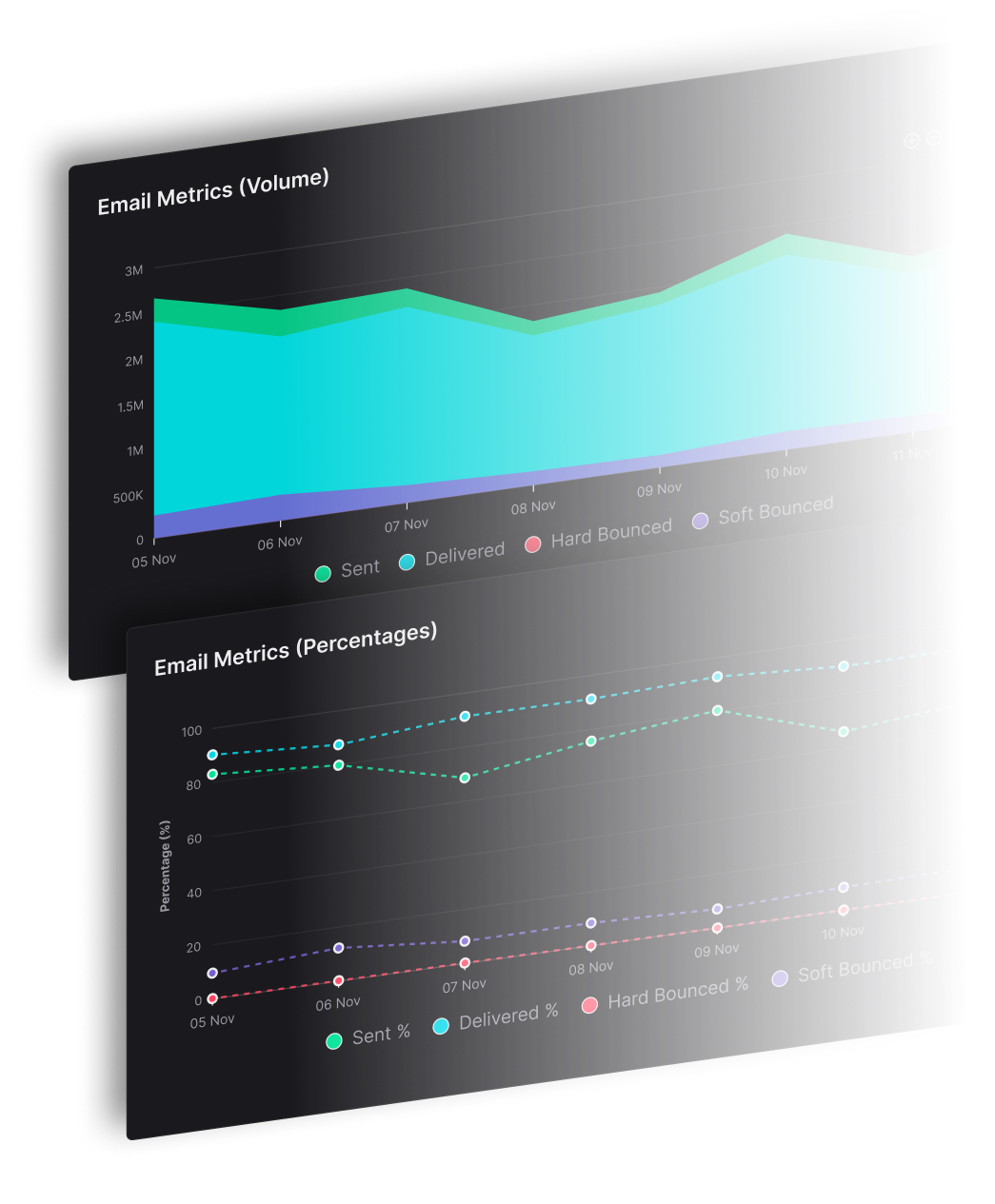
Trigger registration confirmations, password resets and order receipts through the SendX API or over SMTP, on shared or separate IP pools, with delivery analytics and a log of every individual message. $10/month plus $0.003 per email.
Marketing email and transactional email fail differently. One can be late; the other cannot. This addon treats them as separate problems inside the same account, rather than making you run a second platform to keep them apart.
If you are already calling the SendX API, transactional sending is another endpoint. If your application or framework expects SMTP, the settings tab carries a setup guide to walk you through it, and you can run the SendX APIs in Postman before committing anything to your codebase. Dedicated transactional templates live separately from your marketing templates, so a designer editing a campaign cannot accidentally alter your password reset email.
A promotional send that draws complaints should not put your password resets at risk. Run transactional mail on a shared pool if your volume is modest, or move it to separate IPs so the two reputations never affect each other. For anything customers are actively waiting on, that separation is the difference between an inconvenience and a support ticket.
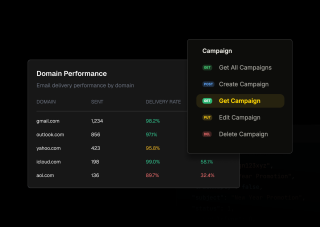
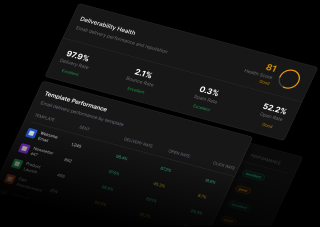
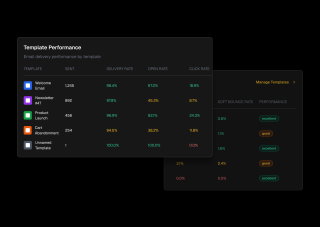
The Analytics tab tracks sent, delivered, hard and soft bounces, opens and clicks, alongside a deliverability health read-out scoring your delivery, bounce, spam and open rates. The Logs tab goes narrower: performance by receiving domain, performance per template, and a feed of recent email activity — which is what you need when one customer says a receipt never arrived, or when Gmail is behaving differently from everyone else.

Three screens — the addon toggle, the credentials, and the place you check afterwards.
Transactional Email sits under Account & services on your addons page. Flip the toggle and you have dedicated transactional templates, a choice of shared or separate IP pools, delivery and open analytics, webhook support, and SLA-grade uptime. The $10 monthly fee starts when you enable it; the $0.003 per email follows whatever you actually send, so a quiet month costs close to the base fee.

Your team API key lives in Settings under API & Webhooks, and the same key authenticates transactional requests — there is no second credential to manage. The settings tab embeds the API documentation for the Send Email endpoint, so you can read the request shape without leaving the page, run the SendX APIs in Postman to check a payload before writing anything, or follow the SMTP setup guide if your application expects SMTP rather than an HTTP call.

The Analytics tab covers the window you pick — sent, delivered, hard and soft bounces, opens and clicks — with a deliverability health read-out rating your delivery, bounce, spam and open rates so you know whether the numbers are good without having to benchmark them yourself. The Logs tab is where you go when something specific is wrong — performance by receiving domain, performance per template, and a feed of recent email activity.

Transactional Email sits under Account & services on your addons page. Flip the toggle and you have dedicated transactional templates, a choice of shared or separate IP pools, delivery and open analytics, webhook support, and SLA-grade uptime. The $10 monthly fee starts when you enable it; the $0.003 per email follows whatever you actually send, so a quiet month costs close to the base fee.
Your team API key lives in Settings under API & Webhooks, and the same key authenticates transactional requests — there is no second credential to manage. The settings tab embeds the API documentation for the Send Email endpoint, so you can read the request shape without leaving the page, run the SendX APIs in Postman to check a payload before writing anything, or follow the SMTP setup guide if your application expects SMTP rather than an HTTP call.
The Analytics tab covers the window you pick — sent, delivered, hard and soft bounces, opens and clicks — with a deliverability health read-out rating your delivery, bounce, spam and open rates so you know whether the numbers are good without having to benchmark them yourself. The Logs tab is where you go when something specific is wrong — performance by receiving domain, performance per template, and a feed of recent email activity.
Everything you need to know about SendX and our services. Last updated June 2026.
$10 per month, plus $0.003 per email sent. The monthly fee and the per-email charge are separate, so a low-volume application sending a few hundred password resets a month costs close to the base fee, while volume scales linearly from there. Addon prices at SendX are set individually rather than to a single standard rate, so this figure applies to Transactional Email specifically.
Either — whichever your application already uses. The SendX API sends transactional email directly or from a saved template, using the API key managed in Settings under API & Webhooks. If your framework expects SMTP instead, the Settings tab carries an SMTP setup guide to work through. You can also run the SendX APIs in Postman first, which is usually the quickest way to confirm a payload is right before touching your codebase.
Yes. You can run transactional mail on a shared IP pool or on separate IPs. Separating them matters because reputation is earned per sending IP — if a promotional campaign draws spam complaints on a shared pool, the password resets sent from that same pool inherit the damage. At low volume a shared pool is usually fine; as transactional volume grows, or as the cost of a delayed receipt rises, separate IPs are worth it.
Yes. The Logs tab carries a feed of recent email activity, plus performance broken down by receiving domain and by template — so you can see whether one mailbox provider or one specific template is the problem rather than guessing from an aggregate. The Analytics tab sits alongside it with the wider picture: sent, delivered, hard and soft bounces, opens and clicks, and a deliverability health score across delivery, bounce, spam and open rates.
A campaign goes to an audience you choose; a transactional email fires for one person because they did something. That difference drives everything else here — transactional messages use their own templates, can sit on their own IPs, and are read one at a time in the logs rather than judged as an open rate. Registration confirmations, password resets, order confirmations and receipts are the typical cases.
Six outbound event types: unsubscribe, dropped, bounced, marked spam, opened and clicked. For transactional mail the delivery failures are usually the ones worth wiring up — a dropped or bounced receipt is something your application can react to, by flagging the account or falling back to another channel, rather than something to discover in a report later.
Still have questions? We're here to help.
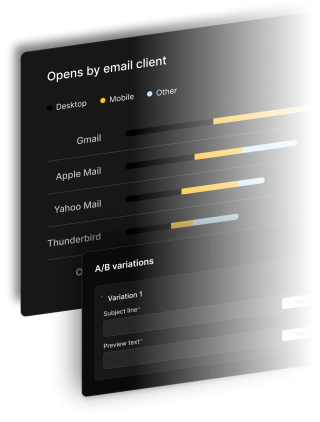
A/B Split Test is one of five campaign types in SendX. Write two or more subject lines, send them to a slice of your list, and the winner goes out to everyone else automatically. Included on every plan, not held back for a higher tier.
Automatically ramp sending volume to earn a rock‑solid sender reputation—no spreadsheets required.
Write, publish, and track articles without leaving SendX—turn readers into subscribers in minutes.
Filter out security‑scanner noise and see the clicks that actually matter.
Auto‑expire unsent emails so your audience only sees timely, relevant messages.
Give every campaign its own reply‑to address and make sure answers land in the right inbox—every time.
Enable it from your addons page, take your API key or SMTP credentials from Settings, and send. $10/month plus $0.003 per email.