

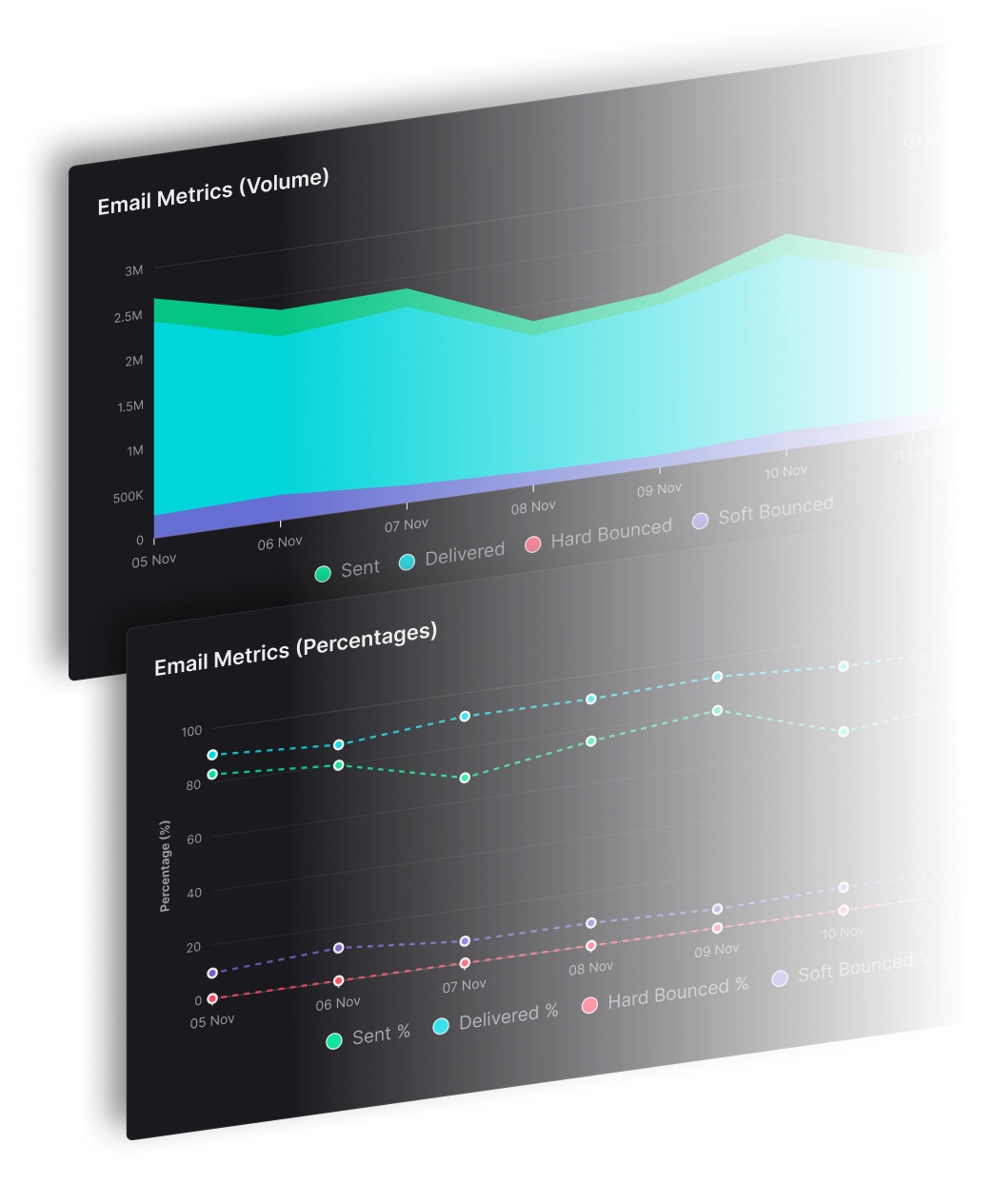


Newsletter platforms should let an established publisher publish recurring editions, retain an opted-in audience, automate follow-ups, and earn subscription or sponsorship revenue without surrendering control of the list. The right choice preserves each title's identity and exit path, rather than providing the easiest editor.
For publishers past 20K contacts, missed inboxes and sponsor numbers that can't be defended become operating problems. SendX Marketing addresses that publishing job with sending software backed by managed sending infrastructure.
Which Newsletter Platform Fits Your Publishing Job
Match the revenue model before comparing editors. A publication that sells reader access needs different software from a media group selling sponsorships across several titles. Network discovery can justify a creator network; an existing audience makes ownership, reporting, and sending controls more valuable.
The wrong belief is that the best editor makes the best newsletter platform. Gmail, Yahoo, and Outlook don't judge the software's editing experience. They assess the messages, sending identities, authentication, and recipient responses that reach their systems.
Match the publishing job to the software category
The following comparison describes buying categories, not guarantees about every product within them. Each limitation belongs on the demo checklist.
| Platform type | Choose it when | Revenue model | List ownership | Main limit |
|---|---|---|---|---|
| Creator networks | A writer needs paid subscriptions and network discovery | Reader subscriptions | Confirm contact exports; discovery remains network-dependent | Less control over publication-level sending arrangements |
| Creator publishing tools | An independent title needs a site, referrals, and advertising tools | Ads, referrals, and paid tiers | Confirm contacts, tags, and suppression exports | Check separation before adding more titles |
| General marketing software | A team needs newsletters, forms, and campaign automation | Sponsorships or product offers | Confirm reusable audience exports | Per-title domain and IP controls need inspection |
| Lifecycle software | Revenue follows purchases or membership behavior | Orders and memberships | Confirm contact and event portability | Purchase journeys may take priority over newsroom workflows |
| Managed sending software | Several titles or client brands need distinct sending identities and reporting | Sponsorships, memberships, or retainers | Keep domains, lists, and suppressions under publisher control | Not a discovery network for finding readers |
Separate publishing convenience from operational control
A hosted archive and paid subscription checkout can simplify an independent publication. Those conveniences don't establish whether an audience team can diagnose a delayed edition or separate a struggling title from its siblings.
For example, a finance newsletter and a culture newsletter can share editorial staff without sharing every sending resource. The buying decision should preserve that distinction.
Choose discovery when acquisition is the missing capability. Choose operational control when the audience already exists. An established publisher shouldn't trade away diagnosable sending merely to save a few editing steps.
Which Checks Separate a Workable Newsletter Platform From a Risky One
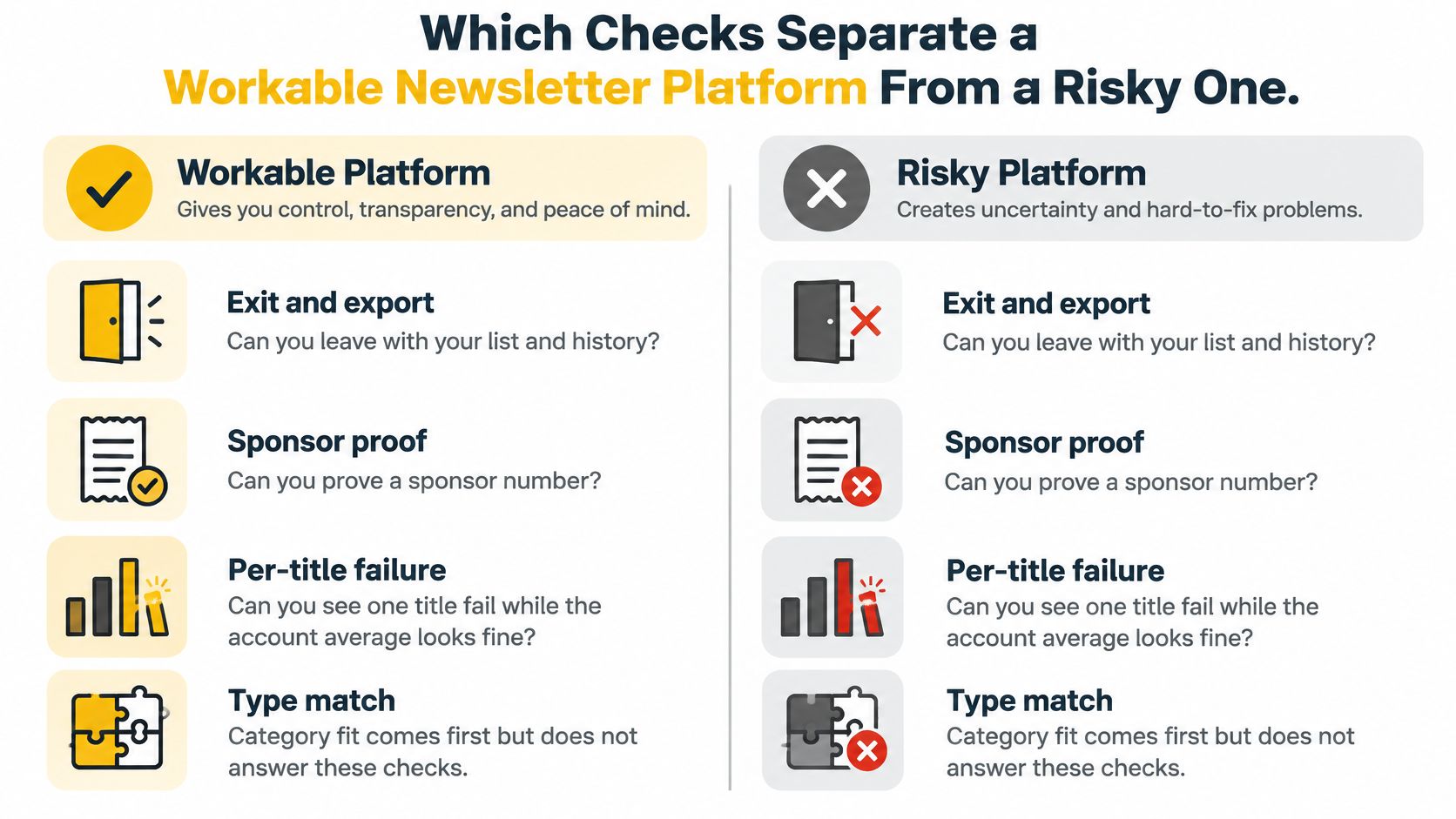
A publisher can see a healthy account-level delivery rate while one title's editions miss the inbox. Test each title's audience data, sending identity, reporting, and exit options before relying on a platform.
| Check | Pass | Fail | Who feels it first |
|---|---|---|---|
| Can the asset be exported? | Contacts, tags, and suppressions download in reusable files | Audience records remain locked inside the service | The operator planning an exit |
| Whose domain sends? | Publisher-controlled authentication aligns with From | Editions rely on an identity the publisher can't control | The title experiencing complaints |
| Can a single title be inspected? | Results split by brand, domain, and mailbox provider | Only an account-level delivery rate appears | The audience lead |
| Can sponsors trust the click report? | Machine events are identified and excluded | Raw activity is presented as human readership | The advertising salesperson |
| Can a workflow leave? | Trigger rules and segments can be documented and reproduced | Logic exists only inside the software | The onboarding operator |
| Can a title prove another sending path? | A controlled trial runs while other titles remain unchanged | The entire portfolio must change together | The publisher's operations team |
| Does header-based opt-out work? | Required unsubscribe headers and a visible body link appear | Only a footer link appears | Recipients and the sender's reputation |
Inspect ownership through a real export
A useful export should let another system reconstruct the audience's meaning. An address without consent context, title membership, or suppression status is an incomplete publishing asset.
A suppression record identifies an address that must not receive applicable future sends. Preserve its reason and scope, not just the address. Document workflow entry conditions, waiting periods, exclusions, and exit rules so the team can rebuild the logic elsewhere.
Read delivery from the mailbox provider's side
An acceptance receipt does not prove that an edition reached the inbox. Delivered means the mailbox provider accepted the email; in the inbox describes where it landed.
Validity's benchmark reports Gmail inbox placement averaging 89.8% in 2024 and falling to 84.2% in Q4 2024. The same report puts average placement across major mailbox providers at 80.8%, with 15.7% of messages missing or otherwise not reaching the inbox.
An account average can hide a title's failure. Inspect deferrals, complaints, authentication results, and bounce codes by sending identity before increasing volume.
Verify authentication and unsubscribe mechanics
Several magazines using one return address illustrate the risk of unrelated titles sharing a sending identity. Domain alignment means the visible From domain matches the authenticated SPF or DKIM identity in the manner required by DMARC.
Google applies bulk-sender requirements at 5,000 or more messages daily to Gmail recipients. Those requirements include SPF, DKIM, DMARC, alignment, and one-click unsubscribe for applicable marketing and subscribed messages.
Inspect the List-Unsubscribe and List-Unsubscribe-Post headers, including List-Unsubscribe=One-Click, alongside a clearly visible unsubscribe link in the message body. A footer link alone does not meet the header requirement.
Contain reputation risk before increasing volume
An IP address is a sending resource, not a replacement for permission or authentication. Use the dedicated IP decision guide to assess whether a title's volume, sending consistency, and need for isolation justify a dedicated IP.
Do not increase a new domain's volume because an account dashboard still reports healthy delivery. Require a title-specific trial with explicit pause criteria, and keep the other titles unchanged while you assess the results.
How Do Newsletter Platforms Price, and When Do You Outgrow a Free Plan
A 40,000-record file with 12,000 suppressed addresses can produce a very different bill depending on how the platform counts contacts. Price the platform against each title's audience, sending identity, reporting access, and exit path, not just the advertised tier.
| Pricing model | What the bill scales with | Who it fits | Where it stops working |
|---|---|---|---|
| Creator network revenue share | Paid reader revenue | A writer selling subscriptions | Revenue share outweighs discovery value |
| Creator publishing subscription | Audience size and feature tier | An ad-funded or subscription title | Additional titles require controls outside the plan |
| Marketing software contact tiers | Billable stored contacts under the contract | A team running newsletters and forms | Duplicate records across titles inflate the bill |
| Lifecycle contact and activity tiers | Contacts, events, orders, or contracted usage | A store or membership business | Publishing needs receive less value than purchase automation |
Define the billable audience
Get the quote to spell out which records count: active recipients, stored contacts, duplicates across titles, and retained suppression data. For guidance on how one publishing platform structures its plans, see this newsletter pricing and plans overview.
Keep suppression records intact. The audience team needs them to prevent accidental resubscription; the billing terms should make clear whether they affect the total.
Price each sending identity
A publisher-controlled sending domain, title-level reporting, and the ability to export your data all have operational value. A branded website address alone does not establish that email uses a separately controlled identity.
Treat each title as an asset with its own domain, performance data, and exit path. Compare the platform fee with the cost of keeping those assets usable if you leave.
Use the free plan to test the workflow
A free plan can show whether editing, importing, and basic workflows suit the team. It cannot prove that a sending setup you have not used will perform as required.
For a paid evaluation, run a title-specific edition, confirm authenticated sending, and produce a sponsor report. Before the trial ends, retain the audience export and authentication documentation. Check the vendor's current pricing page, since plan details can change.
What Creation and Automation Should a Platform Include
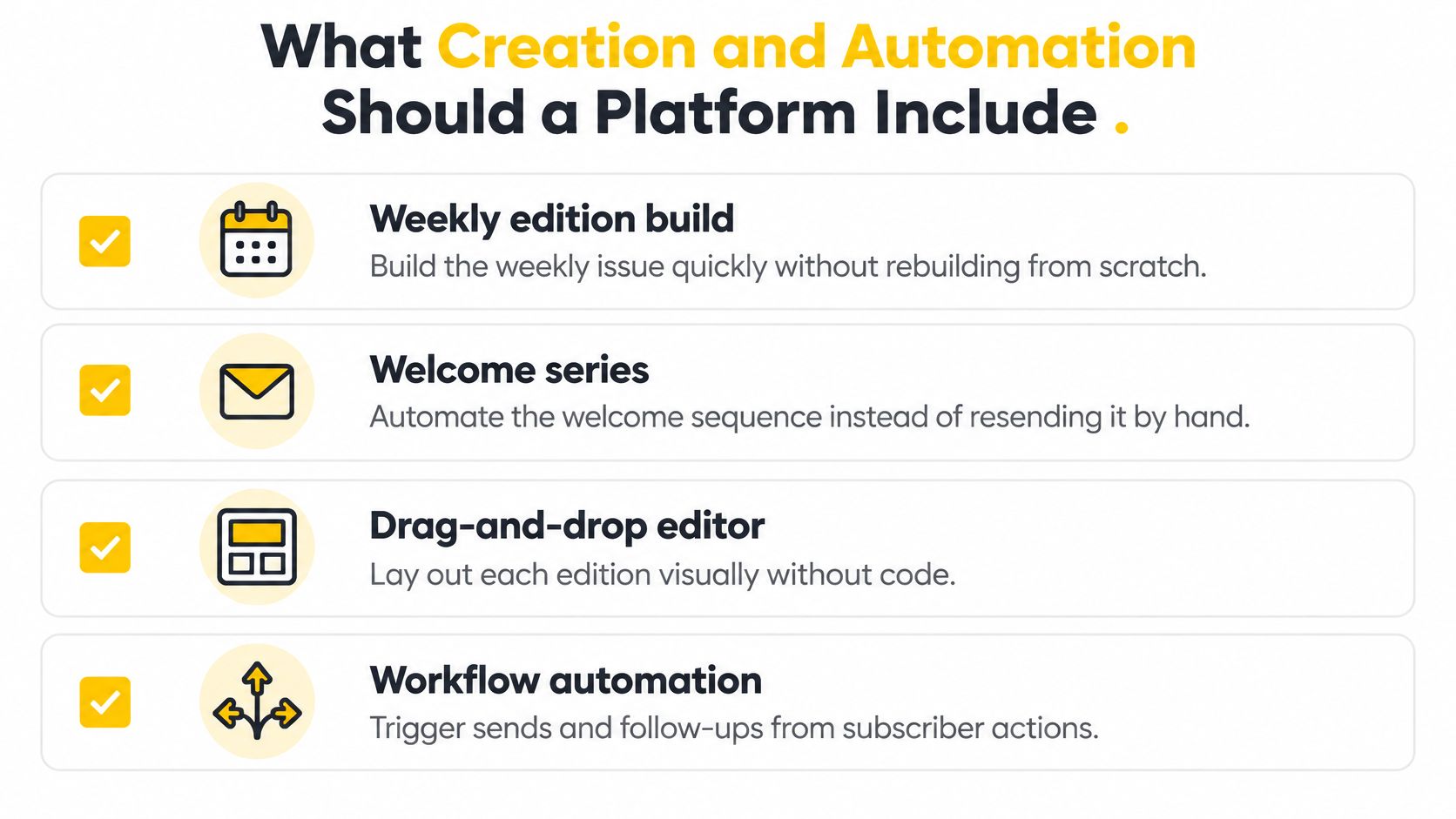
A mobile sponsor block can break when a template changes, even if the desktop edition still looks right. Choose a platform that lets the team build, test, and automate editions without losing control of each title's identity.
Build the edition around the production team
- Give marketers a visual editor and developers an HTML editing option.
- Create reusable editorial and sponsor blocks.
- Send a test message and inspect mobile rendering before scheduling.
Check the sponsor placement on a phone, not just a desktop screen. Review links, images, reply handling, and reading order before the edition goes out.
SendX's drag-and-drop email editor lets teams build editions from content blocks. The editor includes test-send and spam-testing options before scheduling.
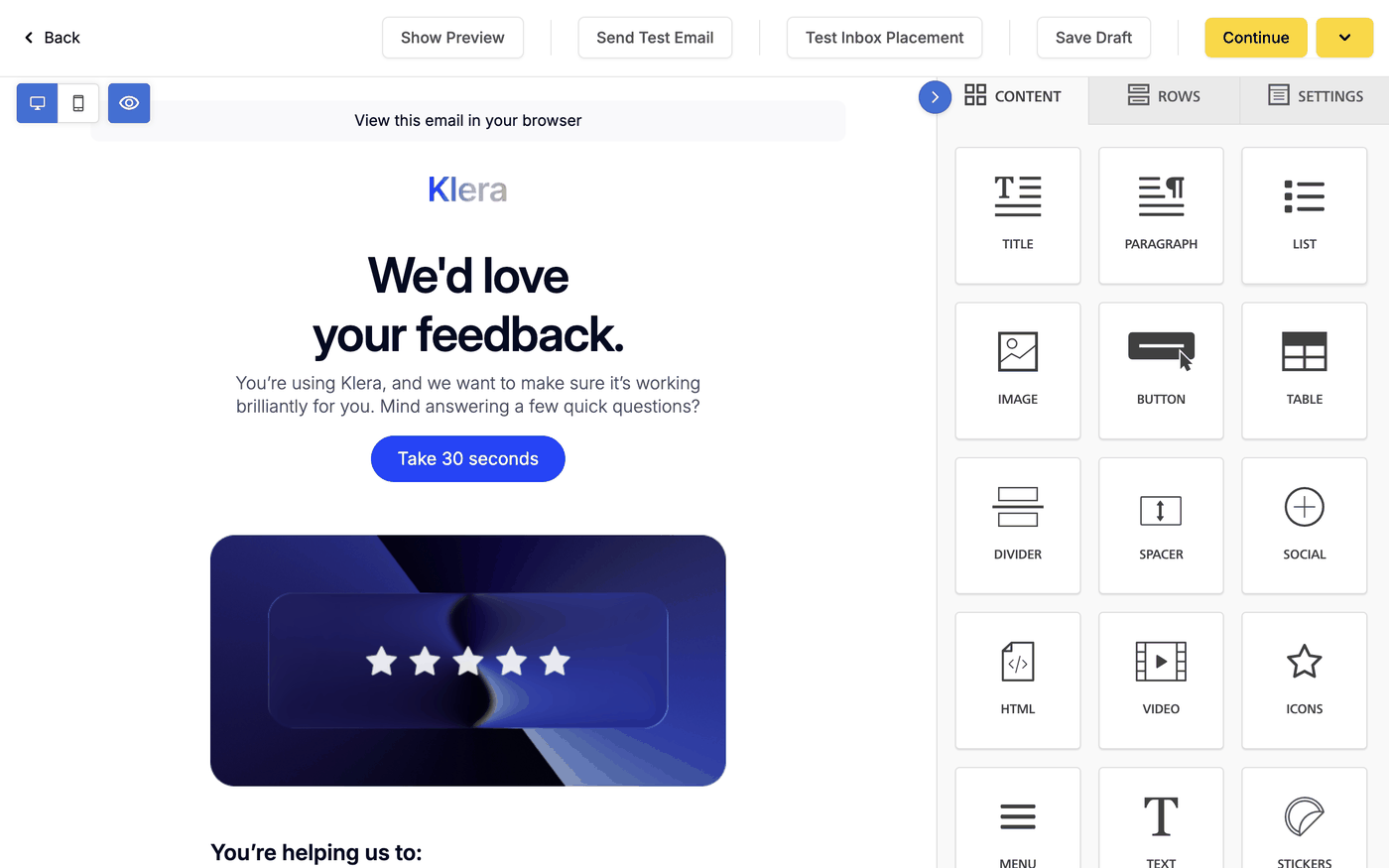
The editor provides test-send and spam-testing options before scheduling.
Preserve each title's branding
Each publication needs a recognizable sender name and a monitored reply-to address. Shared production software should not make a specialist briefing sound like a general promotions list.
Review the full recipient experience: From name, reply destination, mobile layout, and signup confirmation. A logo change alone does not give a title a distinct identity.
Automate a subscriber journey
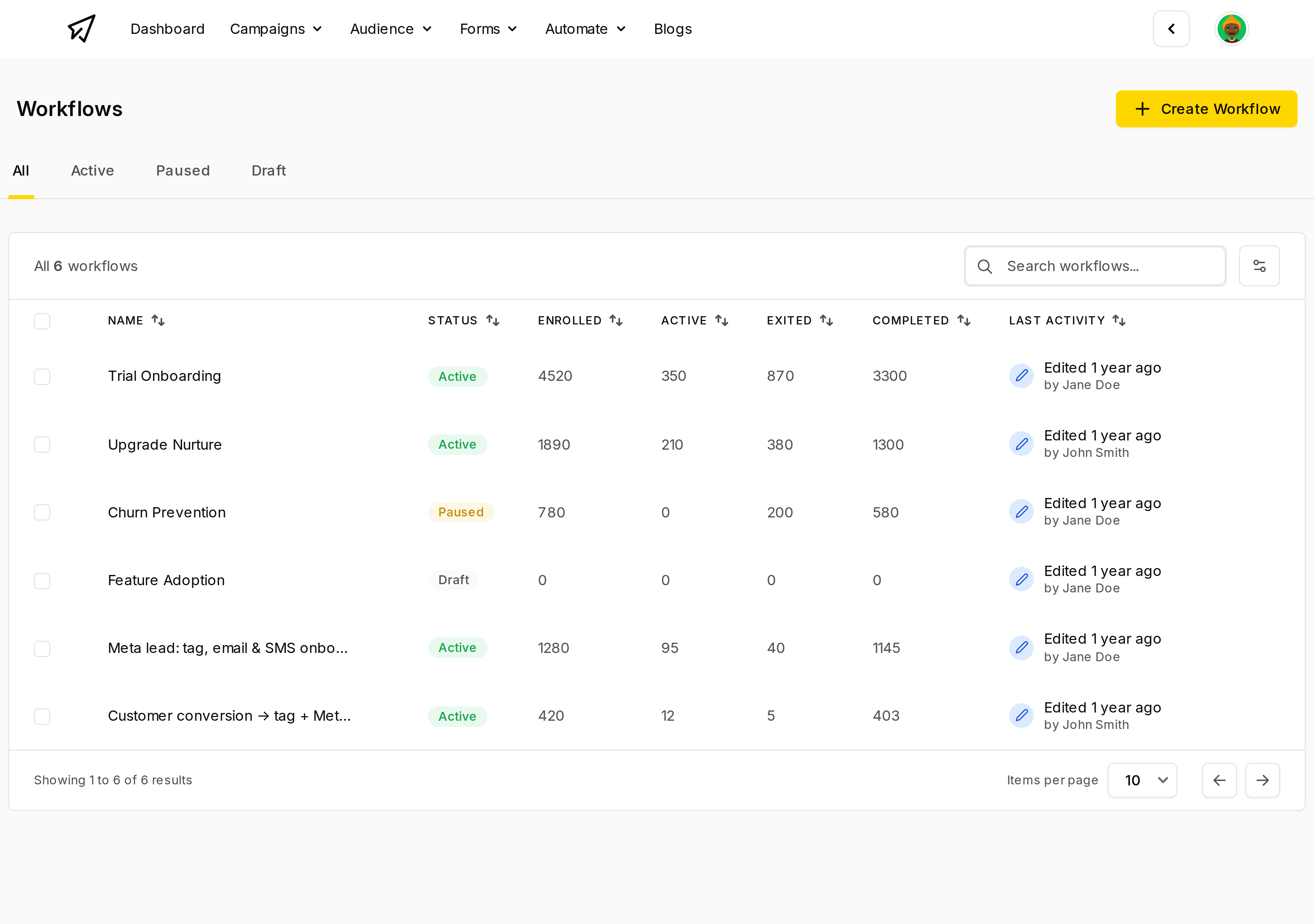
Workflow automation uses subscriber events and conditions to determine what happens next. Build a welcome path with an entry trigger, a wait, a click-based branch, and clear exit conditions. The email automation workflow guide offers a starting point for mapping those decisions.
SendX includes drip campaigns and A/B split testing. Its product demo shows how to set up drip campaigns and behavioral triggers to move prospects toward a purchase.
Choose cadence through measured response
Keep the publishing interval steady long enough to compare editions. Use clicks, unsubscribes, complaints, and downstream actions to assess response; don't treat every recorded open as proof of readership.
Start with new, engaged, and lapsed segments. Sending every edition to the full file can turn a production shortcut into an audience-quality problem. A healthy account-level delivery rate can also conceal one title missing the inbox, so review performance by publication and keep its identity, statistics, and exit path distinct.
Where Do You Find Newsletter Examples Worth Studying
Study newsletters to see how a publisher turns its editorial priorities into an edition. The newsletter examples worth studying can help you build a format library. Save examples by title, and annotate the editorial choices: what leads, how links are framed, where sponsorship appears, and what action the edition asks readers to take.
Lead with one story and a clear argument
A single-story briefing works when the publication has a defined point to make. For example, open with a short argument about a policy change, follow with two links that support or complicate it, then close with the implication for readers. Keep internal updates out of the lead.
Make the digest's judgment visible
A curated digest earns attention through selection and explanation, not link volume. Give each item a headline, a sentence on why it matters to the audience, and a link. If the same topic recurs across editions, note what changed so readers can distinguish new developments from background.
Put the change before the chart
For a research edition, state the finding first, then show the chart and explain what changed. Include the key values in the email body so the main point still makes sense when images do not load. A useful structure is: finding, chart, one caveat, and the question readers should watch next.
Keep sponsored placements distinct
A sponsor-led roundup can still serve readers if the paid placement is clearly labeled and separate from editorial recommendations. For example, place the sponsor message in its own block, then start the roundup with an editorial heading and explain why each selected item belongs. That boundary helps readers judge the content without mistaking paid placement for an endorsement.
Give members a specific reason to open
A member edition needs a clear difference from the public version, such as additional analysis or a reply prompt that receives an answer. A sample structure could pair a public summary with a members-only interpretation and a direct question for discussion. Verify the intended audience before scheduling.
Keep a separate swipe file for each title. Record the opening screen, primary action, sponsor placement, and ending for every saved edition. That makes comparisons useful without carrying one publication's format into another.
How You Monetize and Manage the Audience
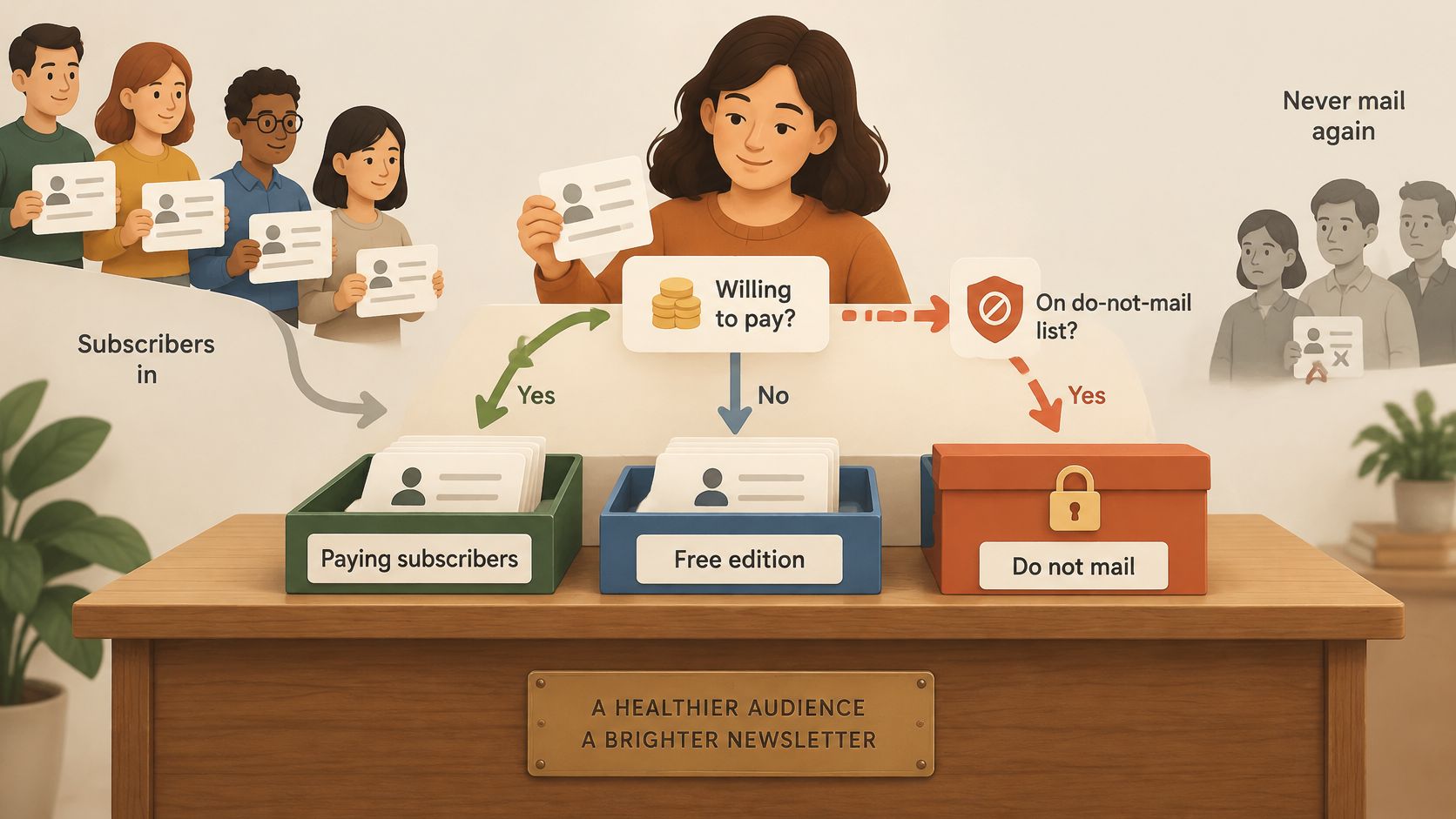
A paying reader receives a sponsor blast meant for free subscribers. That is a revenue and trust problem, not a copy-editing mistake. A publisher needs clear rules for paid access, sponsor messages, and marketing permission across each title.
A free audience can support reach while paid subscriptions fund editorial work. The platform should make each group's access and messaging rules manageable without repeated manual checks.
Sell subscriptions with accurate entitlement records
A subscription operation needs a reliable paid status, a way to handle failed payments, and a clear distinction between access and marketing permission. A paying reader should not receive a generic upgrade pitch.
Set rules for paid, free, and lapsed readers, then check that each group is excluded from messages intended for another. A platform's subscriber records should support those distinctions; payment access and permission to receive marketing email are separate decisions.
Sell sponsorships with defensible human activity
Security systems can open messages and follow links without a reader taking action. Sponsor reports should explain which events were excluded and avoid treating machine activity as audience interest.
SendX filters identified bot opens and clicks from campaign statistics, supporting sponsor reporting based on filtered activity. Apply a consistent method for removing bot clicks from sponsor reports. Filtering improves measurement, but it does not prove that every remaining click became a purchase.
Manage membership and community as audience operations
A community feature matters when participation connects to a subscriber record the audience team can use. Check whether comments, threads, and referrals provide information that helps the team act.
For example, a referral should include an attributable source rather than appearing only in an isolated leaderboard. Forms, popups, and landing pages can also help a publisher track where new subscribers came from and assess which sources to keep using.
Give each title a monitored reply-to address. A member's response should reach someone responsible for replying, not an unattended service inbox.
Preserve suppression through every import
A shared address book still needs to preserve publication-specific preferences. A complaint about one title should not be treated as permission to send an indistinguishable message from another.
Keep a publisher-wide exclusion when a recipient has asked not to receive email, alongside title-specific subscription choices where appropriate. Preserve the suppression file during imports so a departed reader does not reappear after a CSV merge.
Choose the revenue path you are selling now, then confirm that the platform can apply its access, exclusion, and reporting rules at the publication level.
When SendX Marketing Is the Right Choice
SendX Marketing suits established publishers with an audience they own and several titles, clients, or publications to manage. It provides newsletter campaigns, forms, landing pages, and automation. It is not a discovery network for writers looking to find their first readers.
Choose it when manual reconciliation has become a publishing cost
Start by piloting one title with SendX Marketing. Track the work involved in managing campaigns, audience records, and sending results, then decide whether the change is worth extending to other titles.
SendX includes newsletter campaigns, drip campaigns, and A/B split testing. Its email tools include responsive templates, personalization, smart sending times, and spam testing.
For media teams, bulk contact management, bot click filtering, and deliverability monitoring support different parts of the operation. The editor prepares the edition, automation handles follow-up, and filtered reporting supports sponsor discussions. Use the earlier creation guidance to assess test sends and workflow tracking.
See the sending result at the level requiring action
A healthy account-level delivery rate can hide one title missing the inbox. Evaluate sending results at the level where your team can act, including by brand and mailbox provider.
SendX's managed infrastructure provides delivery diagnostics. Domain and IP reputation tracking and mailbox-provider reporting can help distinguish a content issue from a sending issue.
Treat an inbox test as a diagnostic sample, not a guarantee for every recipient. Use the results to guide decisions before expanding volume.
Prove the sending path without committing the portfolio
Run SendX on one brand while the current provider continues sending for the others. Compare the results and operational effort before deciding whether to move additional titles.
Each title needs its own domain, statistics, and exit path. SendX's underlying infrastructure separates brands with distinct domains, IPs, pools, warmup plans, and throttles.
That separation helps contain shared-resource exposure, but it does not replace sound permission practices. SendX Marketing uses a single team; organizations that need Teams should discuss their operating structure with sales.
Price the platform against the checks above, not just the account-level delivery rate. The right fit is a publishing operation that can manage each title's sending reputation and keep its audience assets under control.
FAQs
How fast must an unsubscribe be honored under the CAN-SPAM Act?
The CAN-SPAM Act requires a clear opt-out mechanism that remains operational for at least 30 days after sending, and the FTC requires requests to be honored within 10 business days. Marketing email must also identify the sender accurately and make opting out easy.
Operationally, apply the suppression before the next applicable send rather than treating the deadline as a waiting period. If the recipient opts out of all publisher marketing email, enforce that choice across titles.
What should a publisher keep when leaving a newsletter platform?
Retain contacts, tags, consent context, suppressions, and authentication documentation for publisher-controlled domains. Keep source files and credentials under the publisher's administration.
Templates and workflow rules need separate attention because a contact export won't necessarily contain them. Record triggers, exclusions, waiting periods, and completion conditions before cancelling access.
Is a free plan enough once sponsors pay?
A free plan can demonstrate the edition's format, but sponsor reporting needs an auditable measurement process. Own-domain sending and publication-level statistics also need to be available in the plan used.
A paid or managed arrangement becomes appropriate when those requirements exceed the trial's scope. The decision should follow the reporting obligation, not an assumed audience-size threshold.
Is a newsletter platform the same as email marketing software?
Newsletter-focused software centers publishing, audience development, paid access, or sponsor operations around a publication. Email marketing software emphasizes campaigns and automated communication for a business.
The categories overlap. A multi-title publisher needs the campaign and automation job performed separately for each title, whether or not the software also hosts publication pages.
Build the next newsletter evaluation around an actual edition, a filtered sponsor report, and a title-specific sending review. Visit SendX to evaluate newsletter campaigns, audience management, and automation backed by managed sending infrastructure.
