

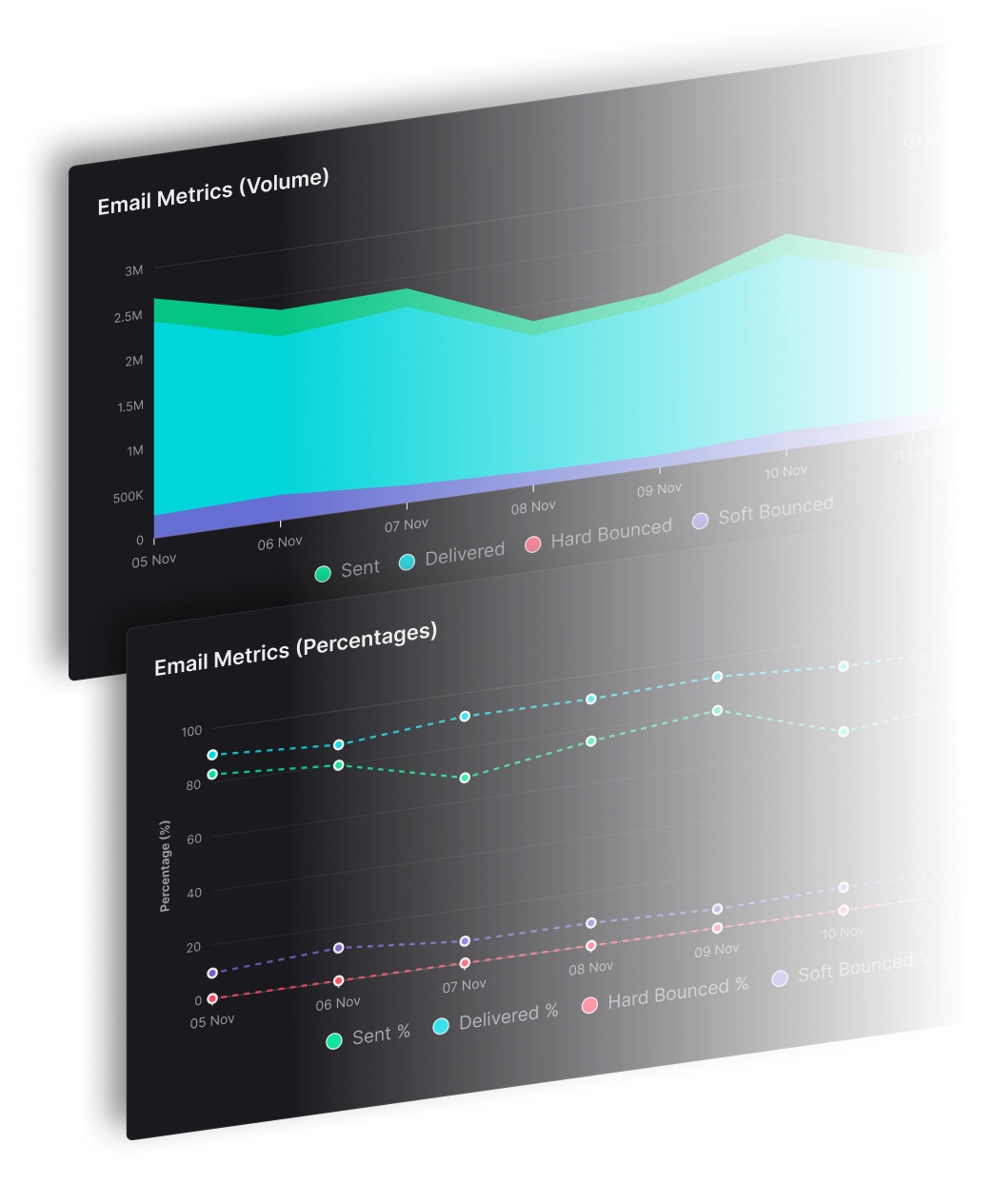


Transactional email is judged by delivery, not intent. A password reset can be correctly written and still fail if a mailbox provider sends it to spam.
Gmail and Yahoo's bulk-sender guidance sets a spam-complaint threshold of less than 0.3% for senders sending at least 5,000 messages a day. Transactional messages face that same delivery test.
For a publisher with several titles, a shared sending domain or IP pool can let one title's reputation problems affect password resets from the others. Agencies and CRMs face the same operational risk when multiple brands or clients send through shared infrastructure. The message may serve one recipient, but mailbox providers still assess the sending setup behind it.
What Is Transactional Email and When Does It Get Sent?
A paper receipt leaves the register because you paid, not because the shop hopes you'll grab something else on the way out. Transactional email works the same way. Something just happened, and the message finishes, confirms, documents, or secures that action for one recipient.
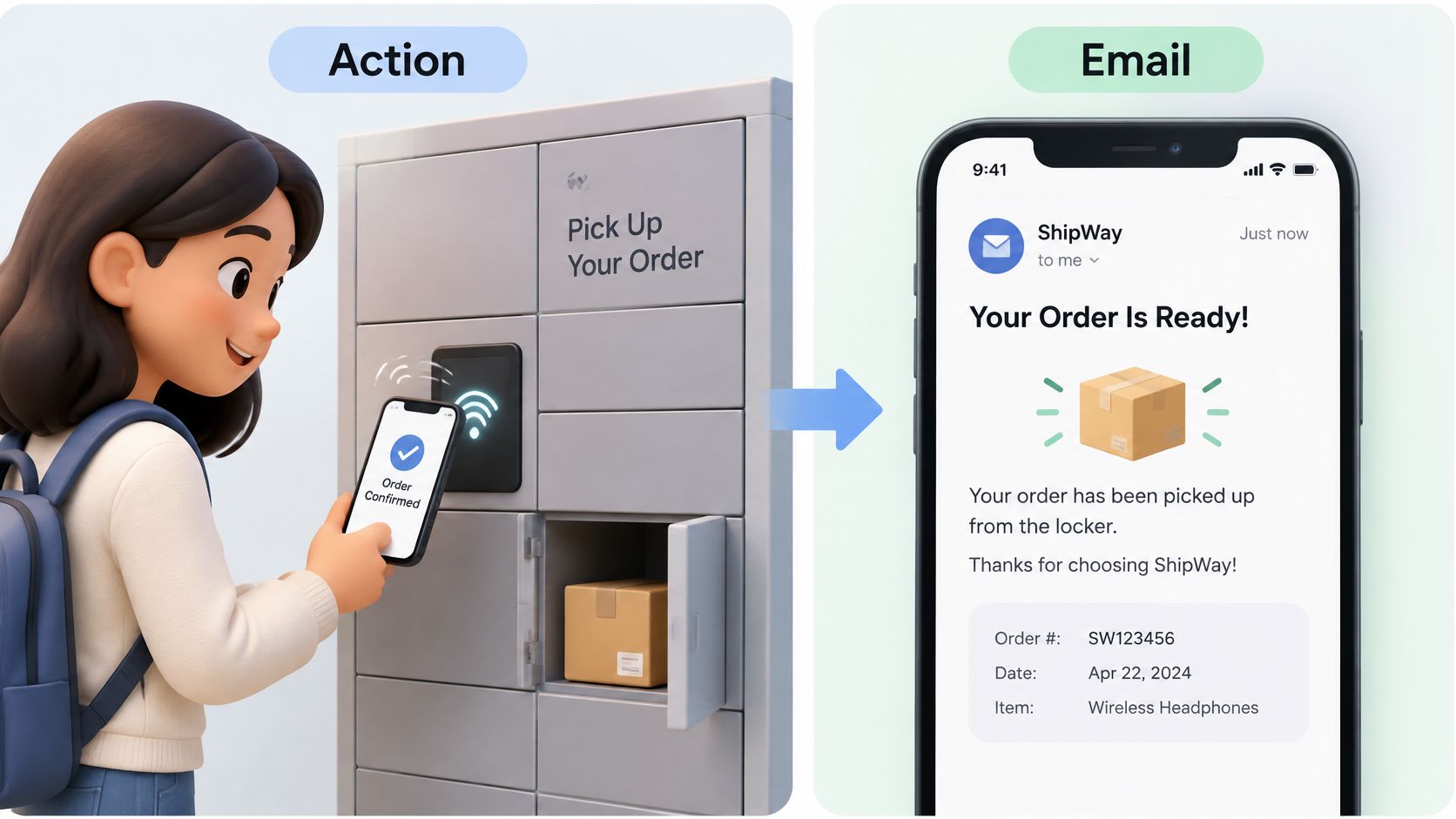
The pipe underneath is older than the apps that use it. SMTP, the Simple Mail Transfer Protocol, is the standard that moves mail from one server to another. The Internet Engineering Task Force published it as RFC 821 in August 1982, and the history of email records the RFC's aim as transferring mail "reliably and efficiently." Your application still does the current half. A new account or a completed purchase creates a message, then an SMTP submission or an API call hands it toward the mailbox.
Common sends include account confirmations, password resets, receipts, shipping updates, security alerts, and appointment reminders. A booking flow that lets people book lessons without back-and-forth emails still depends on that confirmation arriving, or the slot isn't real to the recipient. These are all triggered emails, but they aren't equally urgent. The rank for each one comes later.
If an action or an account event caused the message, it is transactional.
How Do You Tell Transactional Email From Marketing Email?
Sending to people who already bought from you doesn't make the email transactional. Primary purpose decides. The audience doesn't, and neither does the subject line.
What the law actually sorts
Under the CAN-SPAM Act, the FTC treats a message as transactional or relationship mail when its main job is one of four things.
- Complete a deal already agreed. It facilitates, completes, or confirms a transaction the recipient already accepted.
- Warn or protect. It gives warranty, recall, safety, or security information about a product or service they bought.
- Update the relationship. It notifies them of a change to an account, membership, subscription, loan, or similar ongoing tie.
- Report the balance. It provides regular account-balance information.
An order confirmation qualifies. A note whose main job is selling a different product doesn't. A welcome series is marketing automation even when a signup triggers it, because its job is to sell. The FTC's definitions notice makes the same cut. An existing recipient isn't enough, and a coupon inside a receipt can change the reading.
What the three types look like side by side
| Email type | Triggered by | Primary purpose | Unsubscribe rule |
|---|---|---|---|
| Transactional | A user action or account event | Complete, confirm, or secure an interaction | Excluded from one-click unsubscribe for bulk mail, per Google |
| Marketing | A campaign send or list segment | Promote a product, offer, or event | One-click unsubscribe required for large bulk senders, processed within two days |
| Mixed receipt with a promotion | An order event plus an added offer | Complete the order, with a promotion attached | Judged by primary purpose, using the mixed-content test below |
Sources: FTC CAN-SPAM compliance guide and Gmail's sender announcement.
Google leaves password resets and reservation confirmations out of the one-click rule for bulk mail. Large marketing sends don't get that break. They need one-click unsubscribe, and those requests have to be processed within two days. Creative extras, for example dynamic images for Mailchimp campaigns, belong on the marketing send, not inside the receipt.
Practical rule: If the offer isn't required to finish the order, it doesn't belong in the receipt.
GDPR-based review doesn't hand you a universal transactional exemption either. Context, lawful basis, transparency, and what the person expects still decide. When several brands share infrastructure, classification, templates, consent records, and suppression should be auditable per identity, not as one account-wide switch.
Where a mixed receipt crosses the line
- Remove every promotional block from the draft.
- Check whether the message still completes, confirms, or secures the transaction.
- If it does, keep the promotion as an optional block below the essential content.
- If the message only makes sense because of the promotion, send the offer as its own marketing email with its own unsubscribe link.
The label you give the template doesn't settle it. The content mix and the main job do.
Transactional Email Examples Ranked by Urgency
Product teams usually ask which messages in the product count, and which ones can wait. The rank below is a handling order you set for your own queues. It isn't a legal category.
| Message | Trigger | Urgency rank |
|---|---|---|
| Security alert | New sign-in or password change | 1, send now |
| Password reset | Recipient requests a reset | 2, send now |
| Account confirmation | Sign-up | 3, send now |
| Payment receipt | Completed purchase | 4, send within minutes |
| Shipping update | Order leaves the warehouse | 5, same day |
| Appointment reminder | Upcoming booking | 6, before the slot |
| Account balance or usage summary | A set schedule | 7, next batch is fine |
A reset link that arrives after it expires fails the person who asked for it. A usage summary can wait for the next batch without breaking anything. Failed-payment recovery sits near the receipt in urgency, and Molted Email's guide to AI dunning is a useful read when billing notices start to pile up. An account confirmation is the sign-up case, and it should not sit behind a campaign send.
How to handle the top of the list
Send the top rows immediately. Retry them inside a bounded window. Keep them out of any queue shared with campaigns. One event can produce several messages, so a single order can trigger a receipt and, later, a shipping update. List every event in the product and rank each one before anyone writes a template.
How a Transactional Email Moves From Event to Mailbox
An event becomes a message, and the message becomes a mailbox delivery. Six handoffs sit between those two points, and each one has a usual slip.
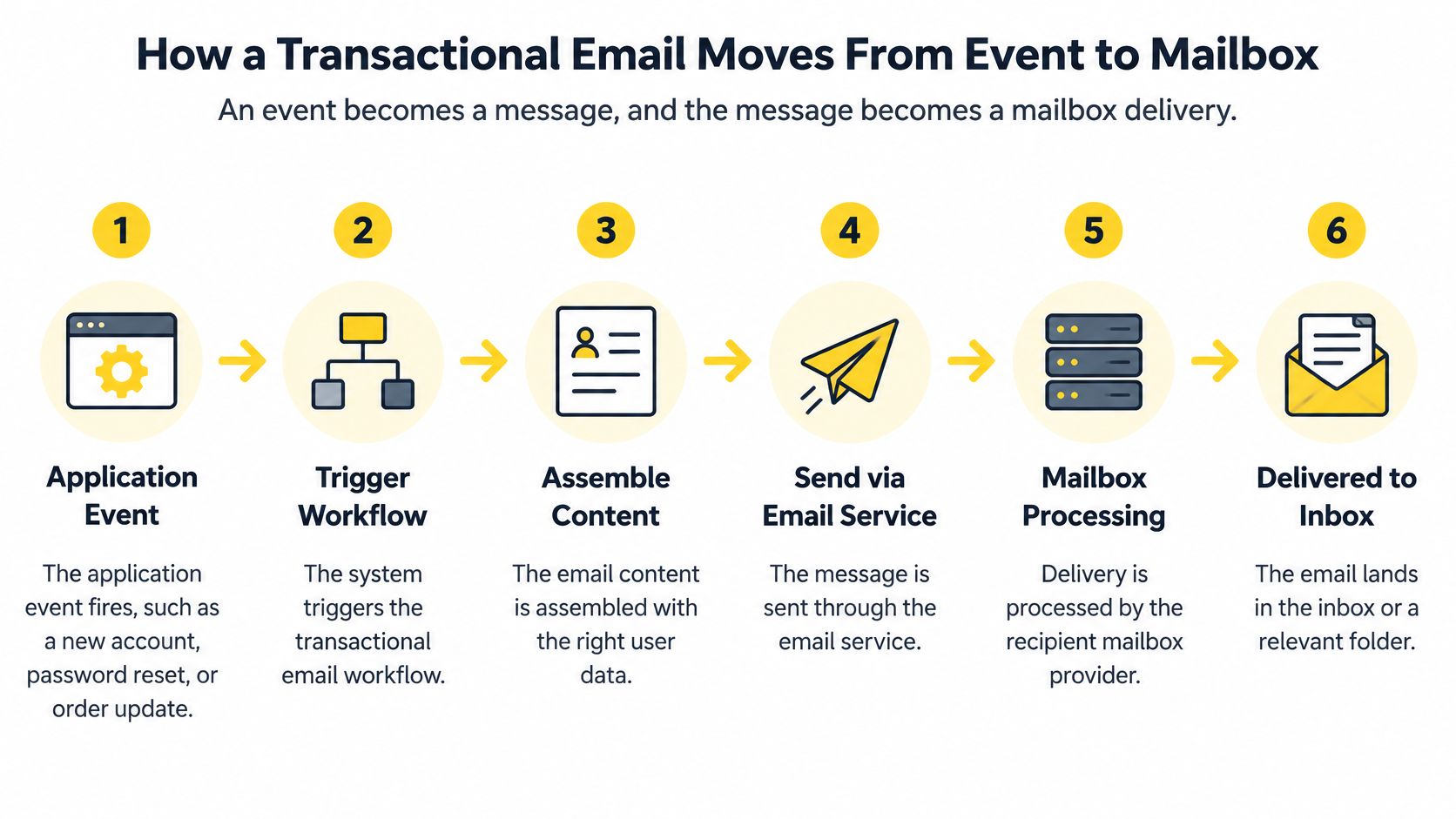
- The application event fires. A new account, a reset request, or a completed order carries a unique event ID. Without that ID, a retry can't tell a new action from a repeat.
- The template renders. Use a stable template version and only the fields that event needs. Extra offers here are how a receipt stops being only a receipt.
- The message leaves over SMTP or an API call. SMTP is the server handoff. An API call is the other. A timeout here is an application problem, not yet a mailbox problem.
- The receiving server answers. A 2xx code means it accepted the message. A 4xx code is a temporary failure, so retry with backoff. A 5xx code is a permanent failure or a policy rejection, so suppress it instead of hammering it.
- The mailbox provider checks the mail. Authentication, sender reputation, and content all get a look. Even a clean message can still lose.
- The message lands, or it doesn't. Inbox, spam, or rejection are different outcomes. Don't record them as one status.
A retry without idempotency sends a second password reset link. The person then clicks the old one and thinks your product is broken.
A successful SMTP response means the receiving server accepted the message for processing. It doesn't mean the recipient read it, and it doesn't mean the message reached the inbox.
Google's transactional mail note is explicit on that gap. For every send, keep the event ID, recipient, template version, delivery response, and final status. That log is how you separate an application failure from a mailbox-provider rejection, and how you replay only the jobs that failed.
Why Does Transactional Email Still Miss the Inbox?
A password reset can be valid, requested, and still end up in spam. Mailbox providers such as Gmail, Yahoo, Outlook, and iCloud evaluate the sending identity, authentication, reputation, policy, and message content.
Google's sender requirements call for SPF or DKIM authentication, valid forward and reverse DNS (PTR) records, and TLS for mail sent to Gmail accounts. Bulk senders must also use DMARC, which tells receiving servers how to handle messages that fail SPF or DKIM. For DMARC to pass, the authenticated SPF or DKIM domain must align with the domain in the From header.
Delivered means the mailbox provider accepted the message. In the inbox describes where it placed the message. A 2xx response earlier in the sending process confirms acceptance for processing, not inbox placement.
What still takes down a password reset
- A compromised account sends messages from an identity the provider may already distrust.
- Poor list hygiene leads to bounces and complaints associated with the sending domain.
- Sudden volume jumps depart from the sender's usual pattern and can trigger throttling.
- Weak domain alignment causes DMARC to fail, even when the message is a plain password reset.
- A shared reputation can let complaints about one sender affect how providers treat another.
These failures are operational as well as technical. SendX's approach separates domains, IPs, pools, and throttles by brand, so sending conditions can be managed for each identity. The broader principles of email deliverability help explain why authentication, reputation, and sending patterns all shape inbox placement.
A reset email's purpose does not determine its placement. Mailbox providers judge the identity and sending behavior behind it.
How Do You Keep Transactional Email for Many Brands Separate?
A bounce from one brand should lead to a fix for that brand, not a guess about every sender sharing its delivery setup. Start by reading the response at the level of the brand and mailbox provider.
For example, a password reset begins bouncing at one mailbox provider. The bounce code, brand, provider, and sending IP narrow the diagnosis: check that brand's sending record and address the reported cause there. If the other brands' results remain steady, there is less reason to change their sending settings.
For agencies and publishers managing several identities, separate workspaces can keep each client or publication's sending and reporting distinct. That also makes it easier to manage client work with white-label email marketing.
SendX Infrastructure records sends by brand, mailbox provider, and IP, including the reason for a bounce. A new brand can be routed through it while the current provider remains in place, then switched back if the results do not hold. Support's first response comes within three hours on a work day.
See how SendX Infrastructure handles transactional sending.
FAQs
Should security emails and receipts use a different domain from newsletters?
Security emails and receipts can share a brand's aligned domain if neither is promotional. Keep them separate from marketing email, which can produce different complaint patterns that mailbox providers use to assess sending reputation.
What should a support ticket include when a password reset seems missing?
Include the event ID, recipient, template version, delivery response, and final status. These details help identify whether the application failed to send the message, the mailbox provider deferred it, or the provider accepted it but filed it outside the inbox.
How can I test a new transactional sending setup?
Route one brand through the new setup while your existing provider continues to run underneath. Compare the results before moving another brand.
