




White label email marketing means the client sees the agency's brand while each sender keeps its own From domain, lists, and reputation. A logo pasted on a shared account doesn't provide that separation.
For agencies and publishers sending to established audiences across several brands, a copied default can turn a local mistake into a portfolio problem. SendX Infrastructure addresses that operational burden through managed sending infrastructure. The practical checks cover branding, account boundaries, authentication, consent, and the evidence for isolating a brand.
What Should You Check in White Label Email Marketing?
Check whether each client can be identified, audited, and contained independently. White label email marketing lets an agency sell marketing email under its own identity while another business runs the underlying software and delivery. The client-facing brand and the sending identity serve different jobs.
The wrong belief is that a branded login proves the service is ready. Gmail, Yahoo, and Outlook don't assess the agency's color scheme. Their delivery decisions concern the message, its authenticated identity, the sending infrastructure, and recipient behavior.
Four layers to check before white label sending
| Layer | What the client sees | What must be controlled | What fails if skipped |
|---|---|---|---|
| Branding | The agency's logo, colors, and login domain | Custom domain, colors, and report headers | A vendor name appears in the login or footer |
| Account separation | Only that client's lists and users | Workspace, roles, lists, and suppressions | A user exports another client's list |
| Sending identity | Mail from the client's own domain | From domain, return path, DKIM selector, IP or pool | Mailbox providers can associate unrelated clients with the same sender identity |
| Reporting | Results labeled as the agency's service | Inbox, bounce, and complaint results per brand | The agency can't explain a miss to that client |
Check branding beyond the campaign editor
A branded campaign preview doesn't prove that the whole client experience carries the agency's identity. Test the invitation email, password reset, login screen, report export, and unsubscribe confirmation.
A vendor name in a footer is a presentation failure. Another client's contact details in that footer are an identity failure. The acceptance test needs to distinguish between them.
Test account boundaries with a restricted user
Create a client-level user and attempt to access another workspace's contacts, exports, templates, and reports. The software should deny access rather than rely on staff remembering which account is open.
Separate workspaces also need separate suppression behavior. A suppression list records addresses that must not receive a particular sender's marketing email. Combining unrelated clients' opt-outs without preserving their scope makes both compliance and troubleshooting harder.
Inspect the message that actually arrives
The agency should send a test campaign and inspect its headers, not just its visible sender name. The SPF, DKIM, and DMARC setup guide provides the authentication workflow for that inspection.
Reporting deserves the same scrutiny. A total delivered count can't explain why a publication's messages were rejected by a particular mailbox provider. The report needs the affected brand, receiving provider, and rejection reason.
The pass rule is operational independence. If unrelated brands share an undifferentiated audience, suppression file, or From domain, the separation isn't complete.
A sub-account is an administrative container, not proof of white label sending. It may still inherit the parent account's sending identity or suppression settings. The settings, permissions, and message headers establish whether the boundary exists.
How Do Mailbox Providers Check Each Brand You Send For?
Mailbox providers never see the white label dashboard. They see a connection from an IP, a set of message headers, and the domains those headers name. The visible From domain identifies the sender that authentication must support, regardless of the branding around it.
Delivered means the mailbox provider accepted the email. In the inbox describes where the accepted message landed. Client reports must keep those outcomes separate because acceptance doesn't establish inbox placement.
The identity check follows this hierarchy.
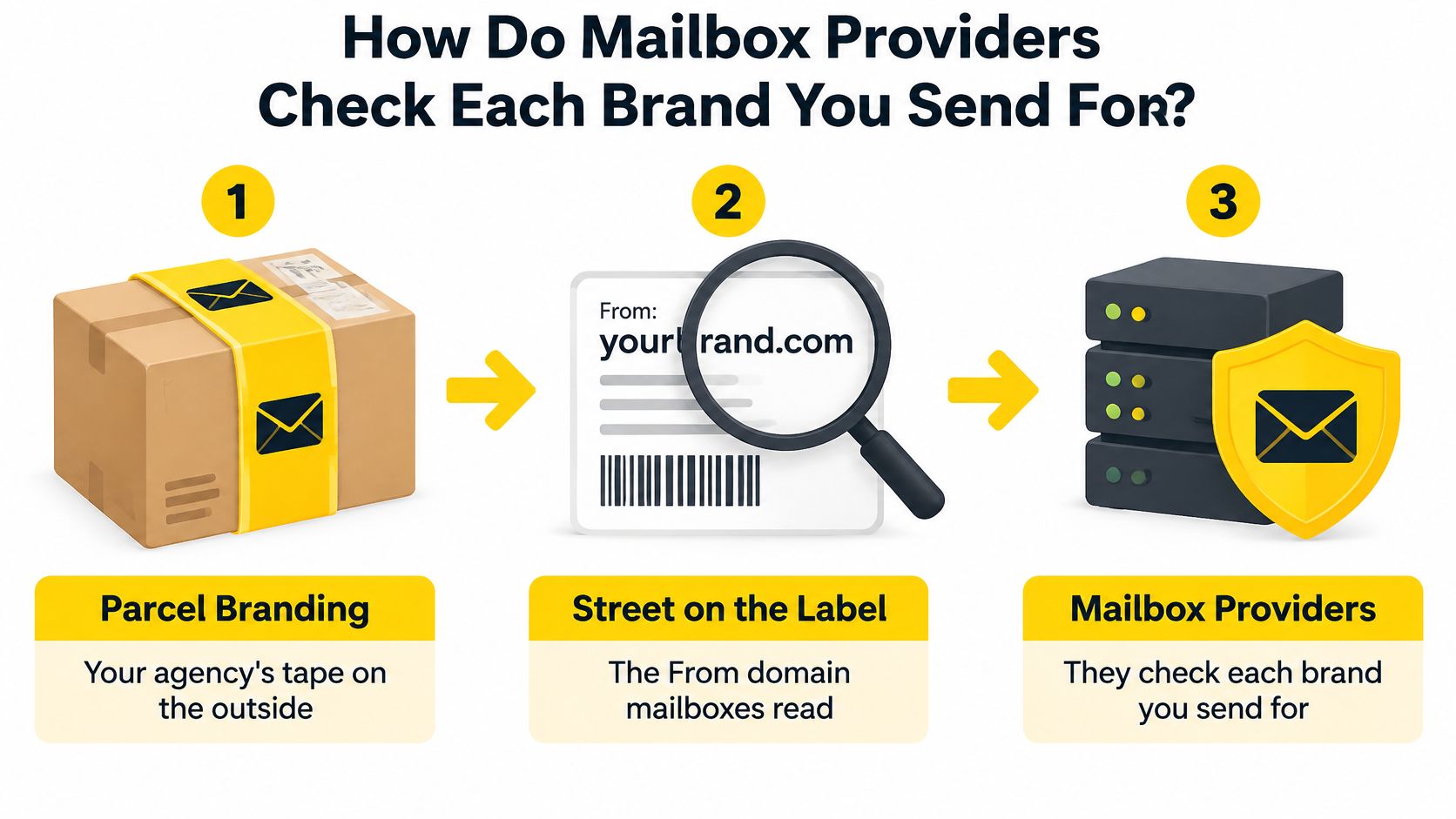
Authenticate the domain behind the visible sender
SPF authorizes sending servers, DKIM adds a cryptographic signature, and DMARC connects authentication to the visible From domain through alignment and policy.
For personal Gmail accounts, Google's bulk-sender requirements apply at approximately 5,000 messages daily and require SPF, DKIM, and DMARC. The visible From domain must align with either the SPF-authenticated domain or the DKIM signing domain.
Configure both SPF and DKIM. Either aligned mechanism can satisfy DMARC's alignment condition, but configuring both gives the sender more than a single authentication path.
Google's email sender guidelines allow an initial DMARC policy of p=none. That supports monitoring before enforcement, but it doesn't excuse missing alignment.
Provision and verify each brand separately
The sending software generates the brand's authentication records and assigns its return path, the address used for delivery failures. The domain owner publishes the records through DNS, the system that holds domain settings.
Before activation, the operator checks a received message for the intended From domain, successful authentication, and alignment. A branded DKIM selector, the label identifying a signing key, helps keep each brand's configuration attributable.
Yahoo and Outlook receive the same headers and sending connection Gmail does, scored against their own reputation histories. A passing Gmail test therefore isn't evidence that either will accept the same traffic or place it in the inbox.
Marketing and transactional messages also need separate handling. Google's bulk-sender FAQ applies one-click unsubscribe to marketing and promotional messages, not transactional messages. A password reset shouldn't acquire a promotional footer through a shared template.
Consider a concrete failure: two client domains each pass DMARC, but only because both align through the agency's shared DKIM signing domain. The signing identity then belongs to the agency rather than to either client, and a complaint spike on one client's sends attaches to the domain both depend on. Alignment belongs to the domain sending, and each client needs its own. The email sender reputation guide explains why that identity keeps mattering after authentication passes.
Who Must Stay Visible on a White Label Marketing Email?
The organization marketing to the recipient must remain identifiable and reachable. Technical identity belongs beside legal identity because an authenticated message can still leave recipients unsure who contacted them.
The wrong belief is that white label means hiding every business involved. The agency can remove the infrastructure vendor's branding without concealing the client or publication responsible for the marketing email.
The UK Information Commissioner's Office electronic-mail marketing guidance prohibits disguising or concealing the sender's identity and requires a valid contact address for opt-outs. Its existing-customer soft opt-in also requires an opt-out when details are collected and in subsequent messages.
Keep consent attached to the organization it names
The ICO's PECR consent guidance says consent must be freely given, specific, informed, and unambiguous. The agreement must identify marketing email rather than bury permission inside unrelated terms.
The soft opt-in isn't a general permission to email anyone whose address exists in a database. It concerns an existing customer who bought, or negotiated to buy, a similar product or service and received the required opt-out opportunities.
When consent is withdrawn, further unsolicited marketing from that sender must stop unless consent is given again. The record therefore needs the organization named, the collection method, and the permission or other applicable basis.
Assign the client, agency, and infrastructure roles
The client or publication supplies the identity recipients recognize. The agency operates the campaigns and checks the client-specific footer, contact details, and unsubscribe path. Removing infrastructure branding doesn't remove either party's responsibilities.
For context on the reseller relationship, Silver Spoon Agency's white-label marketing guide is a useful companion. Operational ownership still needs to be written into the service agreement.
A practical ownership checklist should cover:
- Client approval. The client confirms its identity, contact address, and audience permission.
- Agency execution. The agency verifies that templates and audience selections use that client's records.
- Unsubscribe processing. The system records the opt-out against the relevant sender and prevents future marketing from that sender.
For example, a salon and a clinic sharing an agency account still need distinct consent records, footers, and suppression scope. Copying the salon's footer into the clinic's template gives recipients the wrong organization and opt-out route.
The unsubscribe link guide helps turn that obligation into a testable workflow. The acceptance test should include opting out, attempting another campaign, and confirming that the address is excluded for the intended sender.
When Should One Brand Leave the Shared Pool?
Move a brand to its own IP, pool, or domain when its own sending behavior is dragging down shared reputation. A healthy portfolio average can hide one deteriorating identity behind stronger publications, and mailbox providers score what each sender does.
Here is what that looks like in practice. A newsletter title imports a stale list, complaints spike over two campaigns, and inbox placement falls for every other title sending through the same IP. Different From names and logos change nothing. Gmail, Yahoo, and Outlook evaluate the IP and the domain, and that scoring layer is what containment has to protect.
The decision starts with the individual brand's signals.
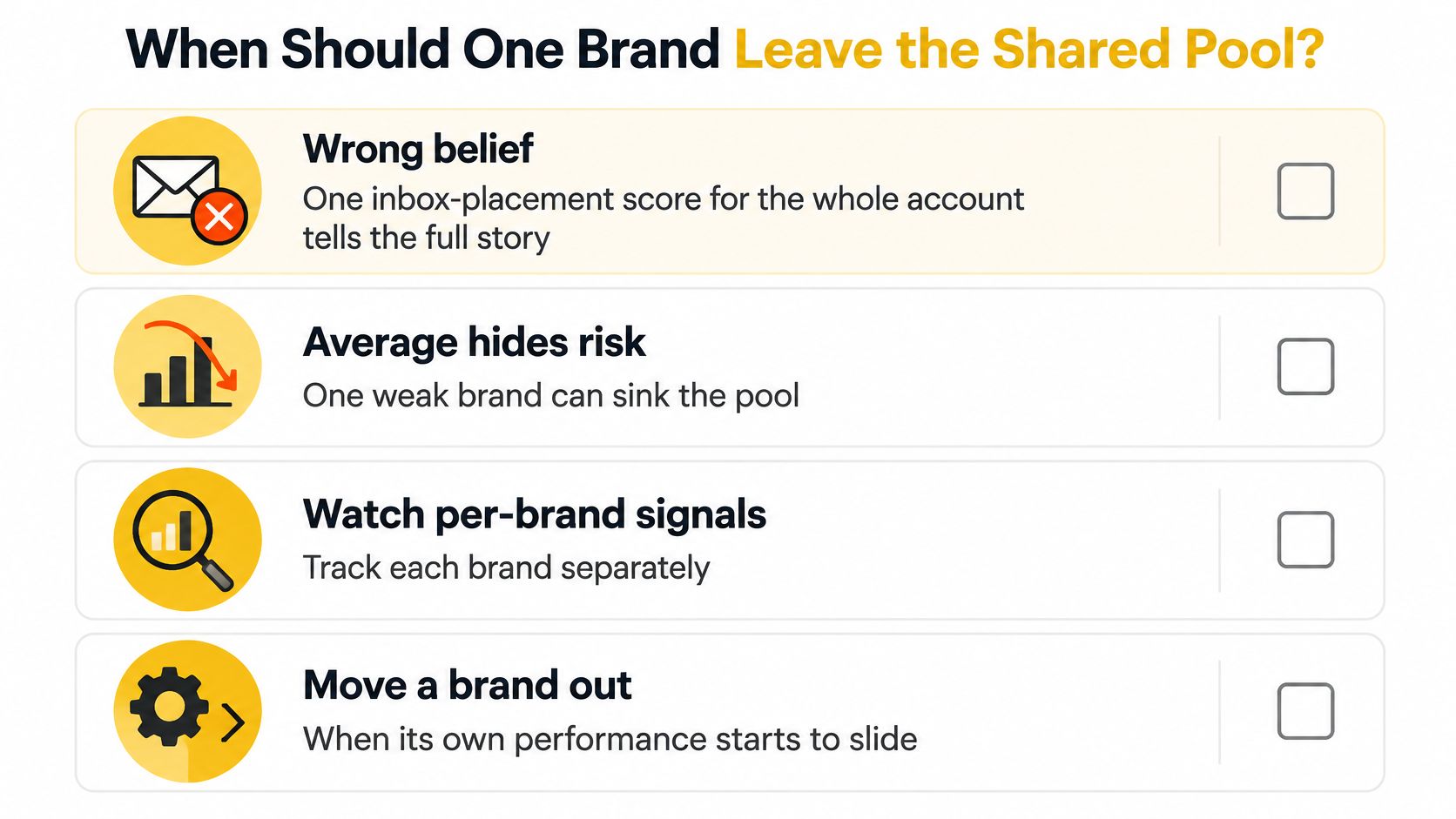
Match the isolation move to the cause
Signals that mean a brand should leave the shared pool
| Signal | What it tells mailbox providers | What the operator does |
|---|---|---|
| Complaint or unsubscribe spike on a brand | That audience doesn't want this mail | Pause or slow that brand only |
| SPF, DKIM, or DMARC failures on a domain | The claimed identity isn't authenticating correctly | Fix that domain's DNS before more volume |
| Sudden volume jump on a brand | A new or unusual sender pattern | Throttle that brand per mailbox provider and warm it |
| Shared IP reputation drop | Traffic using the IP is producing unfavorable signals | Identify the source, then move the affected brand to its own IP or pool |
| Brands already sharing a From domain | The same domain identity connects their traffic | Split domains first, then split IPs |
An unsubscribe is an audience signal available to the sender, not necessarily a direct complaint signal available to every mailbox provider. Its value is diagnostic: a sudden change can reveal unwanted frequency, a mismatched audience, or an unexpected source of addresses.
Establish evidence before moving traffic
The isolation decision depends on what is shared. A new IP won't erase problems tied to an unchanged From domain, and moving unwanted email won't make recipients want it.
Use the brand's normal sending pattern as the baseline, and review complaint patterns, authentication failures, invalid-address bounces, provider deferrals, and volume changes together. A deferral means the receiving system has temporarily declined acceptance and expects a later retry. Pull those signals per mailbox provider before touching any route, since a problem concentrated at one provider calls for a different fix than a portfolio-wide decline.
The dedicated IP guide walks through that infrastructure choice. A separate IP provides control, but it also creates a warmup obligation and requires suitable, consistent traffic to hold a reputation of its own.
Keep a previous route available for controlled comparison, not as a way to bypass a recipient provider's rejection. Confirm authentication, acceptance patterns, and bounce reasons before increasing traffic on the replacement route.
The rollback decision belongs to the affected brand. Volume reductions and route changes apply to that brand alone, while the rest of the portfolio keeps sending.
How Do Agencies and Multi-Brand Teams Run It Day to Day?
Run the service as separate operating units with a shared management process. The agency needs repeatable setup, but copying a completed client account creates different risks from copying an empty checklist.
For an agency, the job is to provide each client with its own workspace, audience controls, identity, and handover-ready reporting. The mistake is cloning another client's footer and sending domain along with the template.
For a publisher group, each title needs audience-specific controls and a suitable domain and IP-pool assignment. The mistake is allowing a troubled title's traffic to continue through shared infrastructure without reviewing the effect on other publications.
For a CRM or marketing software business, the unit is the tenant, meaning the organization using the software. Each tenant needs attributable bounces, sending limits, and routing controls rather than an unexplained account-wide error.
The operating model keeps those cases separate while making the procedure repeatable.
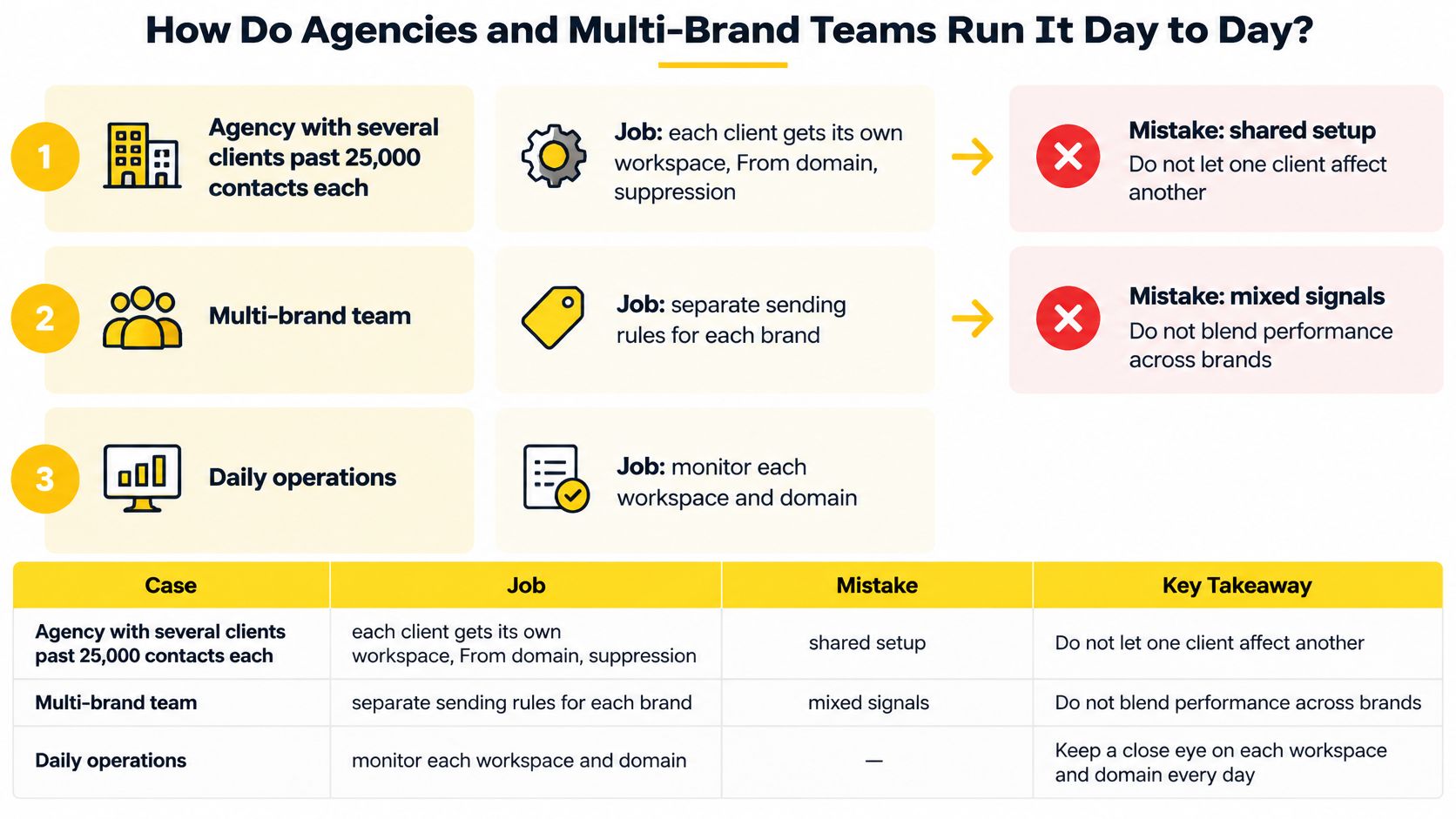
1. Create the brand space and lock users to it
The software creates the workspace and permissions. The operator assigns approved staff and tests a restricted login. The next visible result should be access to that brand's records only.
The management pattern resembles multi-site management from WebinOne: central administration doesn't require mixing every property's identity and operational records.
2. Add the client's domain and confirm alignment
The software provides authentication records. The authorized domain administrator publishes them, and the operator verifies an actual test message. Campaign approval follows a successful domain-specific check, not a green status inherited from the parent account.
3. Import only that client's audience and suppressions
The software maps contacts and exclusion records into the workspace. The operator confirms source, permission, and sender scope before enabling campaigns.
Interest groups belong inside that boundary. The email list segmentation guide supports dividing an authorized audience without treating a segment as a substitute for client separation.
4. Split marketing and transactional streams
The software assigns message types to their intended routes and templates. The operator checks classification and unsubscribe behavior. A marketing opt-out should stop the relevant marketing without accidentally preventing a necessary password reset.
5. Begin with controlled volume and read bounces
The software applies limits by mailbox provider. The operator reviews acceptance, deferrals, and bounce reasons before raising volume. A successful increase means the receiving provider continues accepting the traffic without a worsening failure pattern.
6. Contain clustered complaints
The software pauses or limits the affected brand while preserving unrelated routes. The operator investigates audience source and campaign behavior before assigning a separate IP or pool.
Isolation follows diagnosis, not the other way around. Daily review should remain per brand and per mailbox provider, with the portfolio chart used for management reporting rather than incident decisions.
How Does SendX Infrastructure Keep Each Brand Separate?
SendX Infrastructure turns per-brand sending controls into a managed operating model. Holding DNS records, suppression boundaries, warmup plans, and bounce investigations by hand is a standing workload for an agency or publisher team, and it grows with every client added.
SendX is managed sending infrastructure for organizations sending under several brands, clients, or publications. Its white label offering covers rebranding under the agency's own domain, logo, and colors, including resale under that identity. What mailbox providers score sits underneath the branding: separate domains, IPs, pools, warmup plans, and throttles per identity.
See it before changing the route
See it means every send is recorded per brand, per mailbox provider, and per IP, down to the reason a bounce came back. Google Postmaster data and blocklist status sit beside those records, and a deliverability report names what changed and what to fix in plain English.
When a publication hits provider-specific deferrals, the team investigates that publication's route instead of cutting volume across every title. First response comes within 3 hours on a work day from the people who run the delivery engine itself, and on managed accounts an executive and an engineer join the first call.
Switch it without betting the portfolio
Switch it means proving the approach on one brand first, with the current provider still running underneath, and keeping the option to switch back if the numbers don't hold. That makes the decision comparative rather than all-or-nothing.
The model is sized for senders at real volume: 25,000 contacts and up, or millions of sends a month. Publishers carrying several titles, agencies sending for clients, and CRMs sending for their users can move one identity over, watch the per-provider results, and expand on evidence instead of a contract deadline.
Separate it where reputation needs containment
Separate it means a bad brand can't sink the rest through a shared sending route. Each brand can have its own domain, IPs, pool, warmup plan, and throttles, with subaccounts and IP pools by risk keeping each identity apart.
Throttles and warmup are set per mailbox provider across 27 providers. A dedicated domain and IP start from 25,000 contacts, so established senders get a concrete entry point for per-brand identity controls rather than an enterprise-tier gate.
The result is an identity that can be audited and contained for each client, while unrelated brands keep sending when one needs to stop. A white label program earns its name when the team can explain a failure and limit its reach.
Evaluate SendX Infrastructure for a brand that needs its own sending controls.
FAQs
Who should own the sending domain and DNS access?
The client or brand should own the domain. The agency receives permission to publish authentication records and documents who can approve or reverse changes.
Domain ownership and DNS administration can belong to different parties, but the agreement should name both. Client-controlled ownership preserves continuity when the agency relationship ends and avoids rebuilding a sending identity around a vendor-owned address.
Should the infrastructure provider appear in the client contract?
The service agreement should identify operational responsibilities, including infrastructure access, incident handling, data exports, and changes to sending routes. That contractual disclosure serves a different purpose from the recipient-facing footer.
The footer identifies the organization sending the marketing email. The contract should explain who operates the service and what the client can expect when something fails, without implying that removing vendor branding removes responsibility.
What should be exported before leaving a white label service?
Export each brand's audience, suppression records, consent evidence, templates, and relevant reporting history. Preserve opt-out scope and collection details rather than accepting a bare file of email addresses.
The handover should also include a domain inventory, current authentication records, authorized administrators, and the process for retiring old credentials. Test whether the receiving software can enforce suppressions before sending resumes. An export isn't complete merely because the contact count matches.
Build white label email marketing around identities that can be checked, reported, and contained separately. Visit SendX to discuss managed sending infrastructure for an agency, publication group, or software business that needs unrelated brands to keep sending when another brand needs attention.
Built with the Outrank tool
