

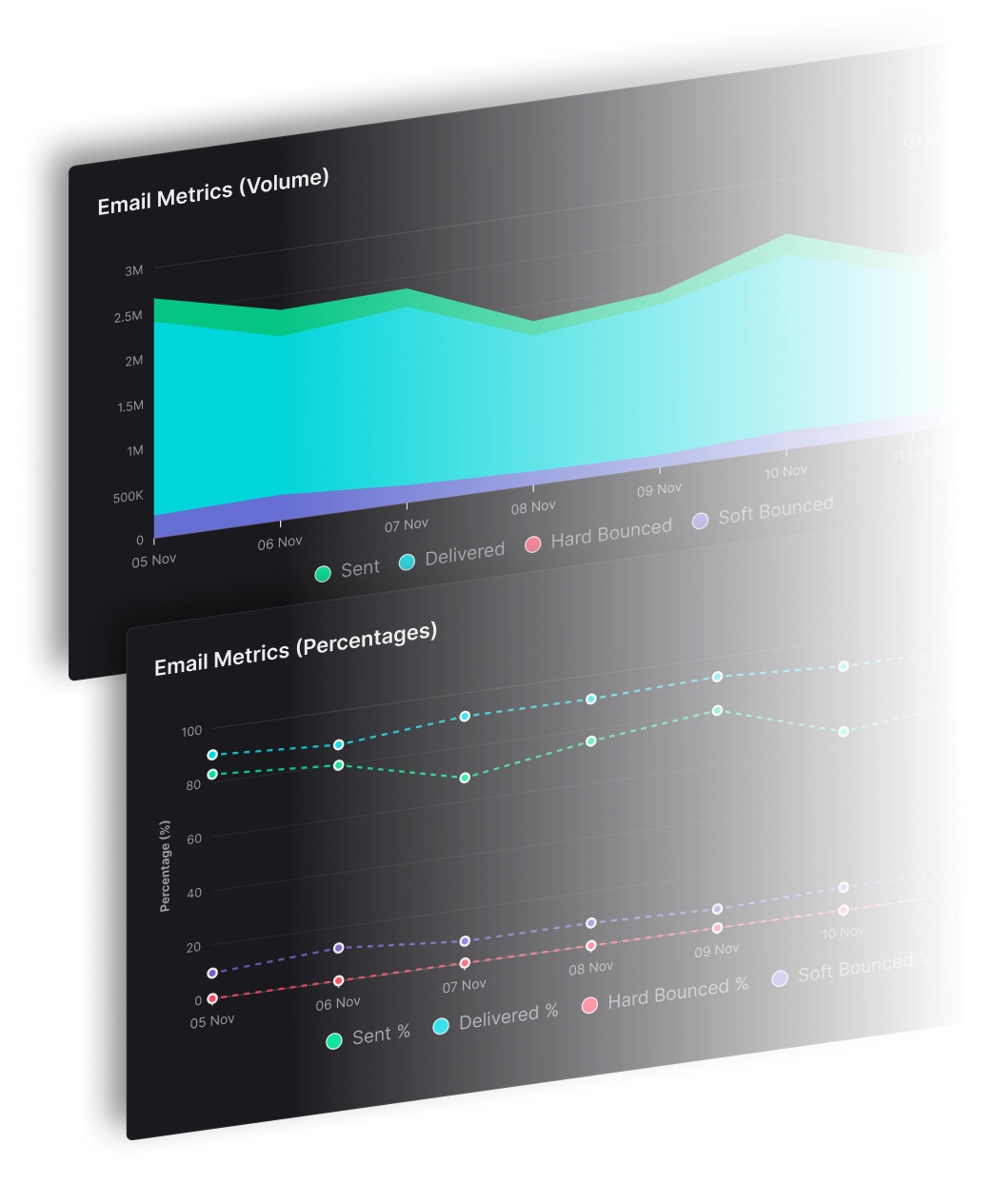


Managing email lists breaks when a December-only reader is purged in the same pass as a spam complainant. The fix is a five-state lifecycle that decides who may receive the next send: seasonal and low-frequency readers stay eligible at reduced frequency, while hard bounces, complaints and unsubscribes are suppressed before they move Gmail or Yahoo.
For publishers and agencies sending for several titles or clients at 25,000 contacts and up, or millions of sends a month, those decisions have to hold across brands, imports and automations.
Which State Should Each Address Be In
Every address belongs in active, observation, re-permission, suppression, or archive before a campaign runs. The state records the sending decision for that address: whether it may receive the next marketing email, at what frequency, and what would change the answer.
A seasonal reader can remain eligible at a reduced frequency, while an address that complained loses permission immediately.
Use sending states instead of a deletion deadline
Five states for every address on the list
| State | Signal used | What gets sent | How the address leaves |
|---|---|---|---|
| Active | Click, reply, conversion, or saved preference within the current cadence | Normal marketing email | Moves to observation when that signal stops |
| Observation | No recent human signal, but the subscriber is new, seasonal, or low-frequency | Lower-frequency marketing email | Moves to re-permission after the team's documented quiet window |
| Re-permission | Silence beyond the quiet window, with permission still valid | A confirmation request | Moves to active after confirmation, or suppression without action |
| Suppression | Hard bounce, spam complaint, or unsubscribe | Nothing | Stays excluded across campaigns, imports, and automations |
| Archive | Consent and opt-out history retained for a defined purpose | Nothing | Remains non-mailable under the retention policy |
These labels live inside your own operation. What the mailbox providers see is the sending pattern the states produce: how much mail goes out, who it goes to, and how recipients respond.
Benchmark research on inbox placement regularly finds that a meaningful share of legitimate marketing mail lands in spam or goes missing entirely. Delivered means the mailbox provider accepted the message at the server. In the inbox describes where that accepted message was placed. A campaign can report near-total delivery while placement decays underneath. State changes should run on complaint, bounce, and engagement signals, because a delivery failure is the last signal to surface, after the reputation cost is already paid.
Preserve seasonal readers without preserving risky volume
A subscriber to an annual industry report shouldn't be judged against the engagement schedule of a daily alert. The observation state gives that subscriber reduced exposure while the team waits for a meaningful opportunity to measure interest. The quiet window for a monthly publication runs longer than the quiet window for a weekly one, and both should be written down.
Record the window's rationale, its review date, and the action that follows silence. When the window ends, the address moves to re-permission on schedule instead of lingering in observation indefinitely.
A complaint overrides the engagement window. The address enters suppression when the complaint arrives, even if it clicked yesterday.
For new subscribers, confirmed opt-in means requiring a confirmation action before treating an address as subscribed. It establishes permission at capture, but it doesn't make an address permanently safe.
A permission-based email marketing process should connect the original promise to every later state change. Archive preserves the evidence; suppression prevents sending. Neither should become an unattended route back into the active audience.
How Do You Segment the List by Source and Behavior
A recent purchaser, a reader who just switched to a monthly digest, and an address whose security filter opens every incoming message can all sit inside a segment called engaged. The campaign each of them should get is different. Segmentation exists to close that gap, and it only closes when the record underneath the segment is accurate.
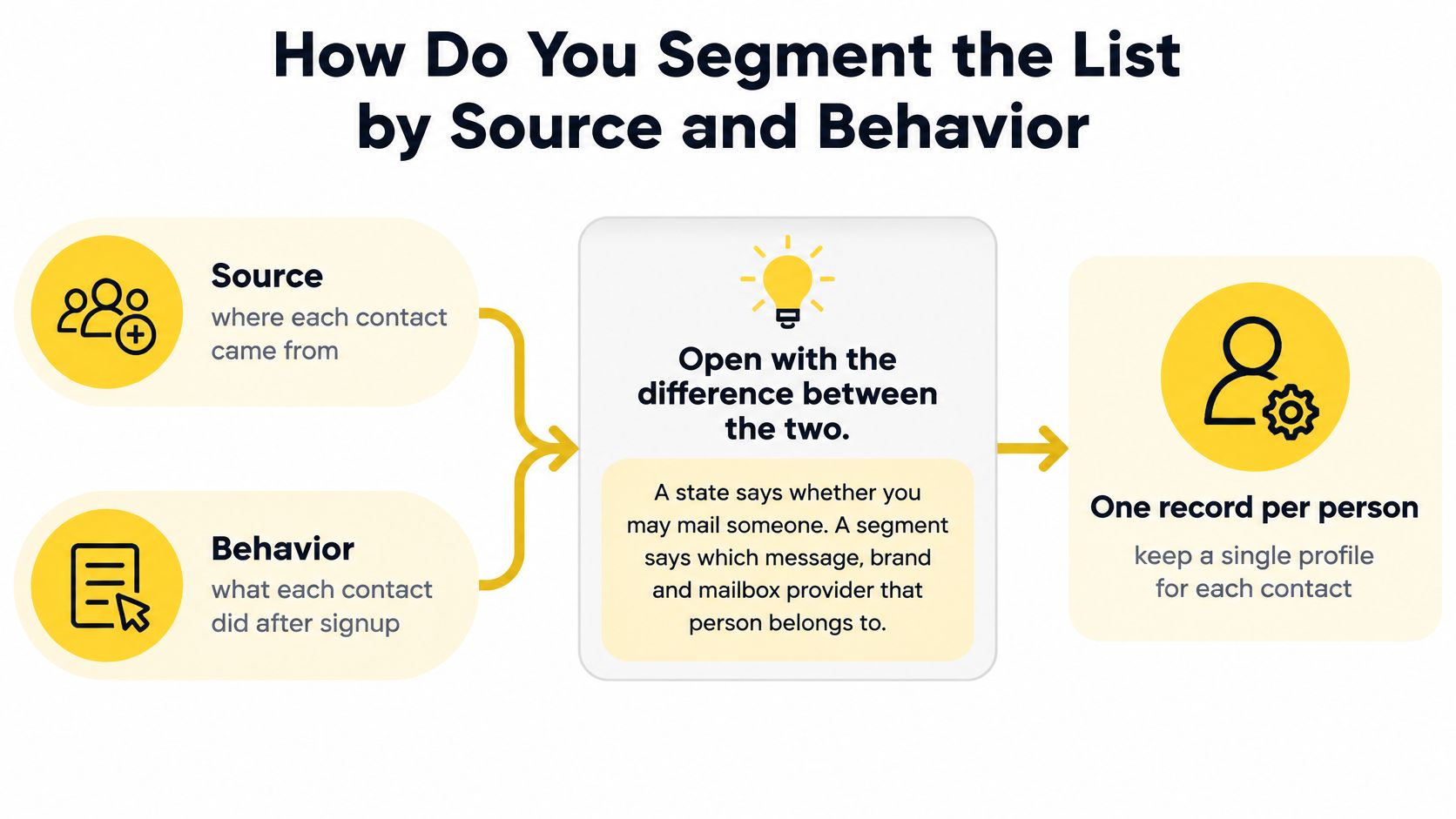
A state decides whether an address may receive marketing email at all. A segment selects the message, brand, and mailbox-provider group that fits the person. Keep a single contact profile within the appropriate sender's audience, with fields and tags for acquisition and behavior. Separate source files shouldn't become separate invitations to send the same campaign.
Build the profile before building the automation
Record the acquisition event. Store the source, form version, timestamp, consent wording, brand, and acquisition campaign. Keep consent boxes unticked, and retain the confirmation event when confirmed opt-in is used.
Identify the mailbox provider. Give Gmail, Yahoo, Outlook, and iCloud separate reporting groups. An overall campaign rate shouldn't conceal a failure concentrated at a particular mailbox provider.
Store human actions separately from opens. Use replies, purchases, preference changes, and credible clicks as decision inputs. Site activity belongs in the record only when its collection and use fit the applicable privacy requirements.
Offer topic and frequency preferences. A reader who wants a monthly digest shouldn't have to choose between daily messages and leaving entirely. Save the preference change as an event, not just an overwritten field.
Scope automations to the source and identity. A signup form should feed the intended publication's workflow. Its acquisition traffic should be pausable without stopping unrelated campaigns.
Record the operational response. After each campaign, compare delivery failures, complaints, unsubscribes, and actions by source, cohort, and campaign. Document which segment changed and why.
The FTC's CAN-SPAM Act compliance guide for businesses requires accurate header information, a working opt-out mechanism, and oversight of any vendor sending on your behalf. Privacy tooling adds pressure from the other direction: mail clients that preload images and security scanners that click links both register engagement no person produced. Treat an open as a diagnostic signal. It cannot prove that a person wants continued marketing email.
Replace the generic engaged segment
The engaged label is where weak profiles get exposed. Build auditable views around these jobs:
- Brand ownership. Identify the publication or client covered by the permission.
- Acquisition quality. Identify the form, event, or campaign that produced the contact.
- Mailbox-provider diagnosis. Identify where failures or complaints concentrate.
- Behavioral selection. Identify the action that justifies the next message.
Each view answers a different question, and none of them requires copying the contact into a new list.
A behavioral email marketing workflow should respond to a specific action. For example, a preference change can select a digest, while a purchase can exclude a recipient from an acquisition promotion.
Segments are views over one record. Keep the underlying profile stable, let fields and tags determine membership, and preserve the history needed to explain why an automation fired.
How Do You Clean the List Before the Next Send
A co-registration form connected on Friday comes back with a hard-bounce rate above 2% on Monday's import, and Tuesday's campaign is already scheduled. The pre-send pass decides whether that source stays in the audience. Cleaning runs around every campaign, because an annual export arrives too late to catch a source that started failing last week.
Each check moves an address between states rather than deleting records on sight: active, quiet, quarantined, suppressed, or re-permission pending. Seasonal and low-frequency readers stay reachable under that model, while the addresses that damage sender reputation get held out before they move Gmail or Yahoo against you.
Google requires attention to the daily trend. Its Gmail guidance says to keep spam rates below 0.1% and prevent them from reaching 0.3% or higher, with the rate calculated daily in Postmaster Tools.
Run the pre-send pass in order
Remove permanent failures from eligibility. A hard bounce is a permanent delivery failure rather than a temporary delay. Strip it from the sending pool before another campaign is queued.
Propagate complaints to every sending path. Process the complaint on receipt, then push the suppression into campaigns, automations and drip queues. The point of the step is propagation: an automation shouldn't re-select an address the campaign side already dropped.
Deduplicate the intended audience. Resolve overlapping imports and segment membership before scheduling. Preserve source history without creating duplicate sends.
Quarantine role addresses. Addresses such as info@ and sales@ can represent shared mailboxes rather than an individual subscriber. Require a human review of permission and purpose before including them.
Pause failing acquisition sources. Calculate hard bounces against attempted deliveries for each form or import. Investigate collection and address quality before changing the campaign copy.
Apply the existing re-permission policy. Move qualifying contacts into the documented lifecycle workflow. The campaign checklist shouldn't carry a second inactivity deadline of its own.
Reject purchased and scraped files. A file's availability doesn't establish permission for the intended sender and purpose. Acquisition evidence belongs in the record before sending begins.
The guide to what an email bounce means separates permanent failures from temporary responses. That distinction matters because suppression and retrying are different actions.
Use source-level controls, not an account average
List history changes how results should be interpreted. A confirmed-opt-in audience and an old imported file need different investigation priorities, and neither gets an exemption from complaint controls.
When to pause, suppress, or re-permission
| Check | How it's calculated | When to act | List action |
|---|---|---|---|
| Gmail spam complaints | Use the daily spam rate reported in Postmaster Tools | Keep below the Google target and act before its upper boundary | Suppress reported complainants and investigate the source |
| Hard bounces | Hard bounces divided by attempted deliveries | A source approaches 2% | Pause the source and remove permanent failures |
| Unsubscribes | Unsubscribes divided by delivered messages | A spike concentrates in a form, brand, or cadence | Check expectations and verify suppression |
| Inactivity | Absence of qualifying human actions within the sender's policy | The documented quiet window ends | Start the eligible re-permission workflow |
Google's Gmail complaint guidance is linked above. The 2% source-level bounce intervention is an internal operating threshold, not a universal mailbox-provider rule.
A healthy account average doesn't clear a failing form. Pause the source that produces the failures.
Address quality isn't the only delivery check. If failures appear across otherwise healthy segments, inspect authentication separately; the mailX DKIM checker can help review the domain's published signing setup. That check doesn't replace suppression or consent review.
Which Rules Set the Clock on Every List
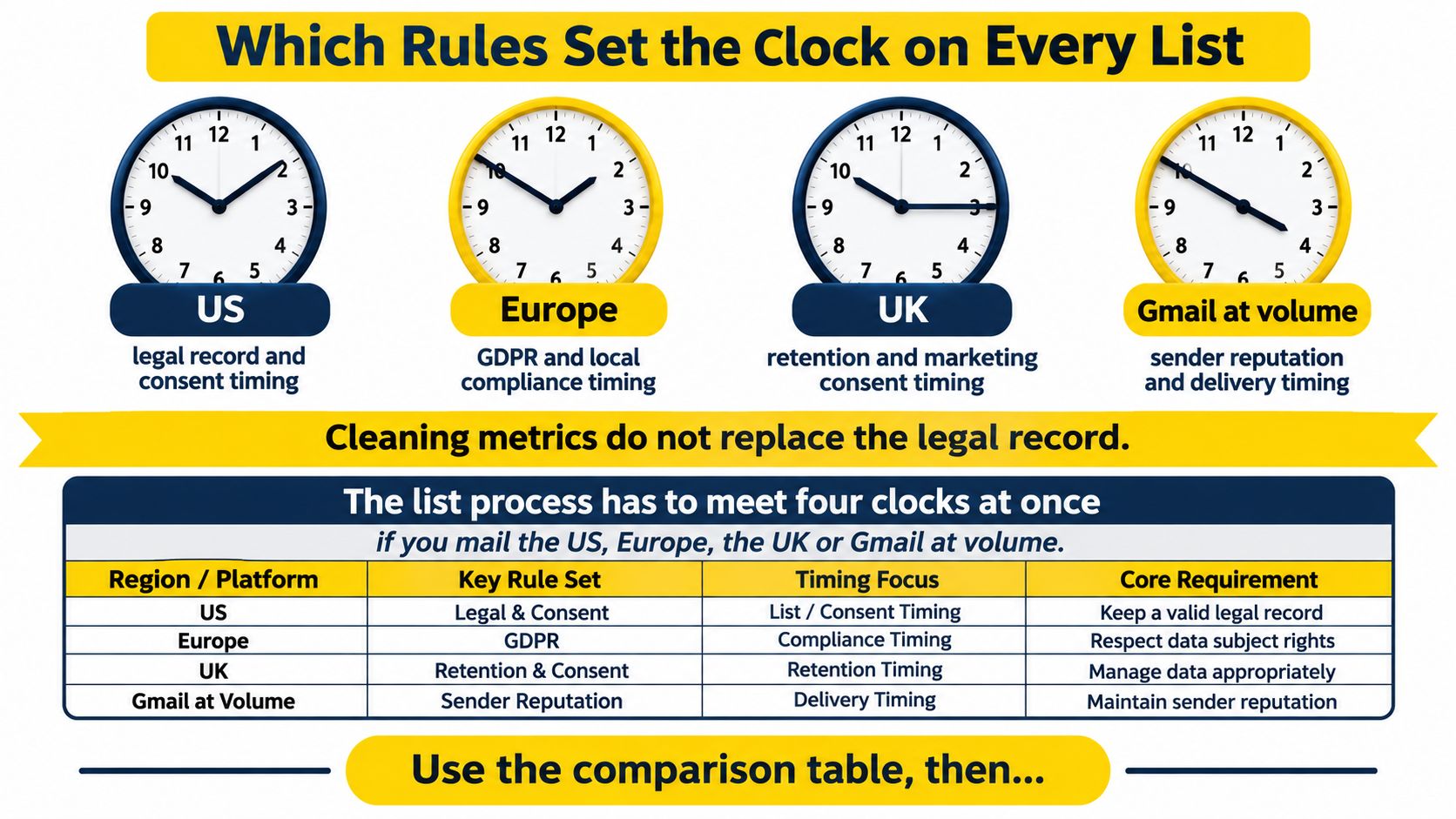
Cleaning metrics don't replace the legal record. The list process must satisfy the applicable consent and unsubscribe requirements as well as mailbox-provider requirements.
The practical objective is a suppression event that reaches every sending path. A preference flag changed inside a campaign isn't enough if an import or automation can still select the address.
List duties by rule
| Rule | Who it binds | Standard | What the list must do |
|---|---|---|---|
| CAN-SPAM Act | Marketing email covered by US requirements, including messages sent for another organization | Honor unsubscribe within 10 business days; keep the opt-out working for at least 30 days after sending | Suppress across systems, charge nothing, and require no extra identifying data |
| EU direct-marketing rules | Marketing email promoting brands or products to people in the EU | Generally prior consent; withdrawal as easy as signup; current contact lists | Preserve consent evidence and propagate objections |
| UK PECR | Unsolicited marketing email to individual subscribers | Specific consent unless the existing-customer soft opt-in applies | Provide the applicable opt-outs and stop after withdrawal |
| Gmail one-click | Marketing and subscribed messages from senders exceeding 5,000 messages daily to Gmail | One-click unsubscribe headers plus a visible body link | Implement the header flow, not merely a webpage link |
Sources: FTC CAN-SPAM Act business guidance, European Commission privacy guidance, ICO electronic-mail marketing guidance, and Google's sender requirements.
Turn consent requirements into acquisition records
For US sending, timestamp the unsubscribe and distribute it immediately rather than treating the statutory deadline as a waiting period. The CAN-SPAM Act requires an uncomplicated opt-out, such as replying to an email or visiting a single webpage.
For EU recipients, record the date, source, purpose, and consent wording. Consent must be freely given and informed; a record saying subscribed doesn't explain what the person agreed to receive.
Under UK PECR, the existing-customer soft opt-in requires a sale or negotiation for similar products or services, an opt-out at collection, and an opt-out in later messages. Pre-ticked boxes don't establish consent.
Make withdrawal a sending control
The ICO's PECR compliance guidance says to stop covered direct marketing immediately or as soon as possible after withdrawal, and not send further marketing following an email unsubscribe. Apply that event to queued campaigns, recurring workflows, and future imports.
For Gmail's one-click flow, implement a List-Unsubscribe header containing an HTTPS unsubscribe URL and a List-Unsubscribe-Post header containing List-Unsubscribe=One-Click. Keep the visible unsubscribe link in the message body too.
The header mechanism and the body link perform different jobs. Both must reach the correct suppression scope without requiring a sign-in or an additional marketing preference journey.
How Multi-Brand Senders Keep One List From Sinking the Rest
Shared sending resources turn list hygiene into a portfolio problem. Several publications can hold clean, well-segmented audiences and still contaminate each other the moment a domain, an IP, a signup form, or a suppression table overlaps.
Run every list rule per identity: a brand, title, or client that sends under its own name. An agency client and a magazine title are separate identities even when the same operations team schedules both campaigns, and the five states each address moves through apply to each identity on its own records.
Separate permission before separating reports
A master list with a brand tag is only safe when every sending path enforces the tag and the permission behind it. One omitted filter can turn an organizational shortcut into an unauthorized audience expansion.
Each identity needs its own operating boundaries:
- Consent records. Preserve what the recipient accepted for that sender and purpose.
- Preference controls. Offer topics and frequency options within the intended identity.
- Suppression scope. Distinguish a publication-specific request from an opt-out covering the sender's marketing email.
- Acquisition reports. Attribute failures to the form or import responsible, rather than distributing them across a portfolio average.
An address joining a second publication creates a separate permission event; it never inherits consent from the first. A client file sent to a second client's audience is a misuse of the shared account, not a growth shortcut.
That is the operational requirement behind white-label email marketing: the audience rules enforce the separation on every form, import, and campaign filter, regardless of what the interface looks like.
Contain the response at the failing identity
The same per-source pause rule that governs the cleaning pass applies here, scoped to the identity: stop the form, import, or campaign path that produced the failures for that sender and let unrelated publications keep sending.
Suppression events carry two different scopes, and conflating them is the common multi-brand mistake. A hard bounce describes the mailbox: the address no longer exists, so it belongs in the suppressed state on every identity in the portfolio. A complaint or unsubscribe describes the relationship: it suppresses the identity whose mail triggered it, and it extends across the portfolio only when the original opt-out wording covered more than one sender.
Shared domains and IPs make reputation containment harder. Separate sending resources support containment, but they never excuse poor permission or incomplete suppression.
Brand separation starts with permission and sending eligibility. A shared audience stays shared whatever the logo says.
Low-frequency readers need identity-specific evaluation too. A monthly publication and a daily alert should never share a quiet window just because their records sit in the same account.
When a dormant mailbox turns permanently undeliverable, treat the delivery failure as a suppression event rather than a verdict on the publication. Preserve the history under the retention policy, and if the person resubscribes from a working address, record a fresh permission event instead of restoring the old mailing status.
The useful management question isn't whether the portfolio looks healthy overall. It's whether the team can identify the responsible identity and stop its risky traffic without disrupting legitimate sending elsewhere.
How SendX Marketing Takes the List Work Off Your Team
Maintaining tags, consent fields, suppression events, and automation exclusions by hand becomes a second operating process. The main exposure is the interval between a recipient's status changing and every sending workflow recognizing that change.
The sending software here covers campaigns, list building, and automation for senders with 25,000 contacts and up, including multi-title publishers and agencies. Because it runs on managed sending infrastructure built for multi-identity senders, the operating decision covers both audience management and separation between brands.
Put the rules into the sending workflow
An existing audience enters through a CSV upload. The team maps its fields and tags the source before scheduling a campaign, and the system securely imports the file while guiding domain warmup.
Behavior, demographics, custom fields, and tags feed audience management. A team can identify a mailbox-provider cohort that arrived through an old form and exclude that segment while other eligible recipients keep receiving campaigns. Segment-based rules also control which visitors see each acquisition form.
Forms, landing pages, and popups provide the acquisition point. The team supplies the permission wording and defines the fields needed to preserve source and purpose, so that history exists from the first event.
The team still owns the sending policy. It sets the state criteria, the segment boundaries, and the suppression scope; the software applies those decisions through campaigns and automations.
On Professional, list cleaning is fully included: the full list is cleaned at onboarding, then automatically as you send. Built-in GDPR and compliance tools support the workflow, while the sender remains responsible for selecting the correct consent basis and retention policy.
Choose visibility and separation alongside automation
Every send is recorded per brand, per mailbox provider, and per IP, down to the reason a bounce came back. That record makes a failed acquisition source easy to distinguish from a provider-specific delivery issue, and a deliverability report names what changed and what to fix next.
A team can route one brand through the infrastructure while its current provider still runs underneath, prove the setup on that brand's delivery and complaint evidence, and switch back if the numbers don't hold. Each brand gets its own domain, IPs, pool, warmup plan, and throttles. Separate lists, forms, and automations then enforce the audience boundaries instead of depending on a remembered filter.
The result is a list whose sending eligibility stays connected to the work that uses it. Cleaning and segmentation become ongoing operations, so the five-state lifecycle runs on every send rather than surfacing as a rescue project before the next campaign.
Plans are priced by contact list size, with unlimited marketing sends on every plan. See SendX pricing.
FAQs
How long should a suppression record be kept?
Retain the minimum record needed while the address could be reintroduced through imports or synchronization, subject to the applicable retention requirements. Document that purpose and review access. Deleting the suppression while keeping a route to reimport the address defeats the opt-out.
Do Gmail's complaint limits apply to other mailbox providers?
No. Google's reporting and limits describe Gmail's requirements, not a universal standard for Yahoo or Outlook. Maintain provider-specific checks and investigate each provider's responses rather than treating a blended complaint rate as permission to continue.
Does double opt-in replace ongoing list cleaning?
No. Confirmation establishes an acquisition event, not permanent mailbox validity or continuing interest. Later delivery failures, withdrawals, and changed preferences still require processing. Address verification and permission evidence also answer different questions.
What should a re-permission email ask?
Ask whether the subscriber wants the named publication at the stated frequency. Provide a clear confirmation action and explain what happens without a response. Keep the message limited to recipients who remain eligible for that request, and record the response as a new event.
Put acquisition records, audience segments, and automated list cleaning into the same sending workflow with SendX. Start with the publication whose imports and suppression handling require the most manual work, then test whether the team can explain every recipient's eligibility before its next campaign.
