

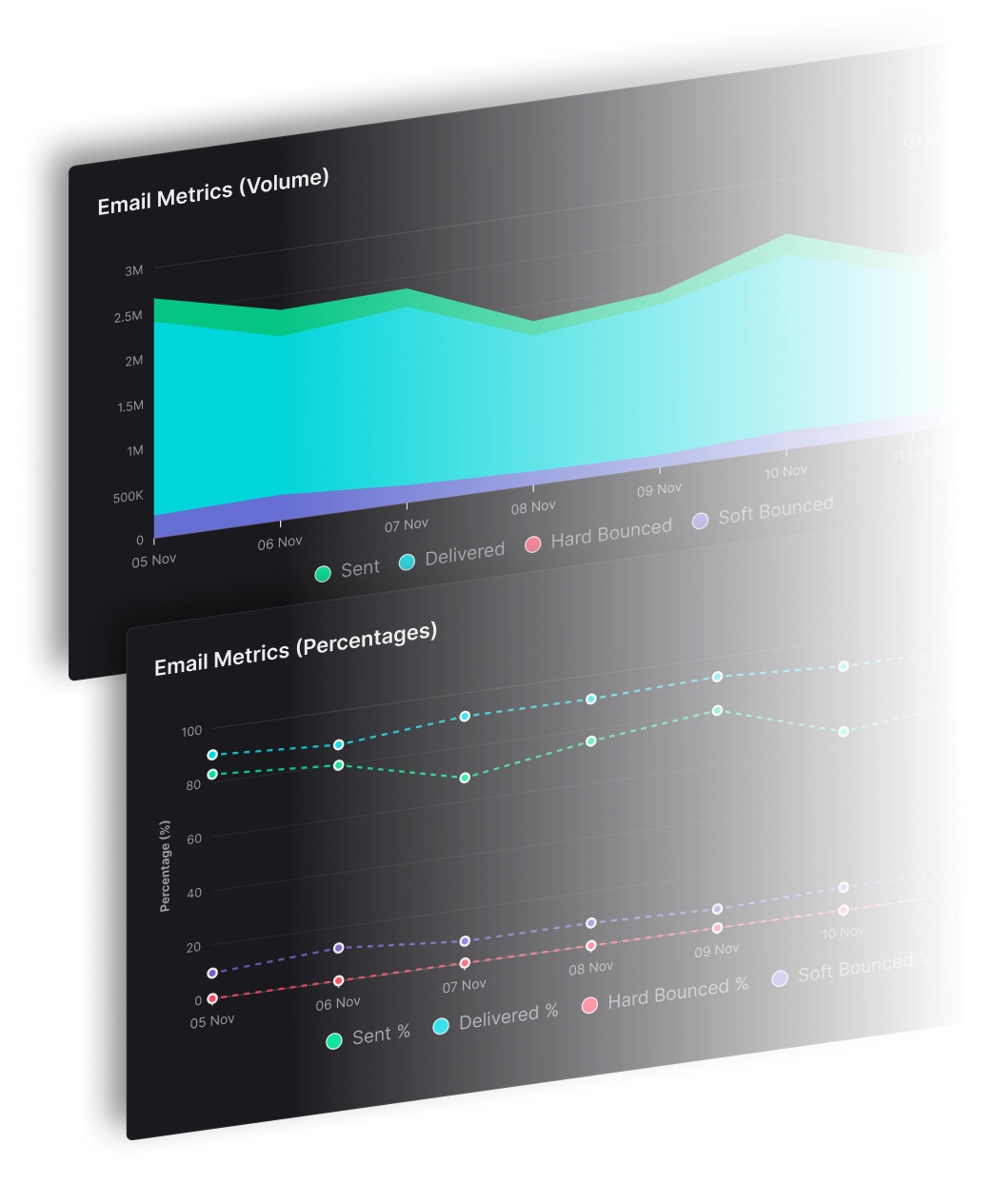


The popular advice to separate transactional and marketing email by trigger is incomplete. An automated message can still be marketing. For an established sender, transactional email vs marketing email comes down to the message's main job, not whether software sent it after a purchase, signup or account event.
For teams sending across many brands, copying a shared default creates shared dependencies, and failures become harder to isolate at volume. SendX Infrastructure gives each brand its own domain and IPs. Classification, consent, mixed messages, reporting and sending setup all need to follow that boundary.
Transactional and Marketing Email Side by Side
Transactional email serves an existing action or relationship; marketing email promotes something or encourages another action. A receipt confirms payment. A weekly newsletter asks the recipient to spend attention on content, offers or announcements.
The distinction resembles a service desk beside a storefront. Both represent the same business, but recipients approach them with different expectations.
Transactional vs marketing email at a glance
| Criterion | Transactional email | Marketing email |
|---|---|---|
| Purpose | Completes or confirms an action the recipient started | Promotes products, content or offers, and keeps the audience engaged |
| Trigger | A user action or system event, such as an order or password reset | A schedule, audience segment or promotional behavior trigger |
| Typical examples | Order confirmation, shipping update, password reset, receipt, account alert | Newsletter, campaign, promotion, product launch, drip sequence |
| Recipient expectation | Expected, and judged on clarity and usefulness | Optional, so it has to earn attention |
| Volume pattern | Usually an individual message sent promptly | Batches to audience segments, or individual automated messages |
| Primary success metric | Delivery speed and action completion | Engagement, clicks and conversions |
| Consent basis | Supports the transaction or relationship, subject to jurisdiction | Opt-in or another lawful basis, subject to jurisdiction |
| Unsubscribe requirement | Generally exempt from standard marketing opt-out rules under the CAN-SPAM Act | Requires a working opt-out under the CAN-SPAM Act |
| Mailbox provider treatment | Authentication, reputation and recipient response still matter | Complaints, recipient response and sending behavior matter at scale |
Why recipients judge the messages differently
An order confirmation should put the order details and next action within easy reach. A newsletter needs to explain why its content deserves attention. Applying the same design priorities to both produces cluttered receipts or newsletters that offer little reason to click.
Nielsen Norman Group's older diary study evaluated 139 transactional-email ratings, with messages averaging 5.9 out of 7 across desirable characteristics. That finding supports a service-first design approach, not a current deliverability benchmark.
Useful transactional email examples make the service task obvious, for example, tracking a shipment, confirming a payment or restoring account access. Branding belongs in these messages, but it shouldn't compete with the task.
Assign each template a provisional stream before writing it. Then verify the finished content against that assignment. The intended category guides the rules, traffic handling and reporting, but the final message determines whether that category still fits.
How to Classify an Email by Its Primary Purpose
A SaaS company sends paying customers a monthly "account update." The subject line announces account news, the header displays usage stats, and halfway down sits a discount code for upgrading to an annual plan. Under the FTC's CAN-SPAM Act compliance guide, an existing relationship doesn't automatically make every subsequent email transactional. Once the upgrade offer carries the persuasive weight of the message, the email is commercial content whatever the template filename says, and it inherits the consent and opt-out duties that follow that label.
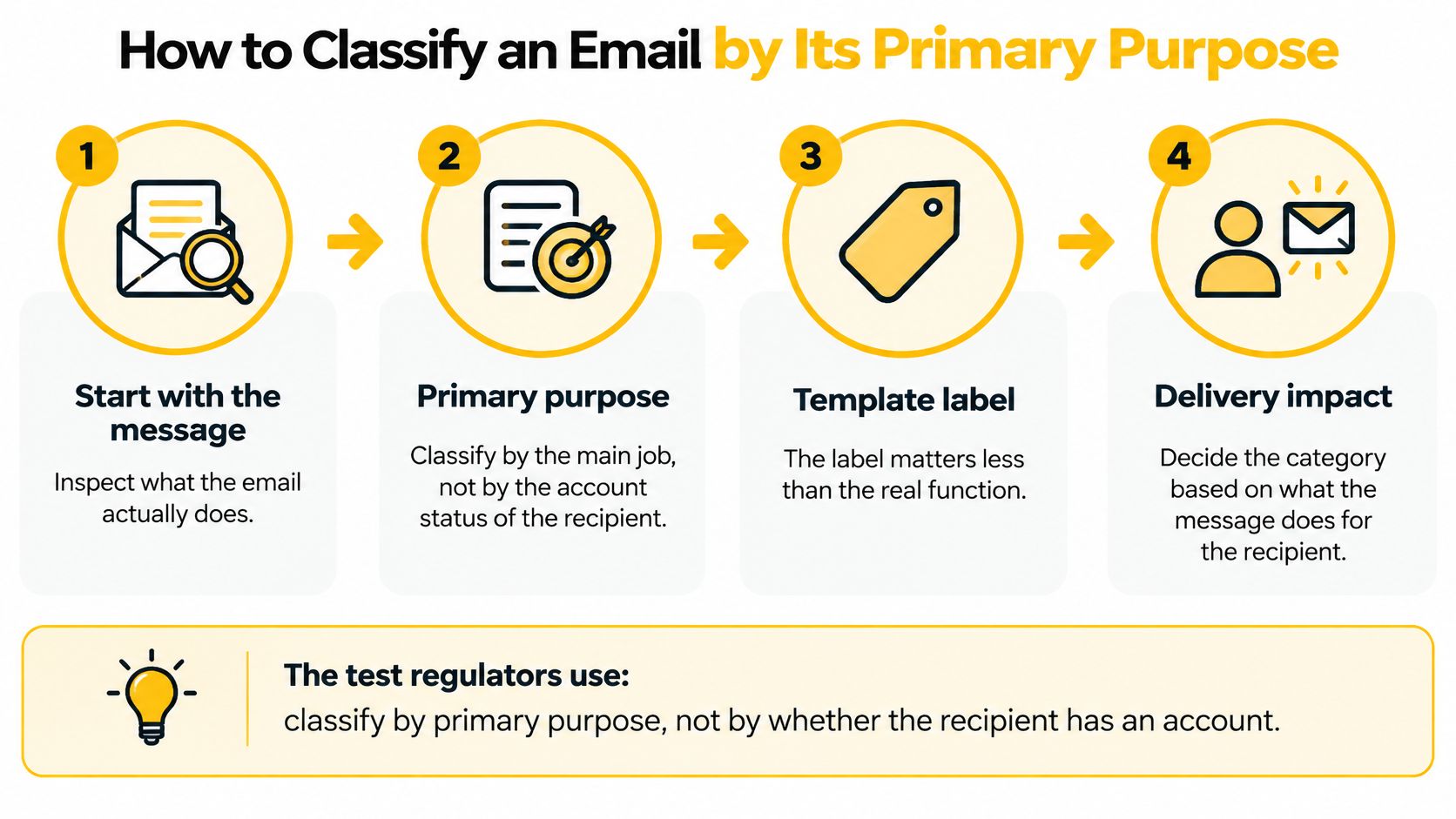
1. Name the event or agreement
Identify the purchase, password request, subscription or account event behind the send. The common mistake is treating account ownership as permission to send unrelated promotions.
2. Identify the transaction being completed
Check whether the message facilitates, completes or confirms something the recipient already agreed to. A receipt passes that test. A suggestion to purchase again serves a different purpose.
3. Check the relationship information
Warranty, recall, safety and security information can qualify, along with specified changes to an ongoing account or subscription. A product announcement doesn't become an account update merely because account holders receive it.
4. Inspect the promotional content
Review the subject line, opening content, visual hierarchy, and calls to action. No universal promotional percentage creates a safe harbor, and an offer occupying most of the layout isn't secondary because a receipt appears above it.
5. Use the recipient's description
Ask a reviewer unfamiliar with the campaign objective to describe the message's main job. Inbox organization resources, such as the Expressify AI email inbox tool, provide context for how messages might be grouped, but an inbox category isn't a legal classification.
6. Tag the approved template
Record the stream, triggering event, owner and classification rationale in the sending system. Recheck the tag after substantive edits; a promotional redesign should never inherit an old transactional label.
Run a current template through these steps this week. A useful review ends with a documented decision and an owner responsible for keeping the finished message within that purpose.
Where Receipts and Resets Turn Into Marketing and Why It Costs Delivery
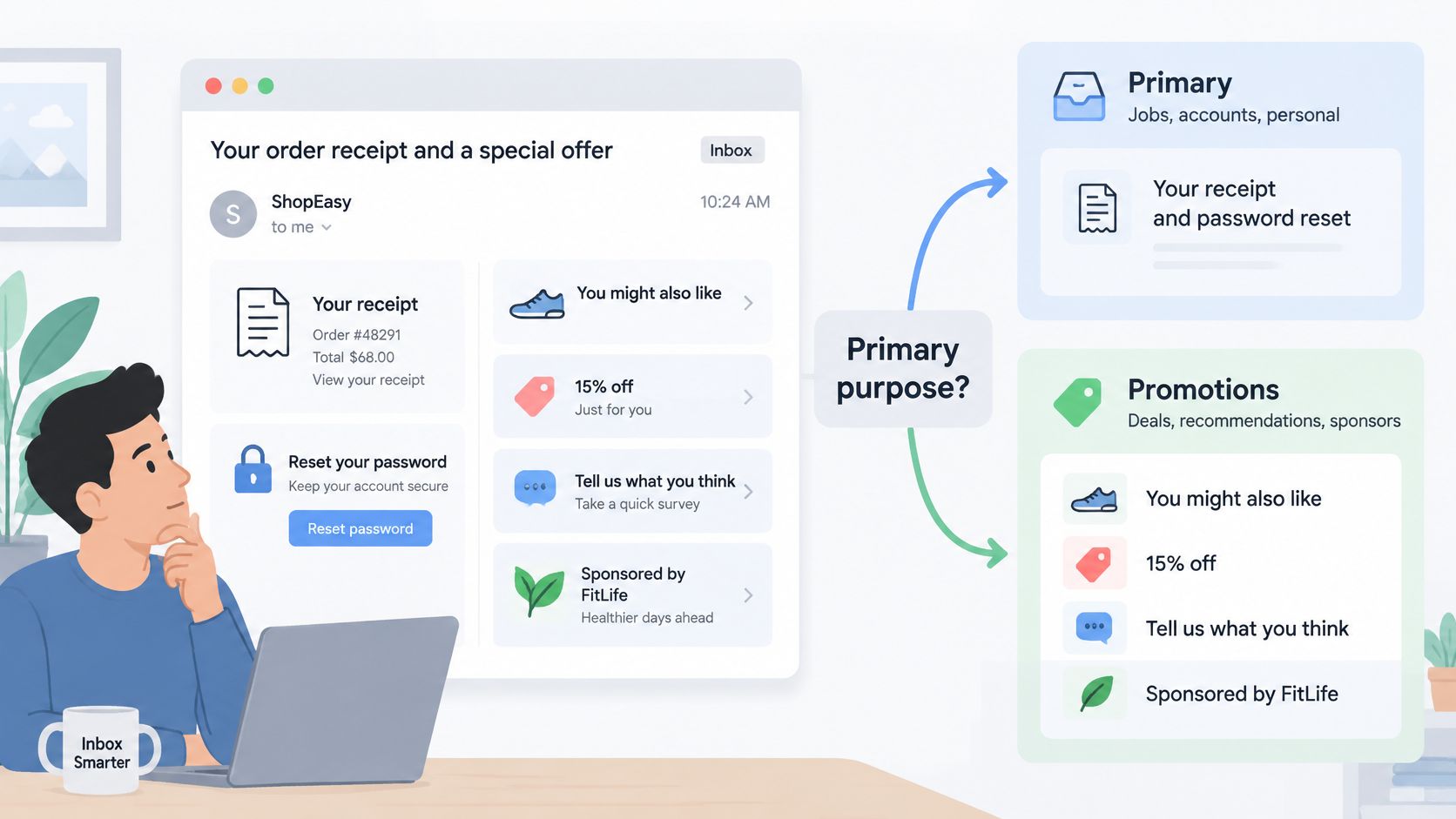
A shipping update that leads with a sale banner shows how fast a service message goes wrong. The delivery information still matters to the recipient, but the layout now asks them to shop. Recommendations, discounts, surveys and sponsor placements all need this kind of review, even when they follow a legitimate purchase.
A related-product block is a light touch; a sale-led subject line with a large banner is a promotion. Judge the full message: what recipients encounter first, how much space the offer occupies, and what the email asks them to do next.
How common mixed messages are classified
| Message | Primary purpose | Classification |
|---|---|---|
| Order confirmation with no offer | Confirm the order | Transactional |
| Order confirmation with one related product block | Confirm the order and recommend a product | Transactional only if the confirmation remains the primary purpose |
| Shipping update with a sale banner | Report delivery and promote a sale | Treat as marketing when the sale dominates, or split the sale into its own send |
| Password reset with a newsletter signup link | Complete an account action | Keep the reset transactional and move the signup invitation outside it |
| Post-purchase survey | Gather feedback on the order | Review the purpose; a discount or upsell pushes it toward marketing, and purchase timing alone doesn't establish an exemption |
These rows are operational applications of the primary-purpose test. A survey concerning an order earns no automatic transactional status.
Keep loyalty promotion outside essential notices
A points balance notice and an invitation to earn bonus points do different jobs. The first communicates an existing relationship; the second encourages another purchase.
When teams compare customer points programs, the email review should separate necessary account information from purchase incentives. A loyalty program gives no license to attach promotions to every service notice.
The same caution applies to sponsor placements in publisher messages. An account-access email exists to restore access. Treating it as an advertising slot invites classification trouble, and the FTC's CAN-SPAM definitions document makes clear that a transactional label never excuses materially false or misleading transmission information.
Shared infrastructure creates a second problem
Mailbox providers receive no internal business explanation for your sends. Gmail, Yahoo and Outlook evaluate observable sending identities, authentication, traffic patterns and recipient responses.
Take a campaign sent to an unengaged segment while password resets ride the same sending path. Complaints and invalid addresses from that campaign damage the shared reputation. At the same time, the promotional workload can crowd resets out of a shared queue, delaying messages recipients are actively waiting for. Two separate failure mechanisms, both needing controls.
Changing the display name fixes neither. Separate queues protect processing capacity; separate sending identities and IP pools add reputation and operational boundaries. Neither arrangement guarantees inbox placement.
The practical question is whether your receipts depend on infrastructure and reputation shaped by promotional traffic.
Report service completion separately from campaign response
A combined open rate cannot tell you whether recipients completed their password resets or whether a campaign reached an interested audience. It merges messages that recipients evaluate for entirely different reasons.
For transactional mail, reporting should connect the triggering event to submission, mailbox acceptance, retries and eventual action completion. Hard bounces indicate permanent delivery failures and need their own investigation and suppression handling.
For marketing email, review clicks, conversions, complaints, unsubscribes and audience attrition by campaign and segment. A healthy receipt stream can hide a deteriorating newsletter segment inside averaged numbers.
Delivered means the mailbox provider accepted the email. In the inbox describes where it landed. Acceptance tells you nothing about placement or whether anyone saw the message, so report the two as separate facts.
A transactional email deliverability review should examine both the sending path and the recipient's task. Before the next large campaign, establish separate reports for the streams, and when an offer creates classification uncertainty, move it into a properly permissioned marketing send.
Consent, Unsubscribe and Gmail Rules for Each Stream
Cross 5,000 messages a day to Gmail addresses and Google classifies the sender as bulk. From that point, marketing and subscribed messages must support one-click unsubscribe, a mailbox-provider rule that sits on top of whatever the law already requires. A receipt can be fully legal and still fail that check if promotional content pushed it into the marketing class.
The earlier side-by-side comparison covers who owes what under the CAN-SPAM Act. Legal classification and Gmail's requirements operate on separate tracks, and a message can pass one while failing the other. The table below maps where each obligation physically lives in the message.
Where each requirement lives
| Mechanism | Transactional email | Marketing email |
|---|---|---|
| Visible unsubscribe link | Not required while the message stays a genuine service message | Required in the body and must keep working |
| List-Unsubscribe header | Not required for genuine transactional messages | HTTPS unsubscribe URL for qualifying bulk senders |
| List-Unsubscribe-Post header | Not required for genuine transactional messages | Set to List-Unsubscribe=One-Click |
| Sender and routing fields | Must be accurate | Must be accurate |
| Permission basis | Service relationship plus applicable jurisdiction | Documented consent or another lawful basis, with withdrawals honored |
What Gmail's one-click requirement means
RFC 8058 is the standard behind the rule. It lets a recipient unsubscribe through the mailbox provider's own interface, without loading a preference page or logging in.
Mechanically, the message needs a List-Unsubscribe header containing an HTTPS unsubscribe URL and a List-Unsubscribe-Post header set to List-Unsubscribe=One-Click. Gmail reads both. The visible body link is a separate marketing requirement, and neither one substitutes for the other.
Password resets and reservation confirmations don't need those headers merely because the sender qualifies as a bulk sender. The moment promotional content enters the template, the message needs a fresh classification review, and the headers may need to go with it.
Check permission separately from purchase history
A past purchase doesn't automatically authorize every future promotion. The applicable jurisdiction, the collection notice, the stated purpose and the withdrawal record determine what permission exists.
The CAN-SPAM Act isn't a universal opt-in rule, and its requirements shouldn't be substituted for another jurisdiction's consent rules. Practical email compliance checks keep those questions separate.
Before a marketing send, verify:
- Permission records. Confirm the audience's applicable sending basis and apply withdrawals and suppressions.
- Unsubscribe behavior. Test the visible link and the required one-click headers on an actual sent message.
- Sender accuracy. Check the sender identity, subject line and routing information against the message's real purpose.
Separating Transactional and Marketing Sends at Volume
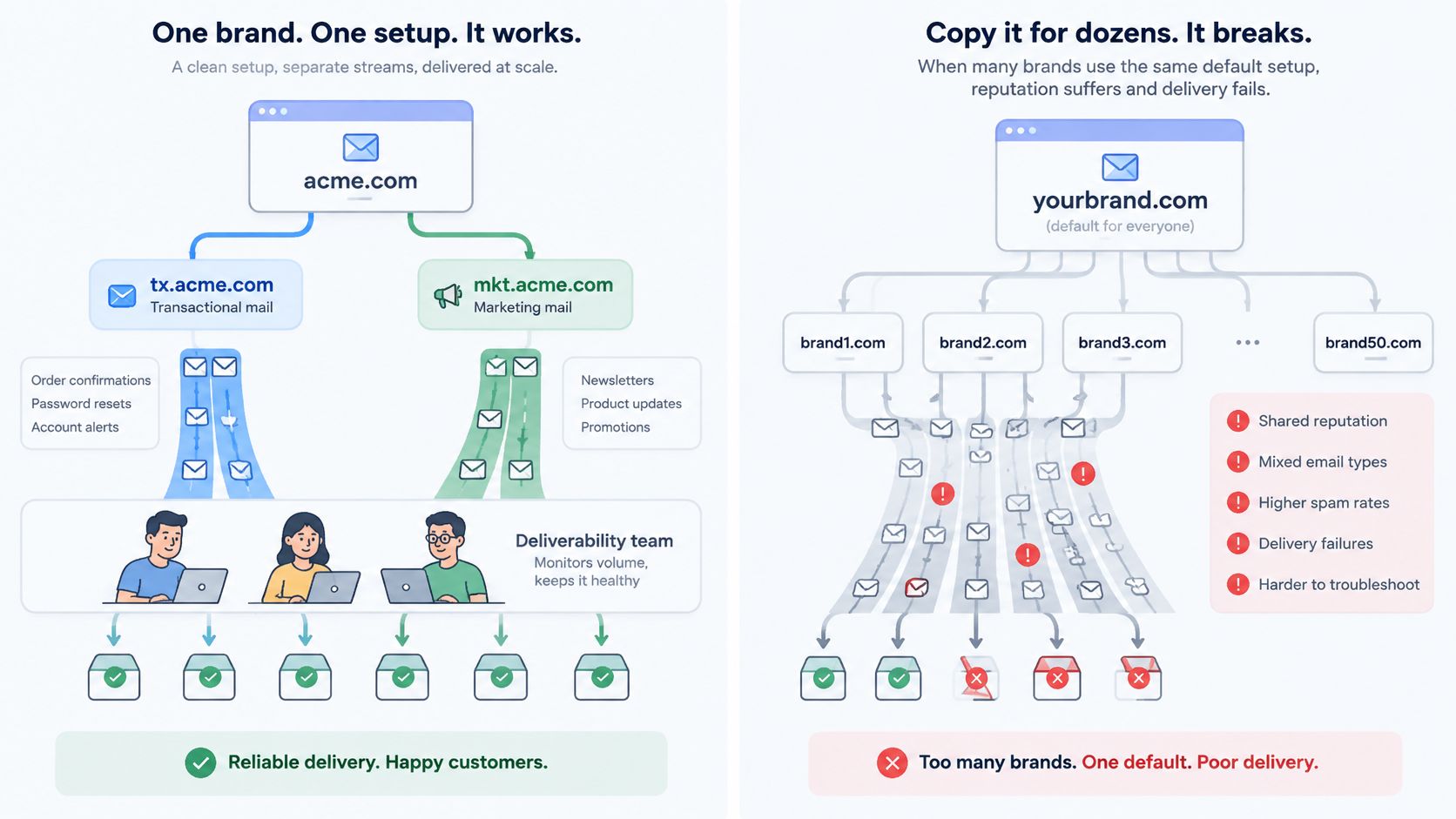
Put forty brands on one IP pool and a single bad campaign can pause every password reset and receipt in the account. That shared exposure is why volume belongs in this decision. Transactional events need prompt handling while scheduled campaigns need pacing and audience controls, and mailbox providers read the two streams differently.
The MailTester deliverability comparison describes this operational split between event-driven transactional traffic and promotional broadcasts. The useful boundary shows up when a team needs to pause or investigate a campaign without interrupting the notifications customers are waiting on.
1. Create a subaccount for each brand
Subaccounts establish operational ownership. Each brand needs identifiable credentials, domains and routing rather than a different display name on shared defaults. In SendX, a subaccount gives each brand its own API key, domains and IP pool, so the team can pause, throttle or rebuild one brand's stream without sharing another brand's credentials.
2. Authenticate each sending identity
For a single brand, separate transactional and marketing subdomains give each stream a distinct identity. With several brands, assign a sending domain to each brand and separate its streams beneath that identity.
The software supplies the required authentication records; the team publishes and verifies them before routing production traffic. A transactional email authentication checklist keeps a newly separated stream from launching with incomplete records.
3. Assign IP pools around operational boundaries
An IP pool is a group of sending IP addresses used for selected traffic. At sustained volume, separate pools let operators pause a brand or campaign without stopping the receipt path.
Separate pools add control, and they demand enough consistent traffic plus active reputation management to stay warm. Subdomains still share parent-domain reputation, so streams under one domain never fully disconnect. A dedicated IP earns its place only when the traffic pattern can sustain it.
In SendX, Infrastructure reporting shows results per brand, mailbox provider and IP, down to the bounce code. Operators can identify the affected stream instead of diagnosing an account-wide average.
4. Review warmup and throttles before launch
Warmup gradually introduces traffic from a sending identity; throttles limit sending speed. Review both by mailbox provider rather than applying a single account-wide rate.
A separate pool gives the team a lever when trouble appears. A shared pool without routing controls leaves no way to isolate the affected traffic while it keeps burning reputation.
Finish by inventorying every sending identity, its domain, pool, stream owner and reputation record.
Choose a Sending Setup by Your Volume and Brands
An agency sending receipts for several clients faces a different architecture question than a publisher running multiple newsletters, even when both sit on one account. The profile below matches the sending shape to the boundary it needs.
Stream setup by sending profile
| Profile | Stream setup | What to watch |
|---|---|---|
| One brand on one list | Transactional on a subdomain, marketing from the main domain | Parent-domain reputation can still connect the streams |
| Several brands on one account | Own domain, IP pool and sending limits for each brand | A new brand starts with no reputation history |
| Clients or users at volume | One subaccount per tenant with dedicated IPs and a controlled overflow pool | One tenant's complaint spike must not set the account's reputation |
| Second provider kept as insurance | One brand routed through the new engine first, current provider still running | Switch back if results don't hold |
Match the controls to the team's responsibility
Running this manually means owning domains, pools and reputation records for every brand that joins the account. Publishers, CRMs and agencies can end up training an infrastructure team when the actual requirement is dependable sending.
SendX Infrastructure is managed sending infrastructure for multi-identity senders with 20K contacts or millions of sends a month. The decision framework comes down to three questions.
See it: when delivery drops, can the team name the brand responsible? Delivery events and bounce codes have to attach to a single sending identity, or every incident becomes an account-wide investigation.
Switch it: can migration be reversed? Proving one brand first, with the current provider still running underneath, turns a risky cutover into a controlled comparison. The pass-through supports existing provider arrangements.
Separate it: does one brand's bad week stay inside that brand's boundary? Each brand needs its own sending identity, pool and limits, so a promotional stream can be halted without interrupting password resets.
For teams comparing an alternative sending setup, weigh those controls alongside the billing model. Core includes 5,000 transactional emails per month, with extras at $1.00 per 1,000; Professional includes 100,000, with extras at $0.40 per 1,000. Enterprise transactional email uses CPM billing, meaning cost per thousand messages, with no cap.
Review the sending setup for a multi-brand account.
FAQs
Does a transactional email need a postal address in the footer?
The CAN-SPAM Act's physical postal address requirement applies to marketing messages, not messages whose primary purpose qualifies as transactional or relationship content. For service messages, retain a recognizable business identity and a useful support route. A promotional redesign requires another classification review.
What should happen if receipts start landing in spam?
Check authentication results, mailbox-provider reputation signals, bounce codes and recent changes in traffic or content. Compare affected mailbox providers rather than treating an account-wide delivery rate as proof of inbox placement. If receipts share a campaign queue or sending pool, isolate those dependencies while investigating the cause.
How often should transactional templates be reviewed?
A quarterly review is a practical governance schedule, not a regulatory deadline. Review sooner whenever a template gains an offer, sponsor placement, survey incentive or new subject-line strategy. Record the primary-purpose decision and keep an approved version so later edits can be checked against it.
Build a sending boundary between essential notifications and promotional traffic with SendX. Review a brand's domains, pools and reporting, then test that brand with the current provider still running and the option to switch back.
