




CC email sends a copy of your message to people who need to see it but aren't the main audience. Every recipient can see the addresses in the CC field, and Reply All can pull anyone there into the thread. To is for people who must act. BCC hides a recipient from everyone else.
Getting that right in one message takes a second. Getting it right across a dozen brands, with the same mailbox copied onto thousands of automated sends every week, is where teams burn quota and expose addresses they never meant to share. SendX Infrastructure is managed sending infrastructure for multi-identity senders, built for exactly that split between brands. This guide covers what CC means, how it differs from To and BCC, when to use it, what it costs at volume, where the privacy risk sits, and what to do after a wrong copy goes out.
What Is CC Email?
CC email is a visible copy, sent to someone who needs the information and not the task. The address sits in the Cc header, so every recipient can read it and the copy becomes part of the thread's public record. To carries the people who must respond. BCC carries the people who must stay unnamed.
The fields are older than email. "Carbon copy" described duplicate documents in the 1870s, when carbon paper pressed pigment from an original sheet onto the one beneath it, as Merriam-Webster's account of cc and bcc explains. Business correspondence shortened it to cc during the 20th century, and blind carbon copy covered the duplicate whose existence stayed hidden from everyone else.
Email kept the split because it fit three real roles, and the standards bodies wrote it in. RFC 733, an early ARPANET mail format from 1977, listed Cc and Bcc as message-header fields, and RFC 822 carried the format forward in 1982. That inheritance is why the field behaves the same way in most mail clients you'll open today.
The practical consequence is that CC is an audience decision, not a formatting one. You're choosing who sees the thread, and who sees each other.
What Is the Difference Between To, CC, and BCC?
Field choice is where addresses leak and inboxes fill. Pick the wrong field and you have either hidden someone who needed to act or published a list you meant to protect.
| Field | Who can see the addresses | Best used for | Reply All behavior | Main risk |
|---|---|---|---|---|
| To | Every recipient | People who must read or act on the message | Includes all To recipients | Action requests buried among observers |
| CC | Every recipient | People who need visibility but no action | Includes all CC recipients | Address exposure and reply-all storms |
| BCC | Only the sender and that recipient | Hiding recipient lists on announcements and mass sends | Excludes BCC recipients | False sense of message security |
Who Sees Each Recipient List
To and CC are public inside the message. Every address in either field is delivered to every recipient, which is what Gmail's recipient guidance means when it states that anyone placed in the Cc field can see the other recipients on the message. BCC works differently: the address is left out of the visible recipient list, so the person receives the mail without appearing to anyone else who got it.
That one difference decides most real sends. Say a 12-person agency sends a launch update. The client sits in To because they must approve the copy. The account lead and the designer sit in CC because they should follow the decision without owning it. Nobody sits in BCC, because there is nothing to hide and the group is small enough to be safe.
The rule here is set by the message header. Addresses in To and CC travel with the message into every inbox on the list, while Bcc addresses are stripped from the copy each recipient sees. Teams that publish a shared email marketing terminology guide usually settle these field names once, so nobody has to guess what a colleague meant by "looping someone in."
How Reply and Reply All Treat CC
Reply sends your response to the sender alone. Reply All sends it to every address in To and CC, which is why a copied observer can become an active participant in one click.
BCC recipients drop out of the thread. Their client treats the message as one they received privately, so they do not appear when anyone else replies. When a BCC recipient clicks Reply All, the reply goes to everyone and their address now sits in the To field of that reply, revealed to the whole thread.
Run the launch update through both cases. The client in To replies all to approve, and the account lead plus the designer see the approval, which is the point of copying them. Add an outside consultant in BCC and the same exchange turns awkward: their first Reply All publishes their address to the client.
The test that settles most sends: if the person must do something before the work continues, they go in To. If they need the trail, they go in CC.
Visible CC also changes what the receiving side sees. A message that arrives carrying a long Cc list across different domains has the same shape as bulk mail: one send, one shared recipient list, every address exposed to the group. That pattern is what spam filtering exists to question, so a personal note carrying hundreds of visible addresses invites the same scrutiny a campaign would. Keep the visible list tight and send individualized mail at volume.
When Should You Use CC in an Email?
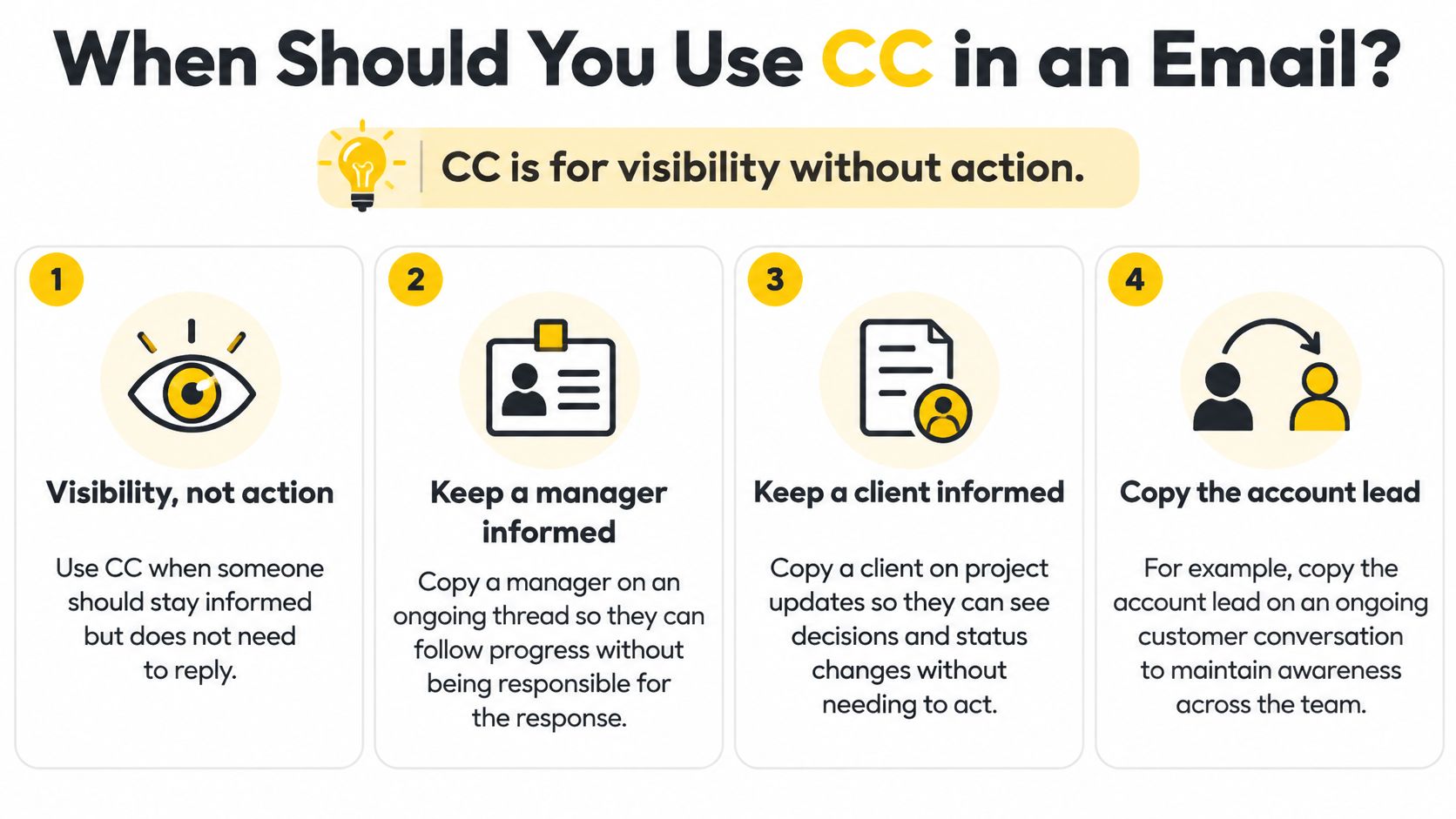
CC is for visibility without action, and that's the whole rule. Use it when someone should keep the thread and shouldn't be responsible for answering it.
You can apply that in four everyday ways.
- Keep a manager informed on a running thread: Copy them on an ongoing client conversation so they can follow progress without becoming the person who has to respond.
- Keep a client across project status: Copy the client on updates so they see decisions and timeline changes as they happen, rather than in a Friday summary.
- Document that a stakeholder was told: Copy legal on a contract change so the record shows they had the information before the work started.
- Add a teammate for context: Copy a colleague who joins the account next month, so the history arrives before their first call.
The misuses are easier to spot once you name the better field. If you need the person to act, put them in To. If the content is sensitive, or the recipient list itself is sensitive, use Bcc or separate individual messages. If the send is bulk or automated, skip CC entirely and let each recipient get their own copy without a visible list.
If nobody in the Cc line would notice the message went missing, the copy isn't doing work.
Here's the same decision as a lookup you can run before a send goes out.
| Situation | Field to use |
|---|---|
| Client must approve the change | To |
| Account lead needs context but no action | CC |
| Legal must have proof a stakeholder was told of a contract change | CC |
| Recipients must stay hidden from each other | Bcc or separate individual messages |
| Bulk or automated send to a large list | Individual messages, not CC |
Most email etiquette tips stop at tone and timing. The field you pick changes who sees whom, which is a bigger decision than the wording of the note.
How Do You Add a CC Recipient in an Email?
The Cc field sits in the compose window beside To, and you fill it in three steps. Every mainstream client follows the same pattern.
- Open the field. Start a new message or a reply, then click Cc next to To. Clients hide it until you ask, and once it's open the client writes every address you add into the Cc header of that message.
- Add the address. Type it or pick it from contacts, then press Enter or type a comma so the address becomes a removable chip. Read the chips before you move on, because a half-typed address still in the box isn't yet part of the header.
- Check the list, then send. Remove anyone who shouldn't see the thread by clicking the x on their chip. Click Bcc the same way when recipients must stay hidden from each other.
Gmail, Outlook and Apple Mail all follow this shape, so the habit carries between clients and between work and personal accounts.
The mistake to avoid is the inherited list. Reply All on a thread you didn't start keeps the earlier Cc addresses and adds you to them, so a reply to one person can reach eight. Check the Cc chips on every reply to a thread someone else began, and drop the addresses that no longer need the trail.
How Does CC Affect Sending Limits and Delivery?
CC looks free, but it isn't. Each copied address is a real delivered recipient: the mailbox provider stores a copy, the send counts against your quota, and that copy can bounce on its own. Quota and delivery belong in a CC guide because the field determines how many recipients you reach with each send.
For Google senders, the documented ceilings count all three fields together.
| Sending context | Recipient limit | What counts toward it |
|---|---|---|
| Google Workspace message | 2,000 total recipients | To, CC and Bcc combined per message |
| Google Workspace external recipients | 500 per message | Recipients outside your domain |
| POP or IMAP sending via SMTP | 100 recipients | Per message through the SMTP path |
| Mail merge with 1 CC or Bcc address | 1 extra copy per message | A 500-recipient merge sends 500 copies to the copied mailbox |
Sources: Google Workspace sending limits, Gmail mail merge documentation.
The multiplication is where teams get caught. Google's mail-merge documentation states that a Cc or Bcc address is copied onto every outgoing message and counts toward the daily limit, so one copied mailbox on a 500-recipient merge receives 500 copies and adds 500 sends to the quota. That's 1,000 recipient units for a campaign someone thought was 500.
One copied mailbox on a 500-recipient merge is 500 deliveries, not one.
Delivery outcomes don't follow the header you can see. RFC 5322 defines Cc as a destination header, while actual routing, bounce handling and per-recipient results follow the SMTP envelope recipients, as the RFC 5322 message format standard sets out for the header side. Treat the visible Cc list as a label and pull per-recipient logs from the delivery system.
Once a send fans out, provider rate limits decide the pace, and email throttling explained covers how that pacing works per mailbox provider. Senders who fan out individualized mail still have to keep that traffic out of the spam folder, and avoiding spam in email automation covers the list hygiene and content side of that job.
The rule for high-volume senders is simple. Never use CC as a bulk distribution mechanism. Fan out individualized messages with per-recipient suppression and bounce records, and calculate quota on envelope recipients rather than on unique visible messages.
What Are the Privacy Risks of CC Email?
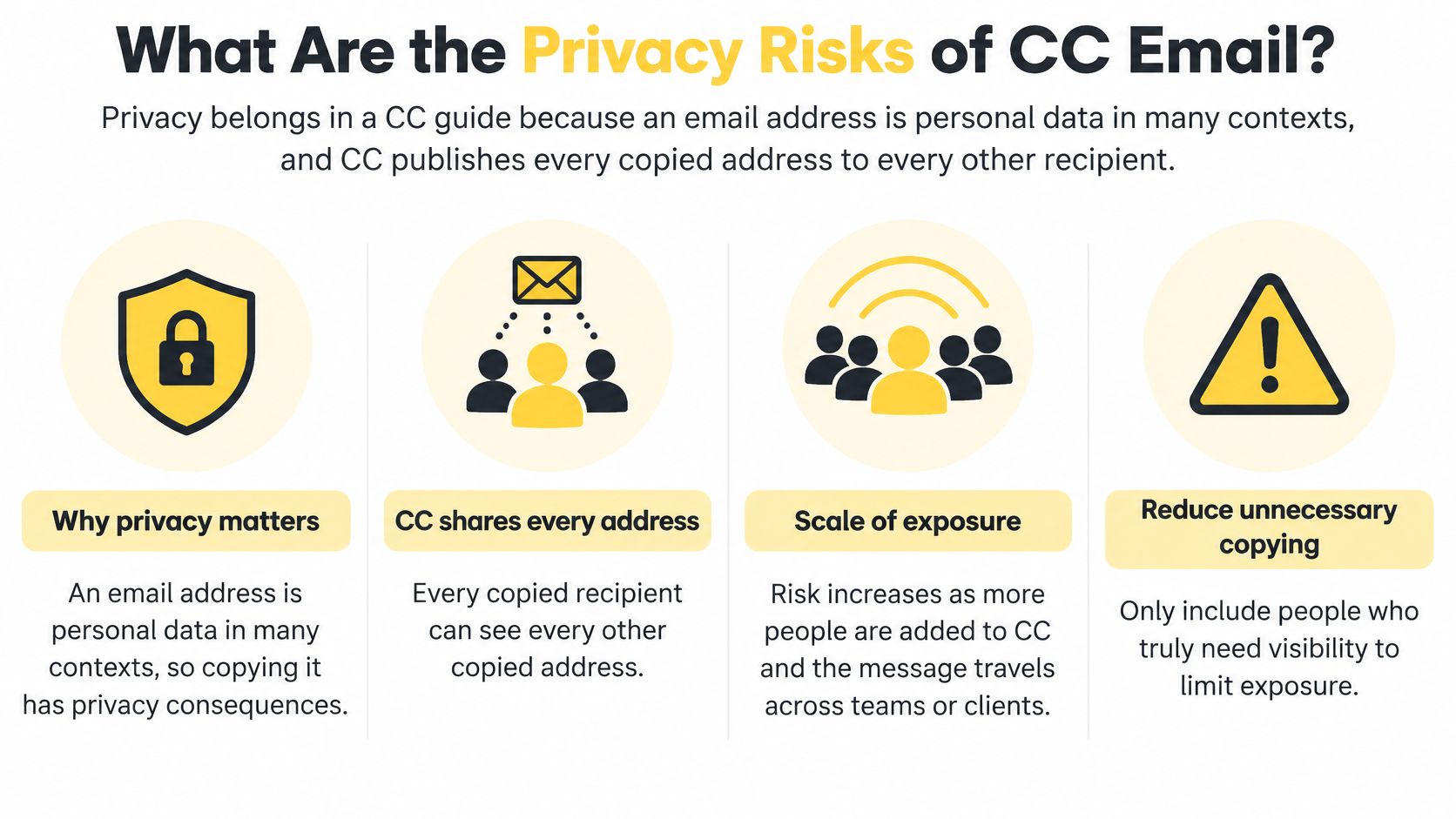
An email address is personal data in many contexts, and CC publishes every copied address to every other recipient on the message. A wrong CC discloses that data to everyone on the thread in a single send.
Severity scales with context. A public business address carries little risk. A private individual's address carries more. An address that reveals membership in a health, political, employment or support group can turn one careless copy into a reportable incident, especially when it lands in front of a client or a competitor.
The UK Information Commissioner's Office warns that forgetting Bcc frequently causes accidental disclosure of every recipient's address. The everyday version is a field left empty on a mass send, and regulators treat that as a breach all the same.
Bcc doesn't fix confidentiality. It hides addresses from other recipients, and that is all it does. A Bcc message isn't encrypted, can be forwarded, can be screenshotted, and stays in the recipient's mailbox for as long as their provider keeps it. Senders who treat Bcc as a security control discover the gap during an incident review, when the supposedly hidden copy turns out to be sitting in every inbox on the list.
What to Do After a Wrong CC
Reply All compounds an incident by exposing more addresses or more content, so the first move is to stop the thread. Then work the sequence.
- Stop replies. Post nothing else to the thread until you know who's on it. A second reply-all adds addresses to the same mistake.
- Map the exposure. List which addresses went out, whose they are, and what content sat alongside them. Segment those addresses by sensitivity.
- Preserve the evidence. Keep the sent message and the delivery logs before anything is recalled or deleted. Recall rarely works across providers.
- Report internally and assess. Your privacy lead decides whether the risk crosses the threshold for notifying a regulator. That decision depends on the sensitivity of the addresses and the volume.
- Send any follow-up safely. Use Bcc or individual messages, so the apology doesn't repeat the disclosure.
Encryption protects content in a way a field choice never can, and why email encryption matters walks through the options. Whatever tool sent the message, the review that follows needs per-recipient delivery records: which addresses the provider accepted, which bounced, and when each event happened.
How SendX Infrastructure Handles Recipients at Scale
A stray Cc on one automated send becomes a standing audit across 40 client accounts. Someone has to check every send for copied addresses, track the quota each copy consumes, and work out afterward which addresses each provider accepted. Shared infrastructure makes it worse, because one client's list problem can follow every other brand out the door.
SendX Infrastructure is managed sending infrastructure for multi-identity senders: publishers and newsletter businesses, CRMs and marketing platforms, agencies, and companies building their own sending engine.
Three parts of it answer the questions a CC list raises.
Separation. Each brand runs in its own subaccount with its own API key, sending domains and IP pool, so a copied mailbox on one client's campaign can't touch another client's reputation. A new tenant goes live through the email API, which ships drop-in compatibility with SendGrid and Amazon SES, so teams already sending on either keep their code and point it at a new endpoint.
Control. Throttles and warmup run per mailbox provider, so a large send full of copied mailboxes never pushes volume at Gmail or Yahoo faster than that provider accepts it.
Visibility. Results report per brand, per mailbox provider and per IP, down to the bounce code with minute-level zoom. The review after a wrong copy runs as a workflow: open the brand's subaccount, filter to the provider that rejected the copies, pull the exact addresses, and clean them off the list before the next send.
Route your first brand through SendX Infrastructure while your current provider keeps sending underneath, and let the per-brand reports tell you when to move the rest.
FAQs
Does CC Affect Email Deliverability?
CC isn't a spam signal on its own. What Gmail, Yahoo and Outlook see is the shape of the send: a large visible recipient list, or the same copied mailbox turning up across bulk-looking mail, reads as list sharing. The cost side is mechanical too. Every copied address is a separate recipient in the envelope, so each extra name adds another delivery against your sending quota. Keep recipient lists minimal and switch to individualized mail once the volume climbs.
Is CC the Same as Forwarding?
No. CC delivers the original message to an added recipient at send time, with the original headers and content intact, and everyone on that copy can see the other visible addresses. Forwarding builds a new message around the old one, so the headers change, the original sender's address lands in the body, and the new recipient sees a shell rather than the original thread.
What Does CC in a Subject Line Mean?
Senders sometimes type CC followed by a name in the subject line to indicate that a copy went to someone who wasn't on the thread. It's an informal human convention with no technical meaning. The Cc field decides who receives the message, not anything typed into the subject.
If your team sends under several brands, clients or titles, the recipient questions in this guide stop being a per-message habit and become infrastructure decisions. SendX runs one product for that work: the sending software for campaigns and automation, and the delivery engine underneath with subaccounts, dedicated IP pools, per-provider throttles and results down to the bounce code. Visit SendX to see how that setup keeps one brand's copied mailbox away from every other brand's reputation.
