




A Quick Guide to Uploading an Image for Your Pop-Up in SendX
Images make your pop-ups visually appealing and can significantly increase engagement. Using colors and visuals aligned with your brand identity helps your pop-ups feel authentic and relevant rather than intrusive.
Steps to Upload an Image for Your Pop-Up
Open the Pop-Up Editor
While creating your pop-up, navigate to the Content tab.Add Images Section
Scroll down until you see the Add Images option and click on it.
A selection of small image thumbnails will appear for you to choose from.
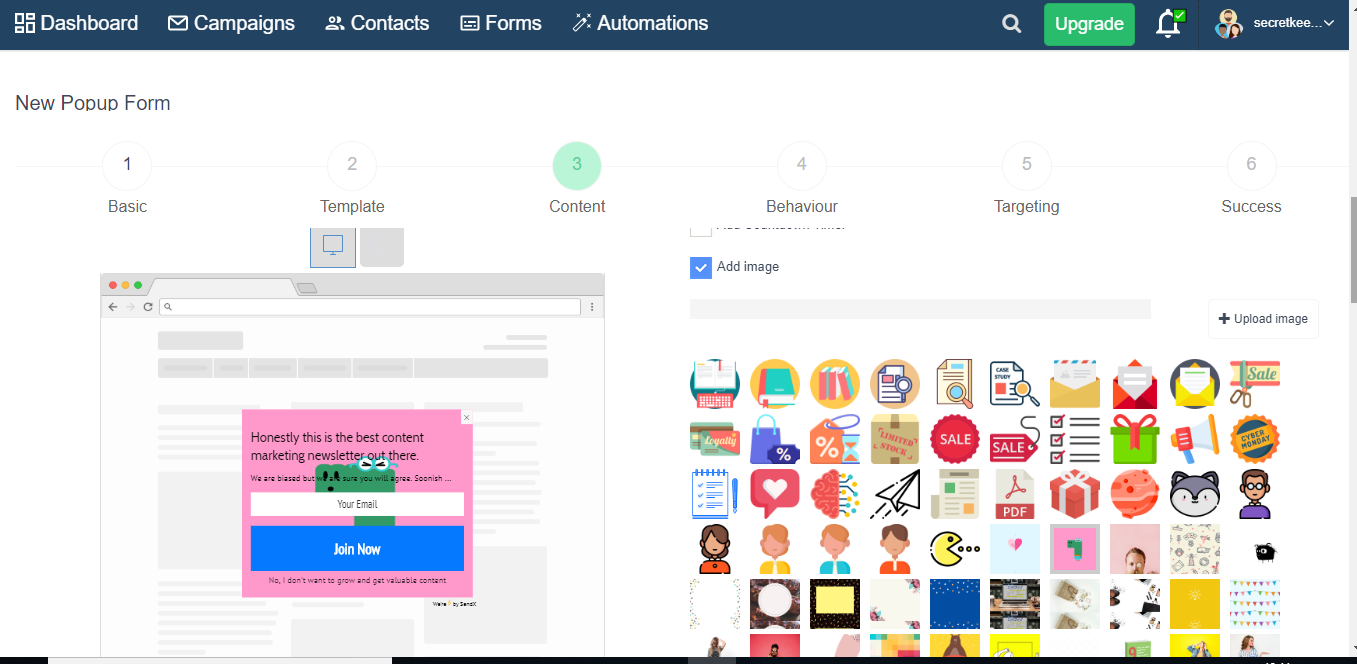
Add Images Section
Scroll down until you see the Add Images option and click on it.
A selection of small image thumbnails will appear for you to choose from.Upload Your Image
Browse your computer to locate the image you want to upload, select it, and upload it.Confirm and Use the Image
Once uploaded, your image will appear in the image catalog below.
Select your uploaded image, and it will be added to your pop-up instantly!
