


A Quick Guide To Deleting Contacts Using Bulk Actions.
SendX allows you to quickly delete large number of contacts with just the click of a few buttons using Bulk Actions. Follow these simple steps to delete multiple contacts at once:
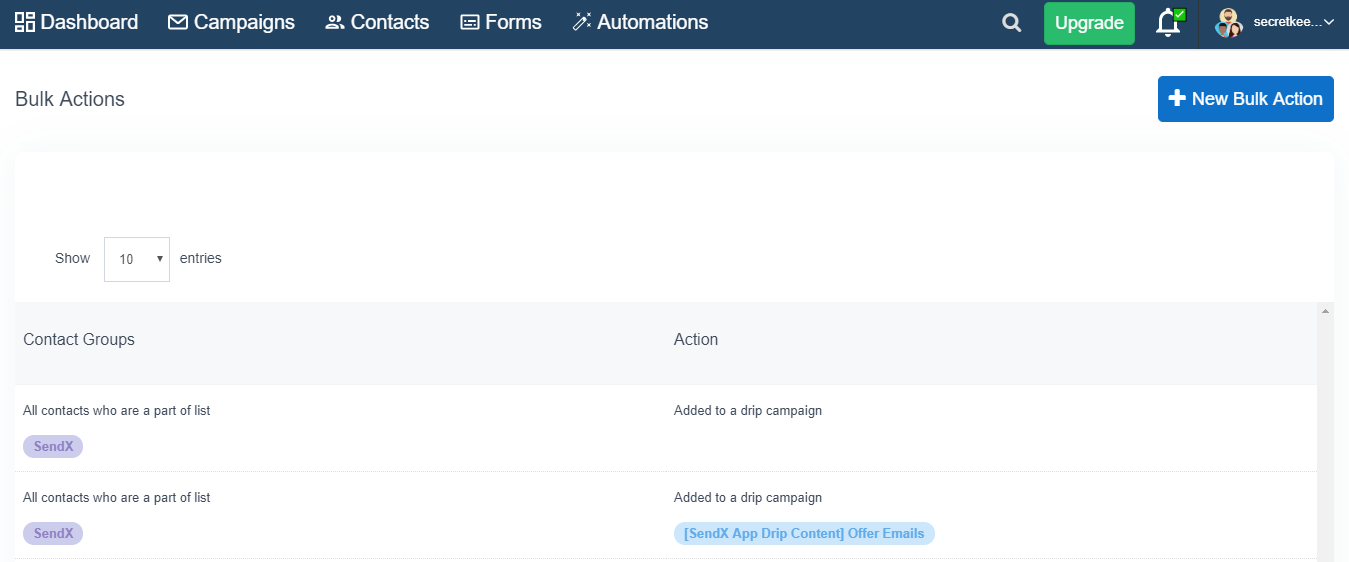
Go to the Automations + Bulk Actions by scrolling down the page.
Click New Bulk Action.
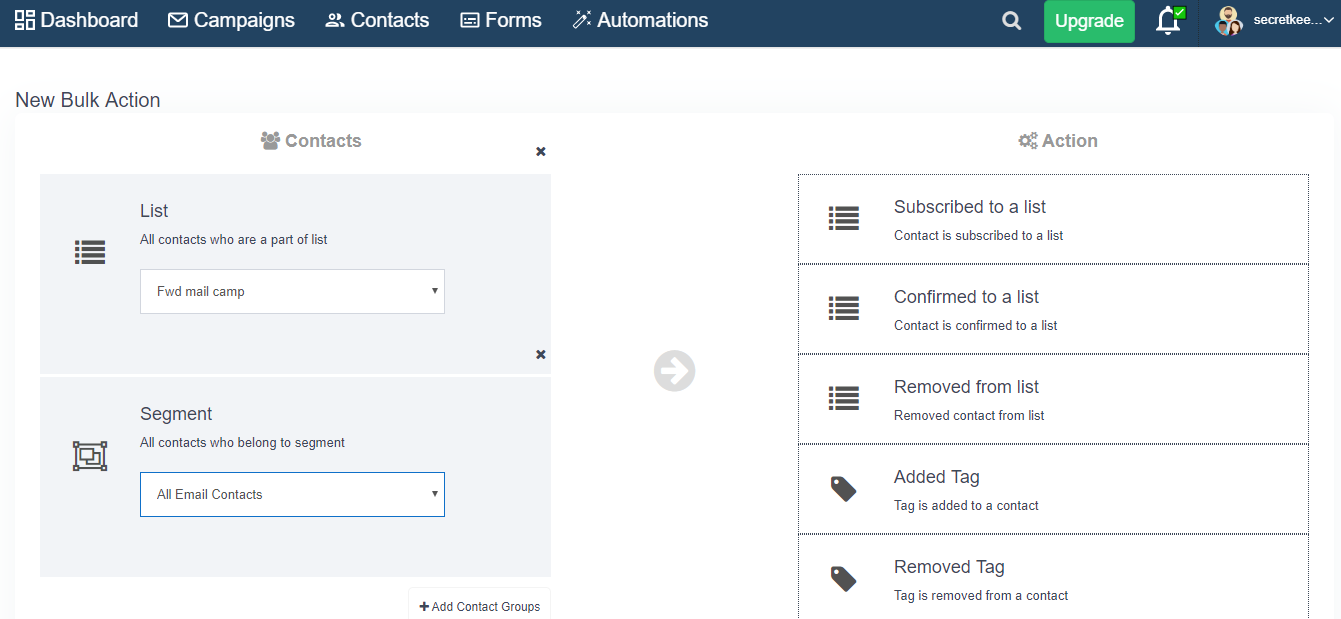
Under Contacts, select all the Lists, Segments or Tags you want to delete (Click on Add Contact Groups at the bottom right to add multiple contact groups).
Under Action, click Delete Contact.
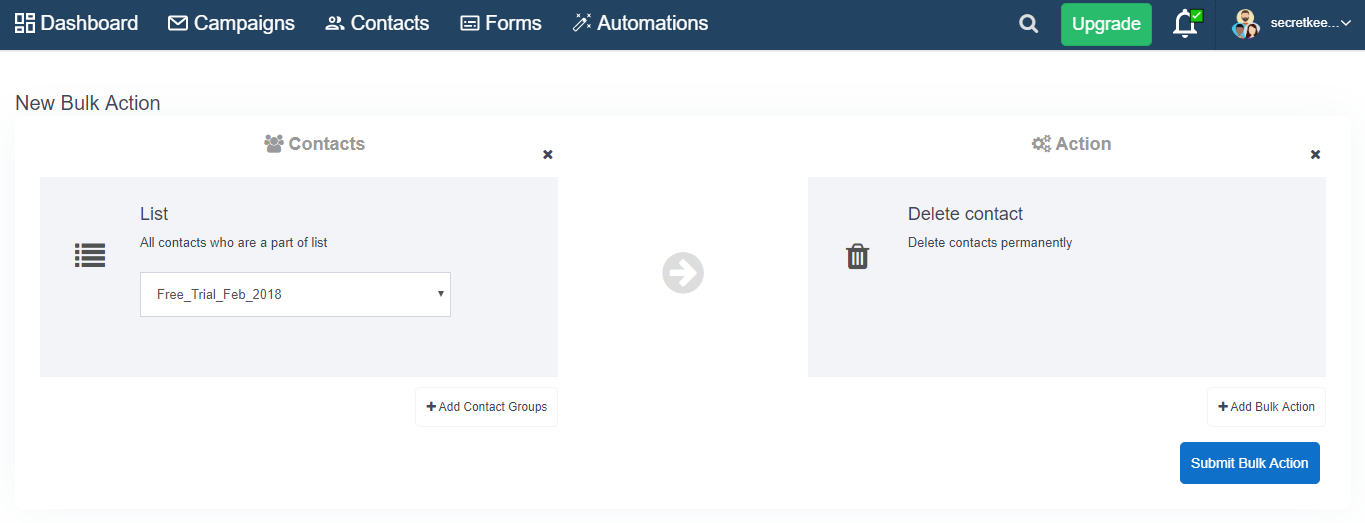
Click Execute Bulk Actions to delete the selected contacts.
That's it! With just a few clicks, you can delete huge bases of contacts within SendX.
