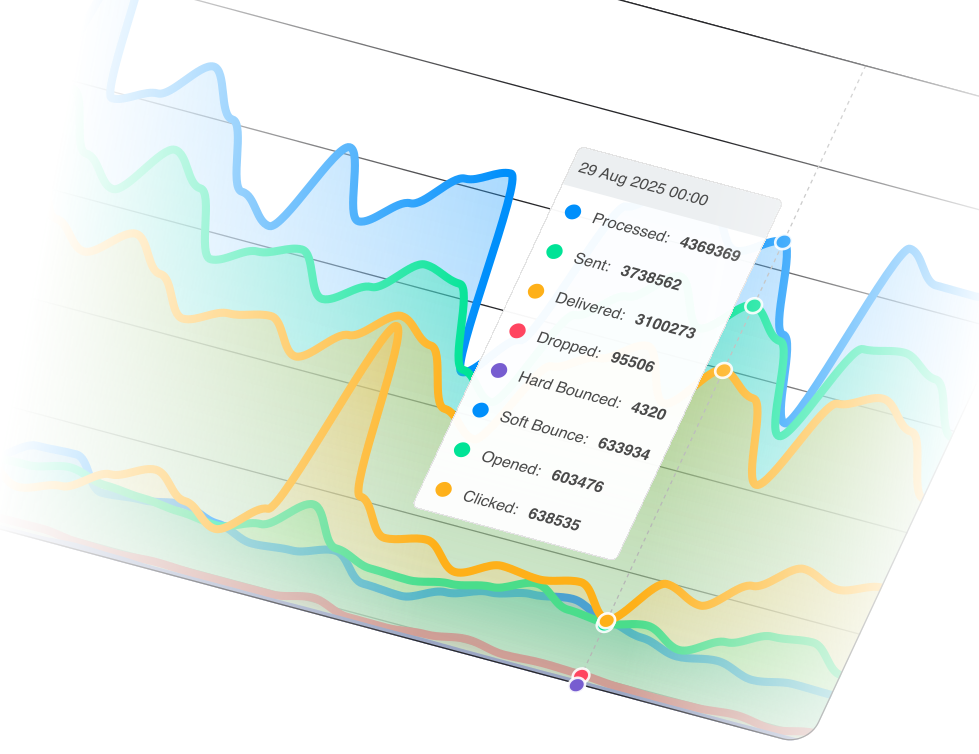
Start sending on shared IPs with zero warmup, or take full control with dedicated IP pools — SendPost gives you flexible IP infrastructure for every stage of email deliverability.
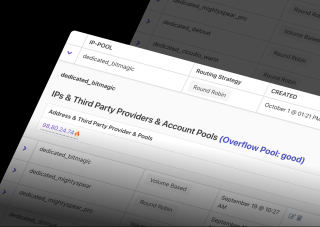
Whether you're just getting started or sending millions, our IP infrastructure adapts to your needs and supports your reputation.
Send emails immediately on SendPost's shared IP pools — no warmup period, no reputation risk from cold IPs. Ideal for lower-volume senders or new domains still building deliverability history.
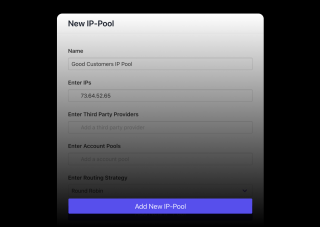
Isolate your sender reputation on dedicated IPs that only carry your traffic. Configure automatic or manual warmup schedules, assign IPs to specific mail streams, and route email using round-robin or volume-based logic across your pool.
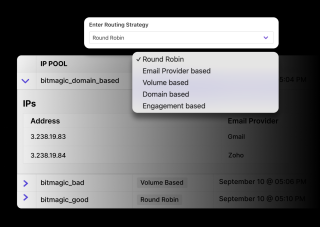
Move from shared to dedicated IPs as your sending volume grows — or run both in a hybrid setup. SendPost supports agencies, ESPs, and multi-tenant platforms with no cap on IP pool configurations.
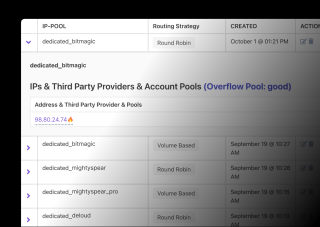
Choose your IP strategy, configure settings, and let SendPost manage the rest — from warmup to deliverability optimization.
Point your domain's DNS to SendPost and start sending within minutes. Shared IPs are actively managed, so there's no cold-start penalty and no reputation bootstrapping required.
Provision one or more dedicated IPs and assign them to IP pools. SendPost handles warmup automatically — gradually increasing volume while throttling per ISP — and you maintain full control of routing, sender isolation, and delivery settings.
Upgrade from shared to dedicated IP pools whenever your volume or deliverability requirements demand it. Run hybrid configurations where transactional email flows through dedicated IPs while lower-priority streams use shared pools.
Point your domain's DNS to SendPost and start sending within minutes. Shared IPs are actively managed, so there's no cold-start penalty and no reputation bootstrapping required.
Provision one or more dedicated IPs and assign them to IP pools. SendPost handles warmup automatically — gradually increasing volume while throttling per ISP — and you maintain full control of routing, sender isolation, and delivery settings.
Upgrade from shared to dedicated IP pools whenever your volume or deliverability requirements demand it. Run hybrid configurations where transactional email flows through dedicated IPs while lower-priority streams use shared pools.
Everything you need to know about SendPost and transactional email delivery
If you're just starting or sending low volumes, go with shared IPs. If you're a high-volume sender or need control, choose dedicated.
Yes. You can upgrade to dedicated IP pools anytime as your volume and needs grow.
Yes. SendPost offers automatic IP warmup, but you can override the defaults and configure limits manually.
A dedicated IP is an IP address used exclusively by your organization to send email. Unlike shared IPs — where multiple senders share the same address — a dedicated IP means your sender reputation is entirely in your control. This matters because mailbox providers like Gmail, Yahoo, and Microsoft use IP reputation as a key factor in deciding whether your email reaches the inbox or the spam folder.
Consider moving to a dedicated IP when your sending volume is high enough that you can't afford another sender's behavior affecting your reputation, or when you need to separate different mail streams (transactional vs. bulk) onto different IPs. If you're an ESP or agency managing multiple senders, dedicated IPs let you isolate each client's reputation.
When you provision a new dedicated IP, it has no sending history — mailbox providers don't trust it yet. IP warmup is the process of gradually increasing sending volume so providers build a positive reputation profile for that IP. SendPost automates this: it ramps volume while throttling per ISP based on their specific sending speed limitations, splits traffic between your new dedicated IP and shared IPs during ramp-up, and auto-adjusts in real time based on performance. You can also override the automatic schedule and set manual warmup limits.
An IP pool is a group of IP addresses that your email is distributed across. Instead of sending all mail from a single IP, pools let you spread volume using round-robin (evenly distributed) or volume-based (weighted) routing. This helps maintain healthy sending rates per IP, prevents any single IP from being over-utilized, and gives you flexibility to assign different pools to different mail streams or customer segments.
Yes. Many SendPost customers run dedicated IP pools specifically for transactional email — password resets, order confirmations, verification codes — where inbox placement is critical. Keeping transactional email on its own dedicated IPs ensures that bulk sending on other IPs can't impact the deliverability of your most important messages.
Still have questions? We're here to help.
Get instant alerts and automate incident tracking to maintain high inbox rates and protect your sender reputation.
Send, track, and manage emails with our powerful SMTP and HTTP Email API — engineered for deliverability, scale, and speed.
Resolve inboxing issues fast with incident tracking, root cause analysis, and historical resolution logs.
Measure, monitor, and fix deliverability issues with real-time insights from every email stream, IP, or ISP.
Uncover exactly what happened to your emails — with full transparency, search, and retention for up to a year.
Track every email event as it happens and automate your business logic effortlessly with real-time webhooks.
Whether you're just getting started or scaling to millions, our IP infrastructure supports your growth and deliverability.